

Adding models
Add Resemble AI Text-to-Speech to the AI Gateway using Custom Endpoints.1
Create a Custom Endpoint model account
In the TrueFoundry dashboard, go to AI Gateway → Models → Custom Endpoints and click Add Custom Endpoint.In Configure Account, set: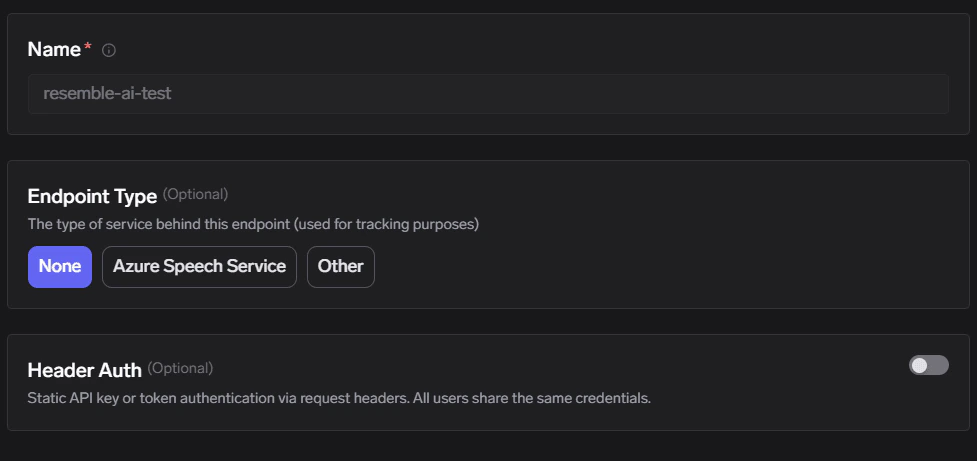
- Name: any unique name (this becomes
{providerAccountName}in the URL) - Endpoint Type:
None(or any value you use for tracking) - Header Auth: keep disabled
Custom Endpoints — create a model account
2
Add a Resemble AI TTS endpoint
Click Add Endpoint (or Add Endpoint from the list view) and configure the integration: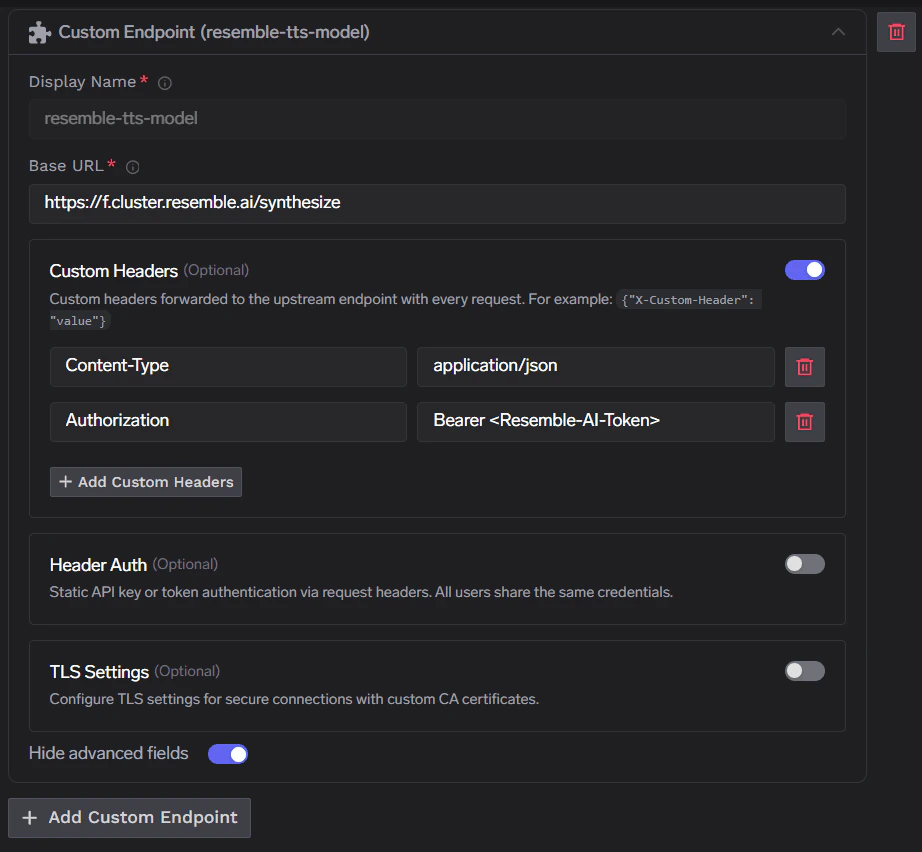
- Display Name: any name (this becomes
{endpointName}in the URL) - Base URL:
https://f.cluster.resemble.ai/synthesize
Content-Type:application/jsonAuthorization:Bearer <resemble-api-token>
Endpoint settings — Base URL and upstream headers
This Authorization header is sent from the AI Gateway to Resemble AI. Your client should only send the TrueFoundry API key to the AI Gateway.
3
Set access control and save
On the Access Control step, add the users/teams who can view/use this model account, then Save.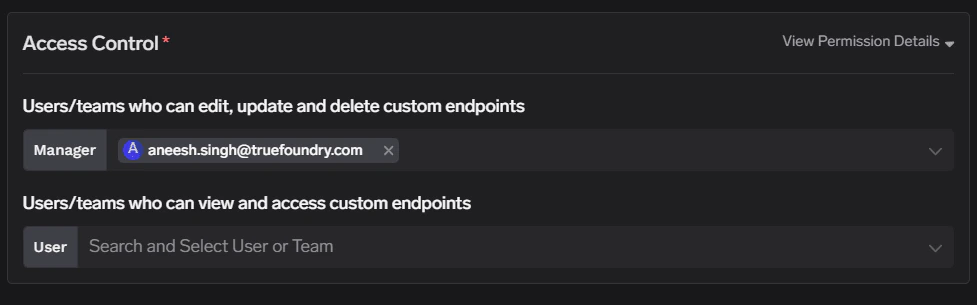
Access Control — grant access to users/teams

Custom Endpoints list with the Resemble AI endpoint added
Inference
Once saved, call your endpoint through the AI Gateway’s proxy-api path. URL shape and path rules are documented under Custom Endpoints.Supported APIs
Text-to-Speech
Text-to-Speech
Before you start: Replace
{GATEWAY_BASE_URL} with your gateway base URL (how to find it) and set TFY_API_KEY to your TrueFoundry API key.Support scope: We do not support all APIs through this integration. Only HTTPS and non-streaming requests are supported. We will add more support over time, including additional endpoints on customer request. Send a request to support@truefoundry.com.