This section explains the steps to add Google Gemini models and configure the required access controls.
1
Navigate to Google Gemini Models in AI Gateway
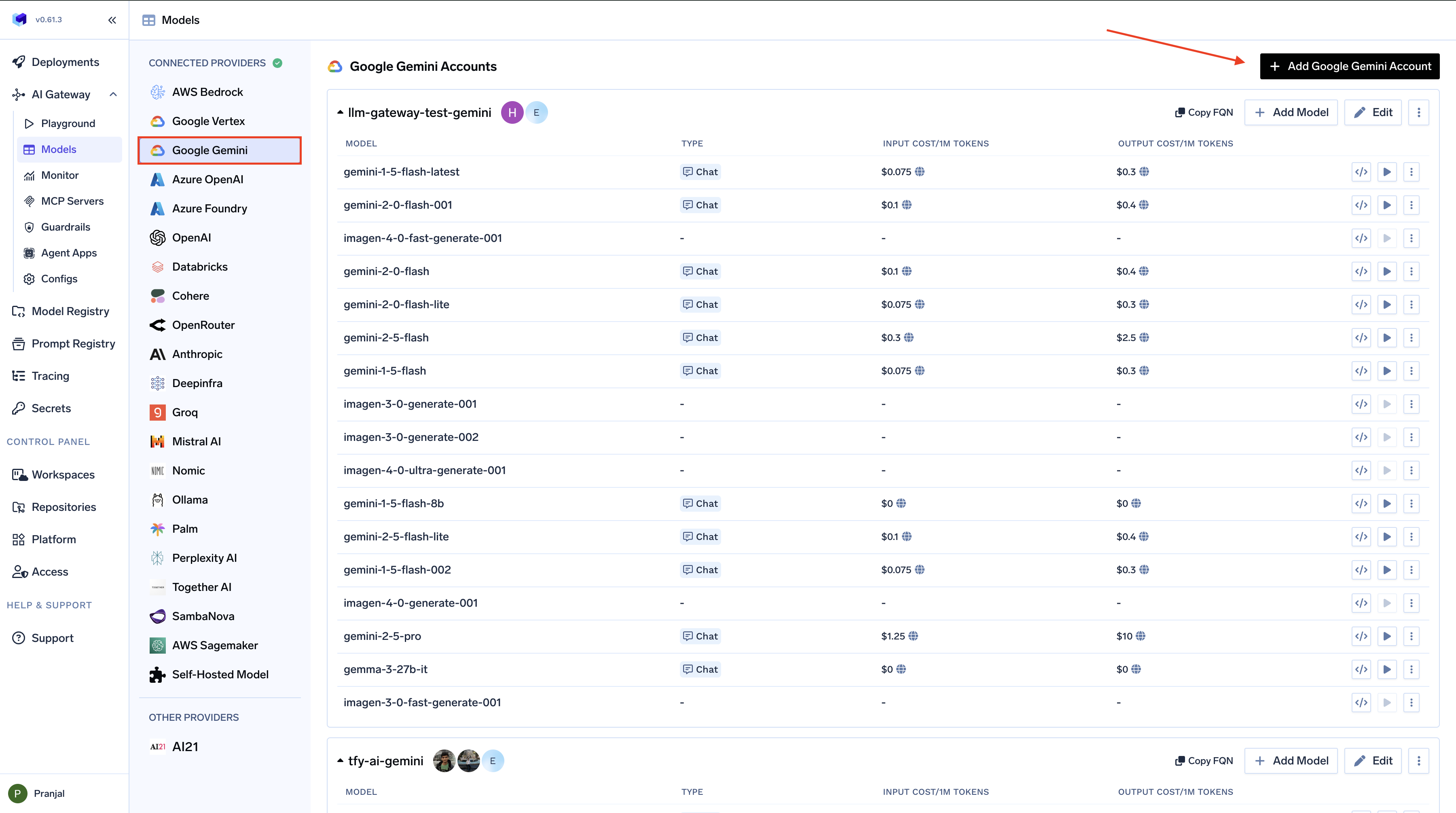
From the TrueFoundry dashboard, navigate to AI Gateway > Models and select Google Gemini.
Navigate to Google Gemini Model
2
Add Google Gemini Account Details
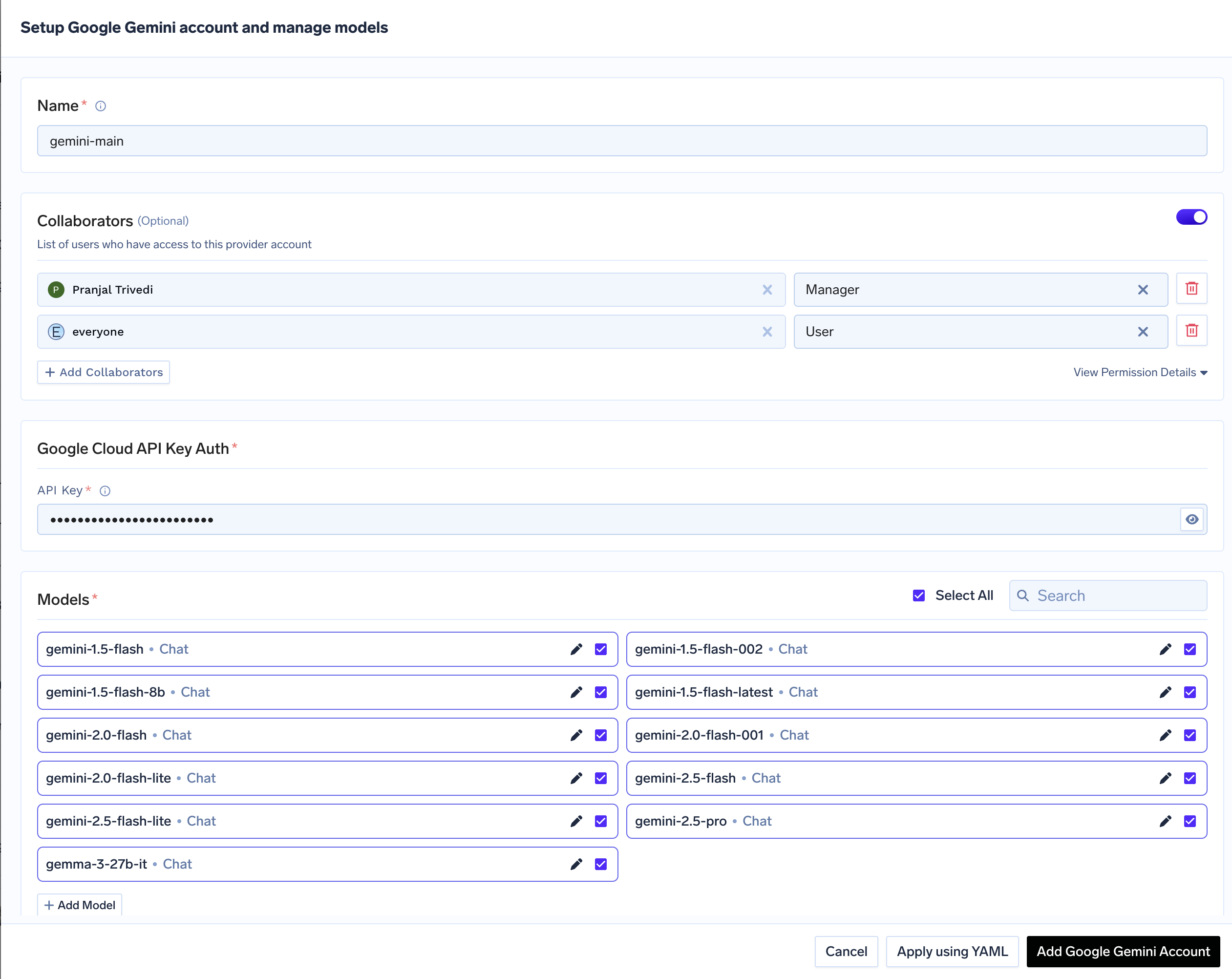
Click Add Google Gemini Account. Give a unique name to your Gemini account and complete the form with your Gemini authentication details (API Key). Add collaborators to your account, this will give access to the account to other users/teams. Learn more about access control here.
Google Gemini Model Account Form
3
Add Models
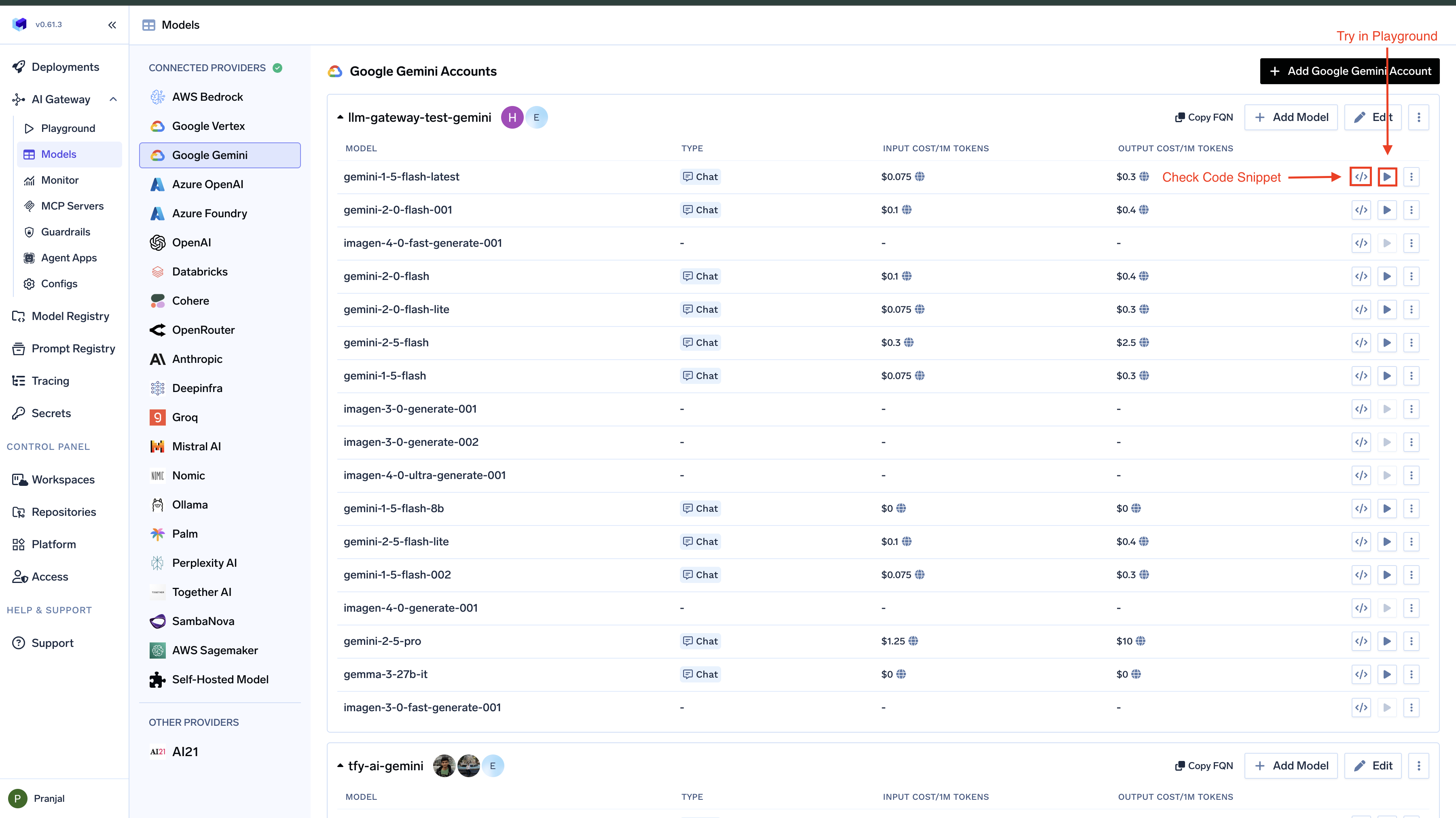
Select the model from the list. If you see the model you want to add in the list of checkboxes, we support public model cost for these models.
(Optional) If the model you are looking for is not present in the options, you can add it using + Add Model at the end of list (scroll down to see the option) by filling the form.
Not supported for Gemini: Batch API, Files API, Messages API (Anthropic-only), Responses API, Speech-to-Text, Audio Translation, Moderation, Image Variation, and Realtime API. For Batch and Files workflows, use Google Vertex AI — same Gemini models, GCS-backed batch/files.
Chat Completions
Gemini’s chat completions endpoint supports streaming, tools, multimodal input (images, audio, video, PDF), structured JSON outputs, extended thinking, and Google Search grounding. The AI Gateway translates OpenAI-compatible requests into Gemini’s native generateContent API.
Full provider capability matrix: Chat Completions API.
Python
from openai import OpenAIclient = OpenAI( api_key="your-truefoundry-api-key", base_url="{GATEWAY_BASE_URL}",)response = client.chat.completions.create( model="gemini-main/gemini-2.5-flash", messages=[{"role": "user", "content": "What is TrueFoundry in one line?"}],)print(response.choices[0].message.content)
Streaming
Set stream=True and iterate over delta chunks. Defensively check that chunk.choices is non-empty and delta.content is not None.
Python
stream = client.chat.completions.create( model="gemini-main/gemini-2.5-flash", messages=[{"role": "user", "content": "Count from 1 to 5, one number per line."}], stream=True,)for chunk in stream: if chunk.choices and chunk.choices[0].delta.content is not None: print(chunk.choices[0].delta.content, end="", flush=True)print()
Function calling / tools
Advertise a tool, hand the model’s tool_calls back as a tool role message, then request the final response.
Gemini accepts images, audio, video, and PDFs via multimodal content parts. Images use the image_url content type; audio and video also use image_url with a mime_type hint; PDFs use the file content type with a base64 data URI.
Gemini 2.5 Pro and 2.5 Flash support extended thinking, on by default. Use reasoning_effort (low/medium/high) — the AI Gateway translates it to Gemini’s native thinking-budget parameter.
Python
response = client.chat.completions.create( model="gemini-main/gemini-2.5-pro", messages=[{"role": "user", "content": "A bat and a ball cost $1.10. The bat costs $1.00 more than the ball. How much is the ball?"}], reasoning_effort="high", max_tokens=8000,)print(response.choices[0].message.content)
Grounding with Google Search (Gemini-specific)
Gemini can augment responses with live Google Search results via a special google_search tool. The model decides when to invoke search during generation.
Python
response = client.chat.completions.create( model="gemini-main/gemini-2.5-flash", messages=[{"role": "user", "content": "What is today's date? Include the year."}], tools=[{"type": "function", "function": {"name": "google_search"}}],)print(response.choices[0].message.content)
Text-to-Speech
Gemini’s TTS-preview models generate audio from text via the OpenAI-compatible /audio/speech endpoint. The AI Gateway routes this to Google Cloud Text-to-Speech upstream.
Full docs: Text-to-Speech.
Python
response = client.audio.speech.create( model="gemini-main/gemini-2.5-pro-preview-tts", voice="alloy", input="Hello from TrueFoundry. The AI Gateway makes multi-provider routing simple.",)with open("tts.wav", "wb") as f: f.write(response.read())
The AI Gateway accepts OpenAI voice aliases (alloy, echo, fable, onyx, nova, shimmer) and translates them to default Cloud TTS voices. For specific Cloud TTS voices, pass the fully-qualified name (e.g. en-US-Chirp3-HD-Kore).
Embeddings
Gemini’s gemini-embedding-2 text embedding model via the OpenAI-compatible /embeddings endpoint. Accepts a task_type parameter via extra_body that tunes the vector for the downstream task (RETRIEVAL_DOCUMENT, RETRIEVAL_QUERY, SEMANTIC_SIMILARITY, CLASSIFICATION, CLUSTERING).
Full docs: Embed API.
Python
doc = client.embeddings.create( model="gemini-main/gemini-embedding-2", input="TrueFoundry is an AI Gateway that unifies access to multiple LLM providers.", extra_body={"task_type": "RETRIEVAL_DOCUMENT"},)query = client.embeddings.create( model="gemini-main/gemini-embedding-2", input="What does TrueFoundry do?", extra_body={"task_type": "RETRIEVAL_QUERY"},)print("dim:", len(doc.data[0].embedding))
Image Generation
Gemini’s gemini-3.1-flash-image generates images from text via the OpenAI-compatible /images/generations endpoint.
Full docs: Image Generation.
Python
import base64response = client.images.generate( model="gemini-main/gemini-3.1-flash-image", prompt="A minimalist isometric illustration of a cloud with a lightning bolt, flat colors.", size="1024x1024", n=1,)item = response.data[0]if getattr(item, "b64_json", None): image_bytes = base64.b64decode(item.b64_json)else: import requests image_bytes = requests.get(item.url, timeout=60).contentwith open("generated.png", "wb") as f: f.write(image_bytes)
Pricing varies by model family. Imagen models are billed per image at a flat rate. Gemini image models are billed per token, where higher-resolution / HD outputs consume more tokens.
Image Edit
Image edit uses the same gemini-3.1-flash-image model via the OpenAI-compatible /images/edits endpoint. Pass the source image and a mask.
Python
import base64from PIL import Image as PILImage, ImageDrawmask_img = PILImage.new("L", (1024, 1024), 0)ImageDraw.Draw(mask_img).rectangle((700, 0, 1024, 300), fill=255)mask_img.save("mask.png", format="PNG")with open("generated.png", "rb") as img_f, open("mask.png", "rb") as mask_f: response = client.images.edit( model="gemini-main/gemini-3.1-flash-image", image=img_f, mask=mask_f, prompt="Paint a bright yellow sun in the top-right corner.", n=1, )item = response.data[0]if getattr(item, "b64_json", None): image_bytes = base64.b64decode(item.b64_json)else: import requests image_bytes = requests.get(item.url, timeout=60).contentwith open("edited.png", "wb") as f: f.write(image_bytes)
Fine-tuning
Gemini supports supervised fine-tuning of Gemini models. Upload JSONL via the Files API with purpose="fine-tune", then submit a tuning job through /fine_tuning/jobs. Lifecycle mirrors OpenAI fine-tuning.
Full docs: Fine-tuning.