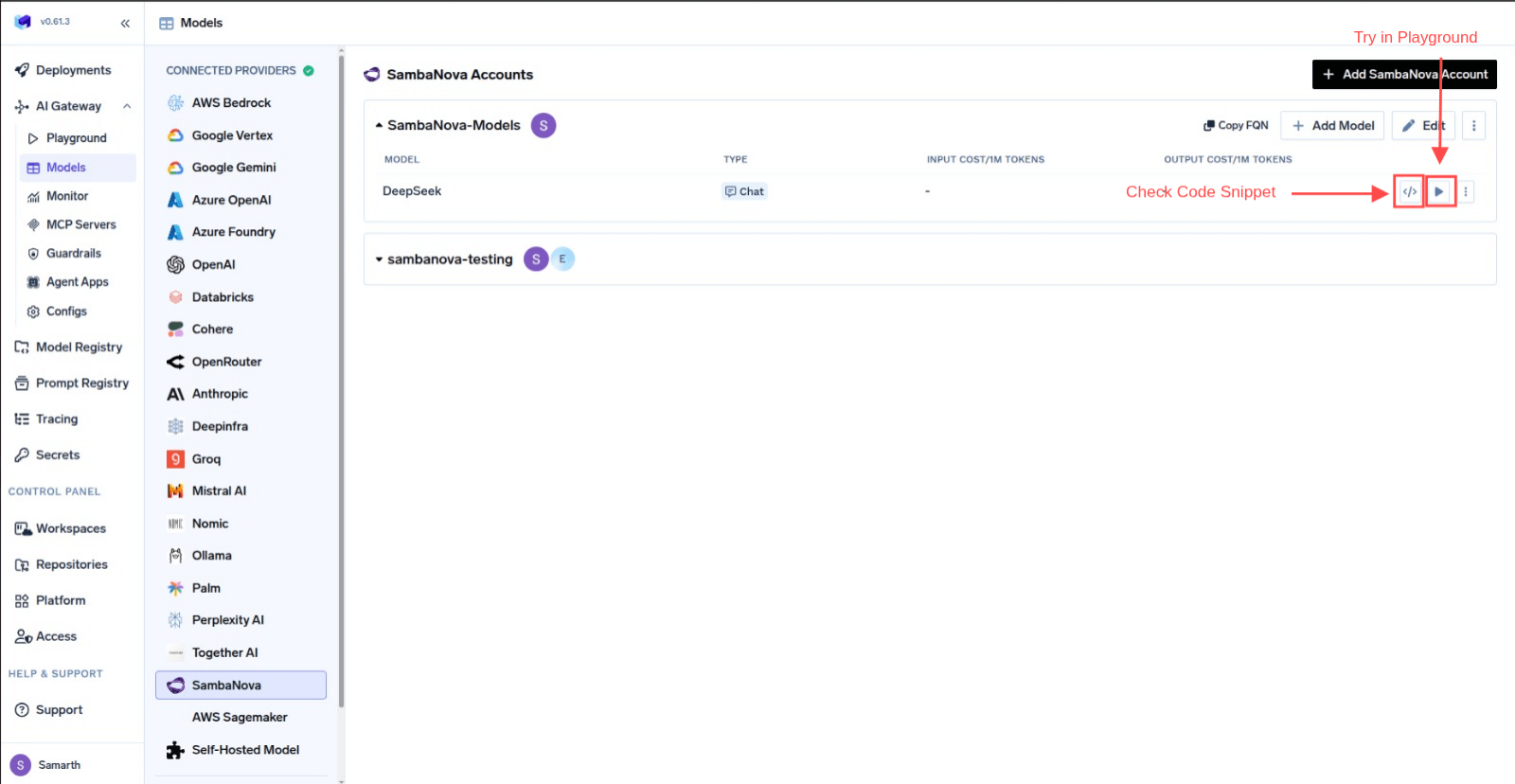
This section explains the steps to add SambaNova models and configure the required access controls.
1
Navigate to SambaNova Models in AI Gateway
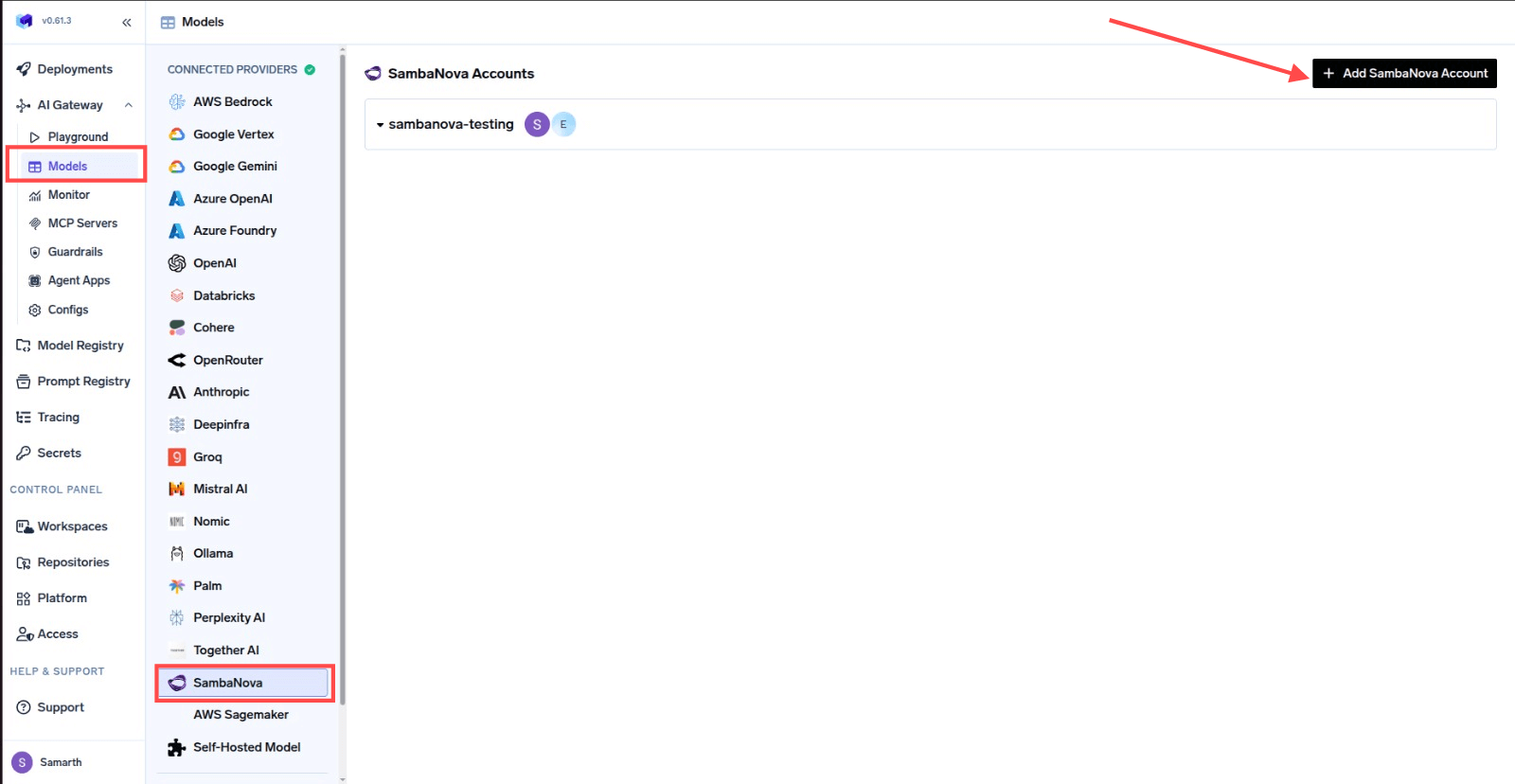
From the TrueFoundry dashboard, navigate to AI Gateway > Models and select SambaNova.
Navigate to SambaNova Models
2
Add SambaNova Account Details
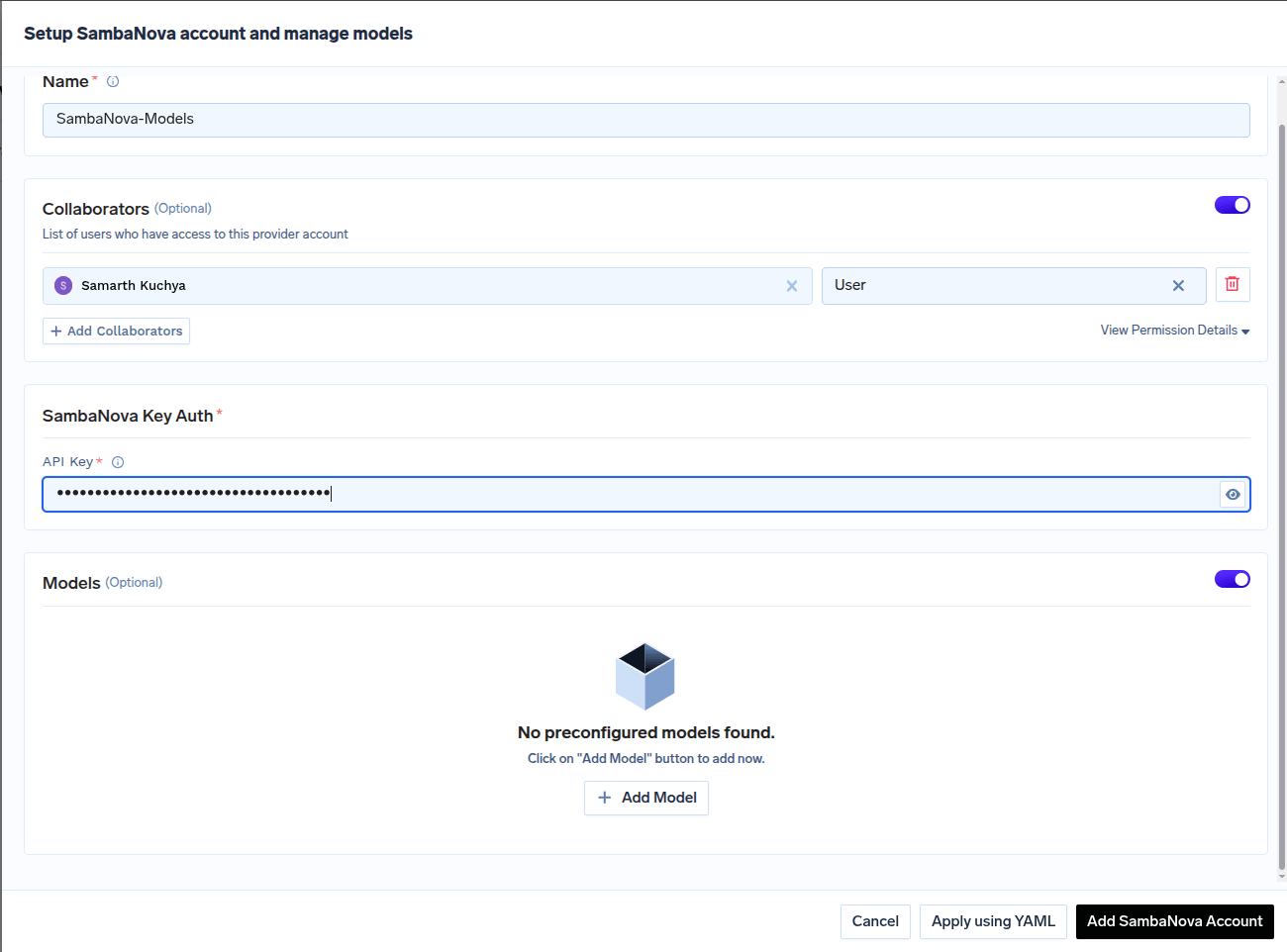
Click Add SambaNova Account. Give a unique name to your SambaNova account and complete the form with your SambaNova authentication details (API Key).
Add collaborators to your account. You can read more about access control here.
SambaNova Account Form
3
Add Models by Model ID
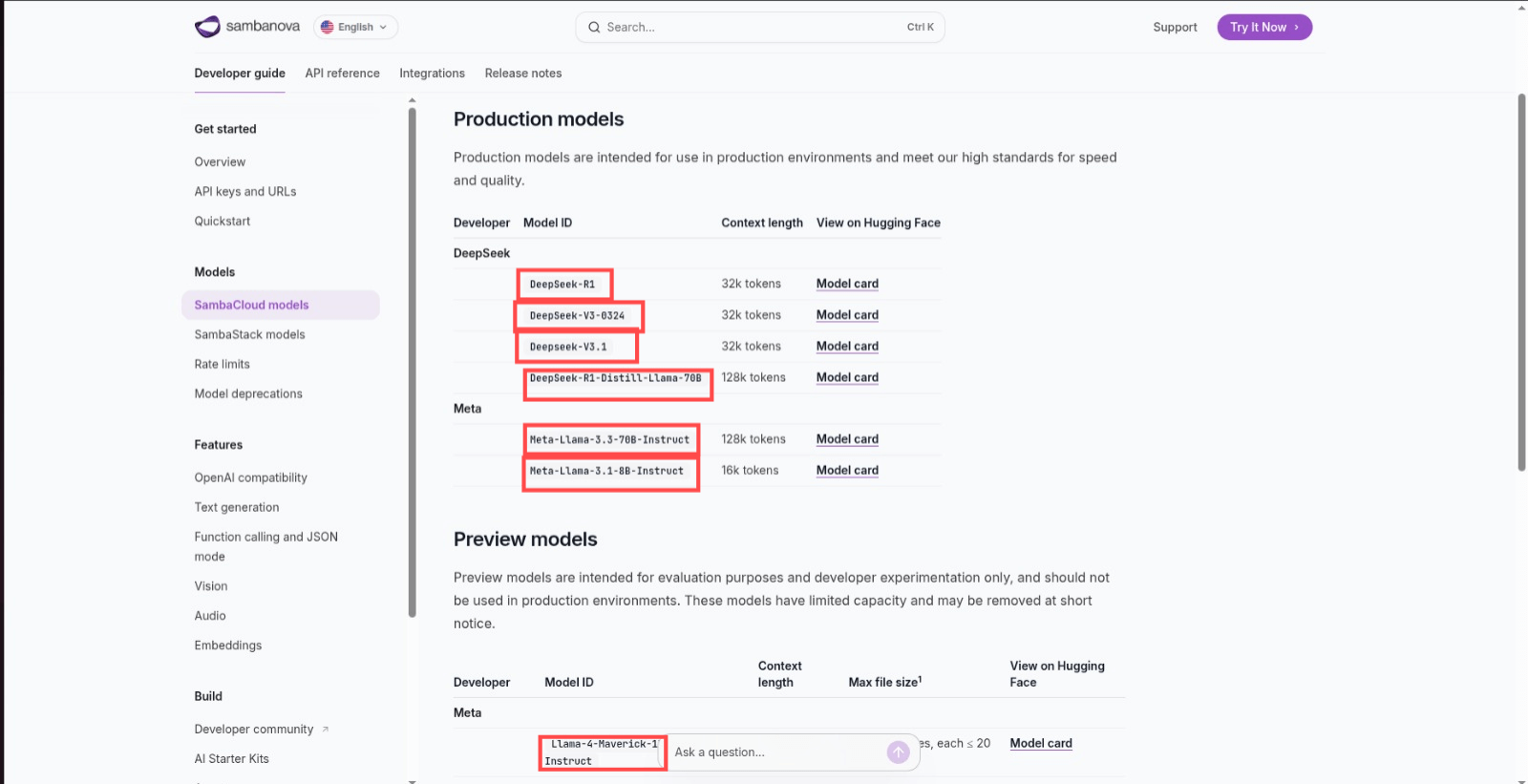
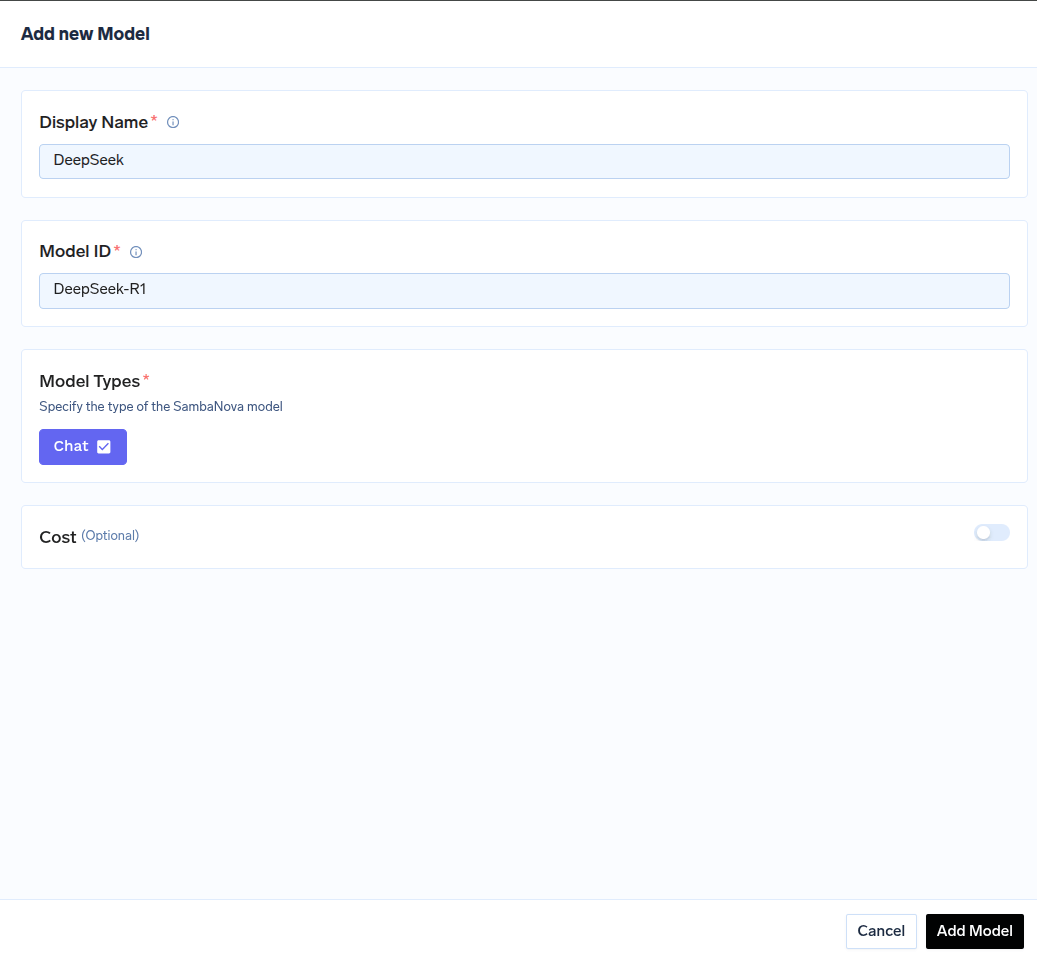
Click on + Add Model to open the form for adding a new model. For SambaNova, you don’t select from a list. Instead, you need to get the Model ID from their docs page.
Find Model ID in SambaNova Docs
Use this Model ID when adding the model in TrueFoundry.