

Storage configuration can only be managed by tenant administrators.
Overview
The AI Gateway supports two types of data routing destinations:- Default destination: Always enabled and available to all tenants regardless of plan. All metrics are always routed to the default destination.
- Custom destinations (Enterprise plan): Route traces to different object stores based on conditions. Metrics cannot be routed to custom destinations—they always go to the default.
- Storage type: Control plane managed storage or customer-managed storage
- Region selection: For control plane managed storage (SaaS only)
- Trace retention: Configure how long trace data is retained
- Metrics retention: Configure how long metrics data is retained (default destination only)
Metrics are always routed to the default destinationNavigate to
AI Gateway > Controls > Data Routing to view and configure your data routing destinations.
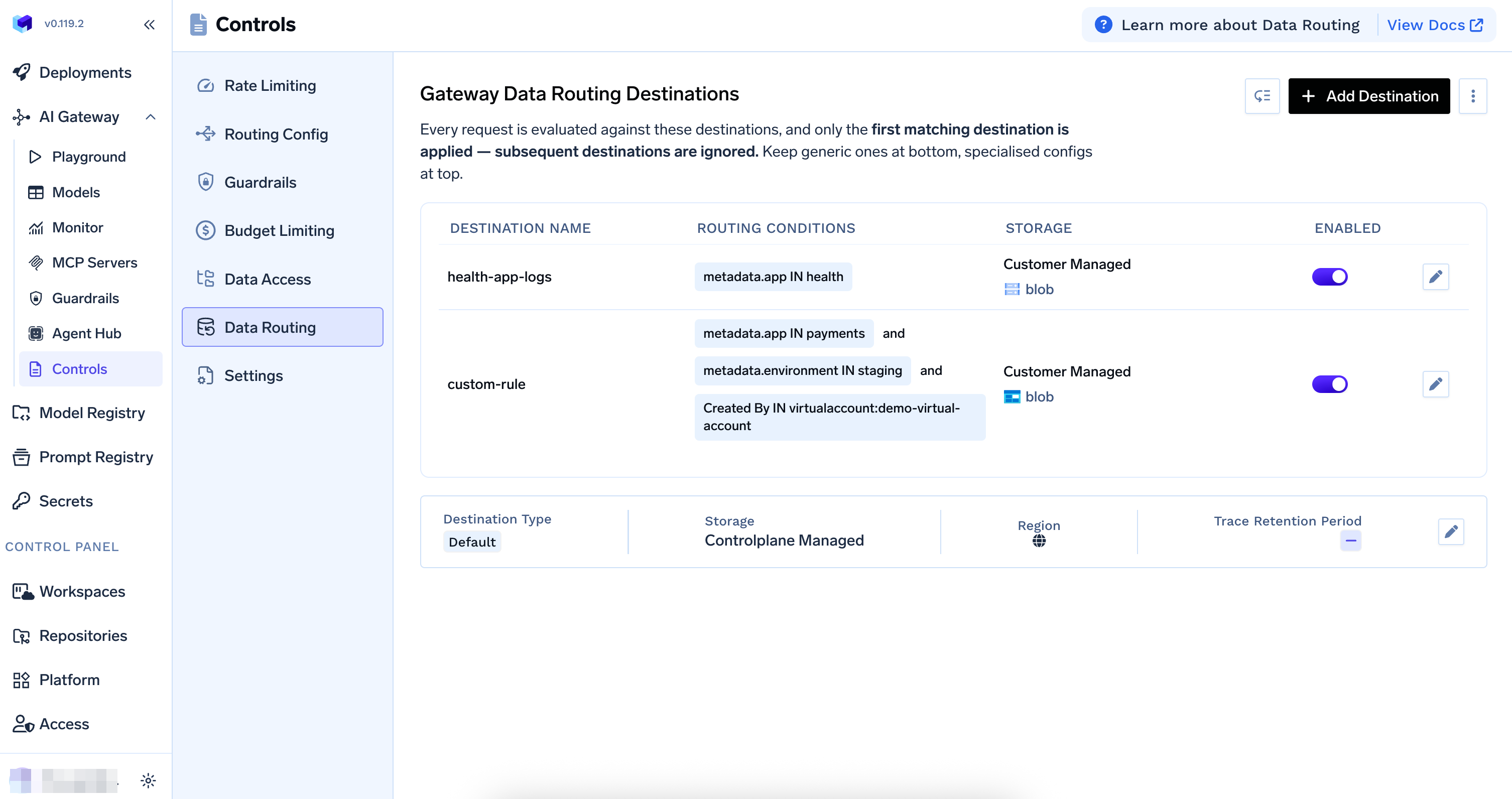
Gateway Data Routing Destinations page
Custom Destinations (Enterprise Plan)
Custom destinations are available on the Enterprise plan only.
Routing Conditions
You can define conditions based on:- User-defined metadata: Route based on metadata sent in the request (e.g.,
metadata.app,metadata.environment) - Created by: Route based on who created the request—users, teams, or virtual accounts
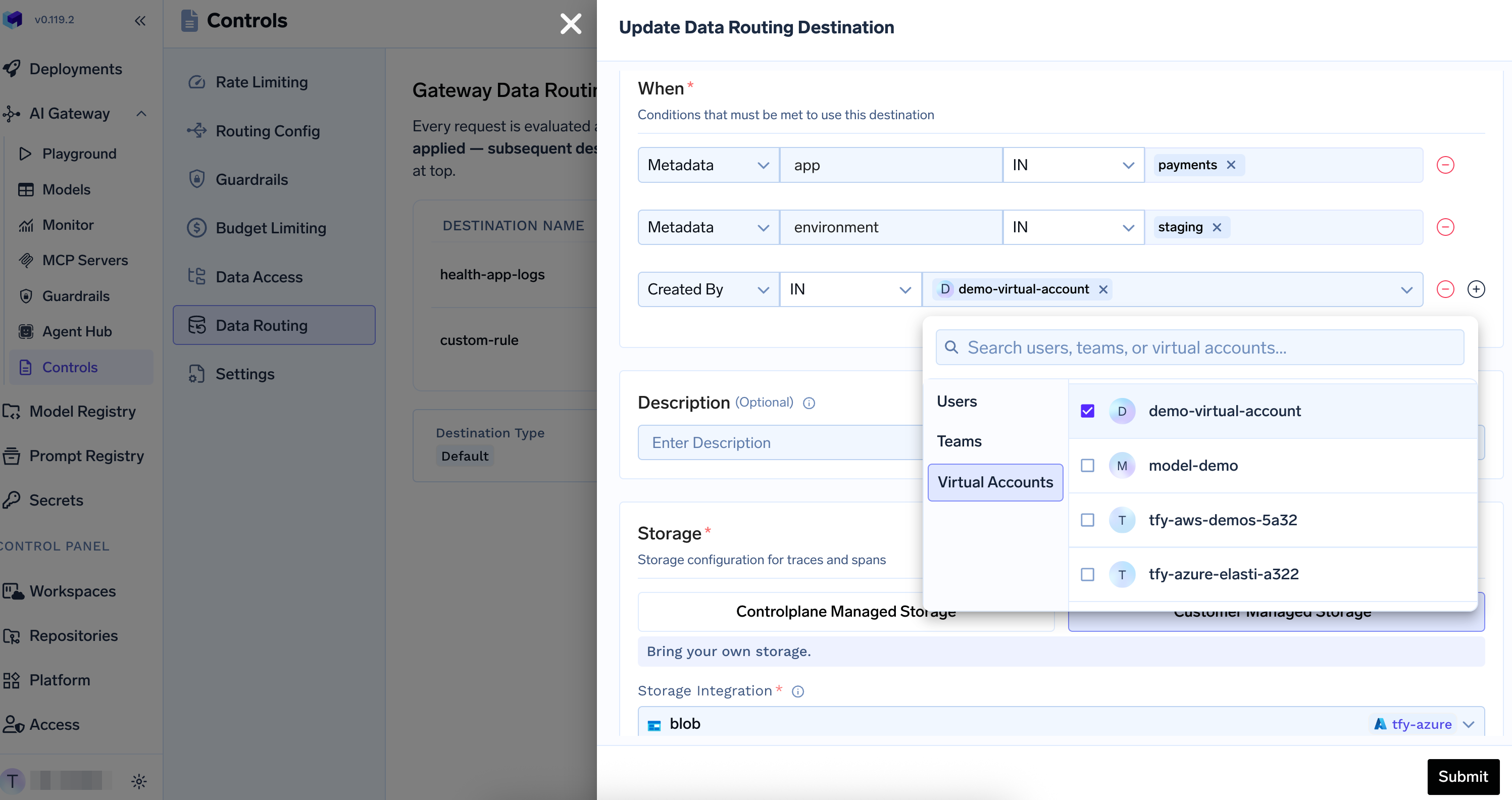
Add or update a custom data routing destination
Adding a Custom Destination
1
Navigate to Data Routing
Go to
AI Gateway > Controls > Data Routing2
Add destination
Click + Add Destination
3
Define routing conditions
In the “When” section, add conditions that must be met for this destination:
- Metadata: Add key-value conditions (e.g.,
metadata.app IN payments,metadata.environment IN staging) - Created By: Add conditions for users, teams, or virtual accounts
4
Configure storage
Select Controlplane Managed Storage or Customer Managed Storage and configure the storage details
5
Submit
Click Submit to save the custom destination
Storage Options
Control Plane Managed Storage
Control plane managed storage is blob storage configured when setting up the AI Gateway control plane. When using TrueFoundry’s SaaS offering, you can select a region for the control plane managed storage. Features:- Fully managed by Control Plane
- No additional setup required
- Region selection available for data residency requirements (SaaS only)
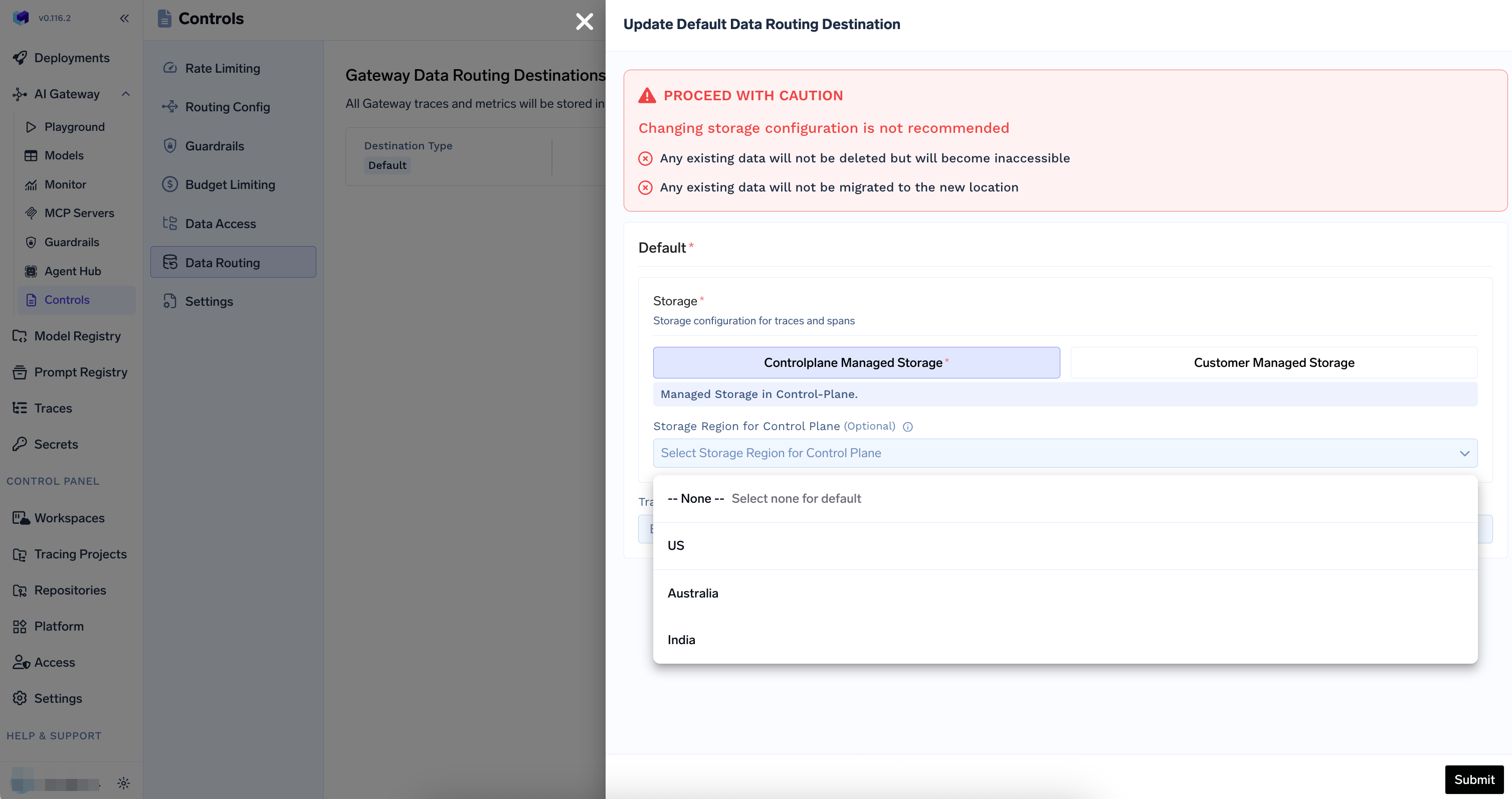
Control plane managed storage configuration with region selection
Customer Managed Storage
Customer managed storage allows you to bring your own storage buckets. You can configure storage integrations (such as AWS S3 or Azure Blob Storage) and select them as your data routing destination. Features:- Use your own blob storage
- Full control over data location and compliance
- Support for multiple cloud providers (AWS S3, GCS, Azure Blob Storage, etc.)
- Configure storage integrations via Platform > Integrations
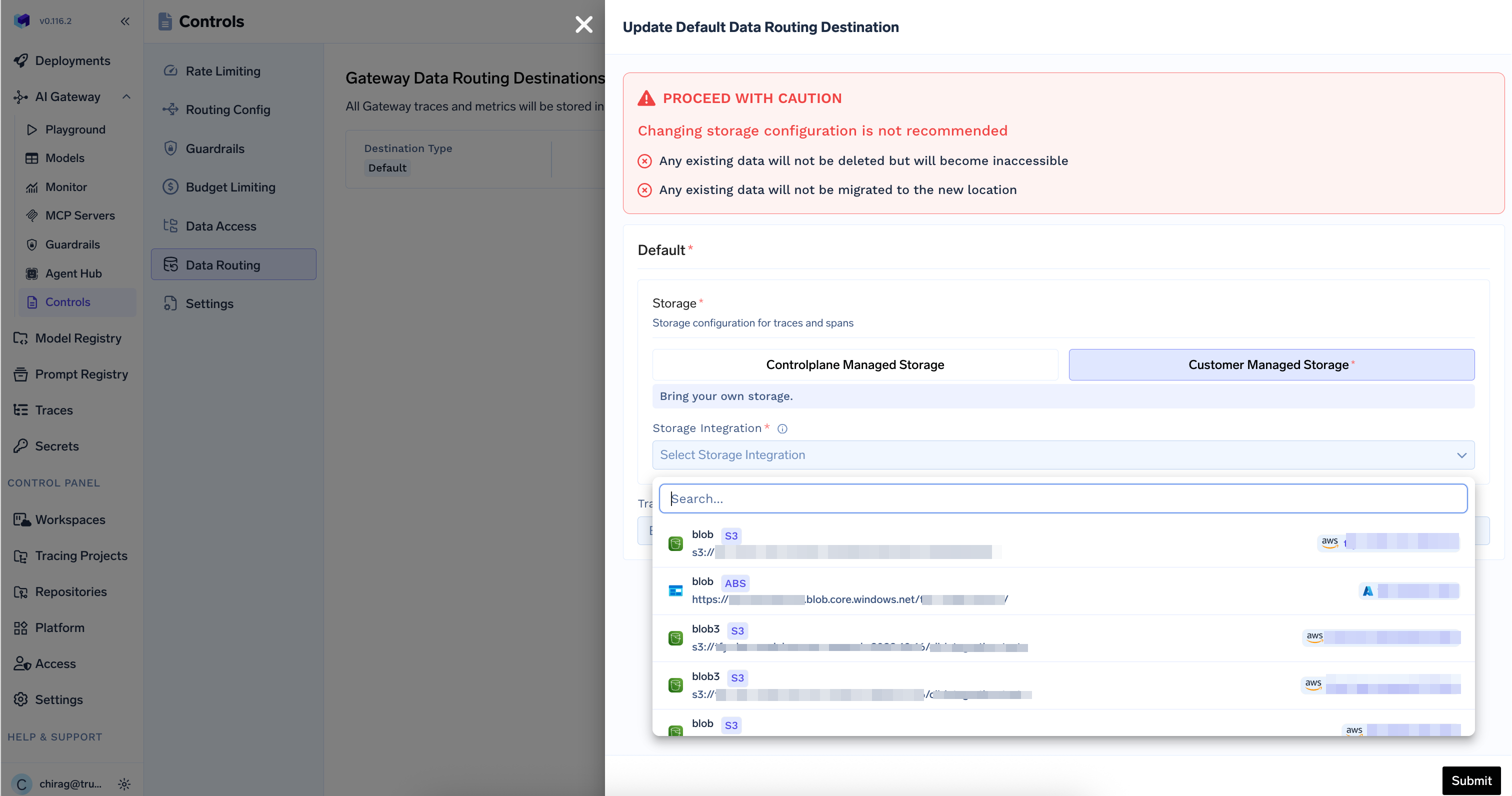
Customer managed storage configuration
Configuring the Default Destination
The default destination is always enabled and applies to all requests that do not match a custom destination. It also receives all metrics.1
Navigate to Data Routing
Go to
AI Gateway > Controls > Data Routing2
Edit the default destination
Click the edit icon (pencil) next to the default destination in the destinations table
3
Choose storage type
Select your preferred storage option:
- Controlplane Managed Storage: For TrueFoundry-managed storage
- Customer Managed Storage: To use your own storage buckets
4
Configure storage details
For Control Plane Managed Storage:
- If using TrueFoundry SaaS, optionally select a storage region (e.g., US, Australia, India)
- Leave region as “None” to use the default region
- Ensure you have configured a storage integration in
Platform>Integrations - Select your storage integration from the dropdown
- The integration must be configured with appropriate permissions for the AI Gateway to write data
5
Configure retention (Optional)
Set retention periods for your data. If not configured, data is retained according to the default policy.
- Trace retention (
traces_retention_period_days): Number of days to retain traces. Traces older than this period are deleted automatically. Minimum: 7 days. - Metrics retention (
metrics_retention_period_days): Number of days to retain metrics. Metrics older than this period are deleted automatically. Minimum: 7 days.
Metrics are always routed to the default destination. Metrics retention can only be configured on the default destination.
6
Submit configuration
Review your settings and click Submit to save the configuration
Setting Up Customer Managed Storage
Before you can use customer-managed storage, you need to configure a storage integration:1
Navigate to Integrations
Go to
Platform > Integrations2
Add Storage Integration
Add a new storage integration for your blob storage
3
Verify Permissions
Ensure the storage integration has write permissions for the AI Gateway to store traces and metrics
4
Select in Data Routing
Return to
AI Gateway > Controls > Data Routing and select your configured storage integration