

- Gateway Base URL — the endpoint for the AI Gateway service
- Model ID — the identifier of the model you want to call
- API Key — a TrueFoundry authentication token (Personal Access Token or Virtual Account Token)
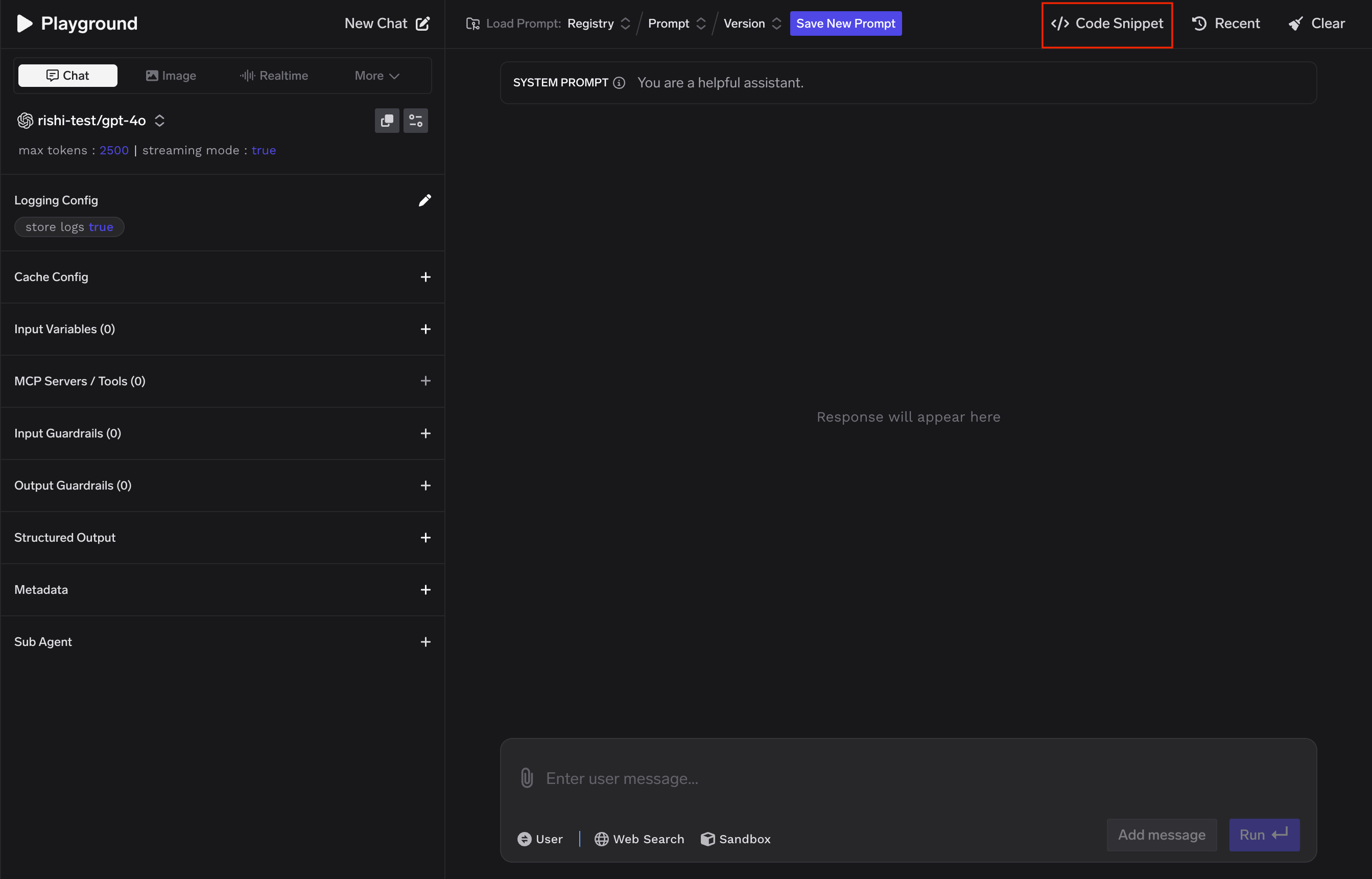
Code Snippets tab in the Playground showing Base URL, API Key, and Model ID
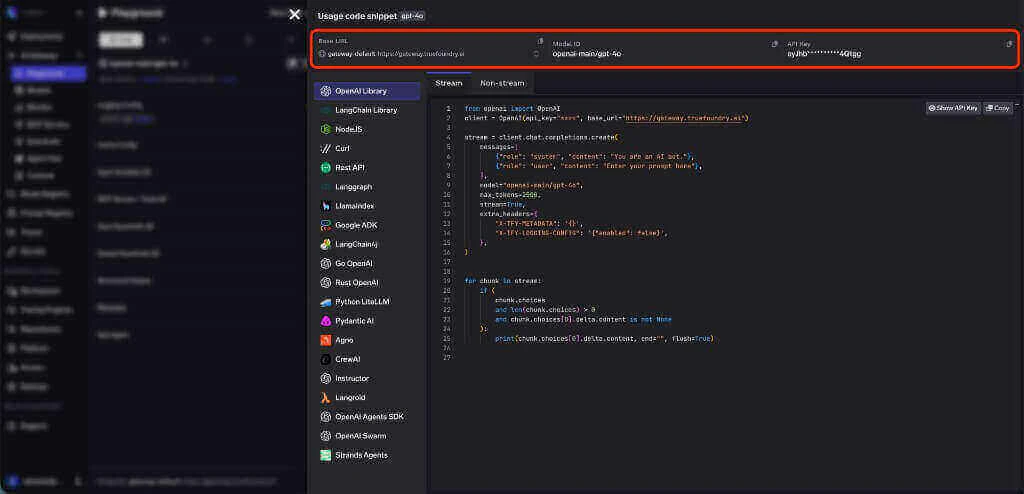
Base URL, Model ID, and API Key fields in the Playground
Gateway Base URL
The AI Gateway Base URL is the single endpoint your application sends all LLM requests to. Instead of calling each provider (OpenAI, Anthropic, Azure, etc.) at their own endpoints, you point every request at this one URL. The AI Gateway routes it to the right provider behind the scenes.
The AI Gateway Base URL is compatible with the OpenAI API format, so any SDK or tool that supports the OpenAI API can work with TrueFoundry by simply changing the base URL.
Model ID
Every model accessible through the AI Gateway has a unique identifier in the formatprovider_account/model_name.
For example, openai-main/gpt-4o-mini means the model gpt-4o-mini available through the model account named openai-main. The model account represents a configured connection to an LLM provider — your organization may have multiple accounts for the same provider (e.g., openai-main for production and openai-dev for testing).
API Key (Authentication)
To access models through the AI Gateway, you authenticate with a TrueFoundry API key — not the original provider keys (OpenAI, Anthropic, etc.). The AI Gateway manages provider credentials centrally, so developers only need a single TrueFoundry token. TrueFoundry supports two types of API keys:
For detailed instructions on creating and managing tokens, see the API Keys documentation.
Getting Code Snippets from the Playground
The fastest way to start making requests is to copy a code snippet directly from the Playground. The generated snippets come pre-filled with the correct Base URL, Model ID, and your API key — so you can paste and run immediately.- Open the Playground and select a model
- Click the Code button in the top bar
- Choose your language or framework
- Copy the generated code into your application
OpenAI SDK, Langchain, Langgraph, Google ADK, Stream API, Rest API, Go-OpenAI, Rust-OpenAI, cURL, Node.js, LlamaIndex, Langchain4j
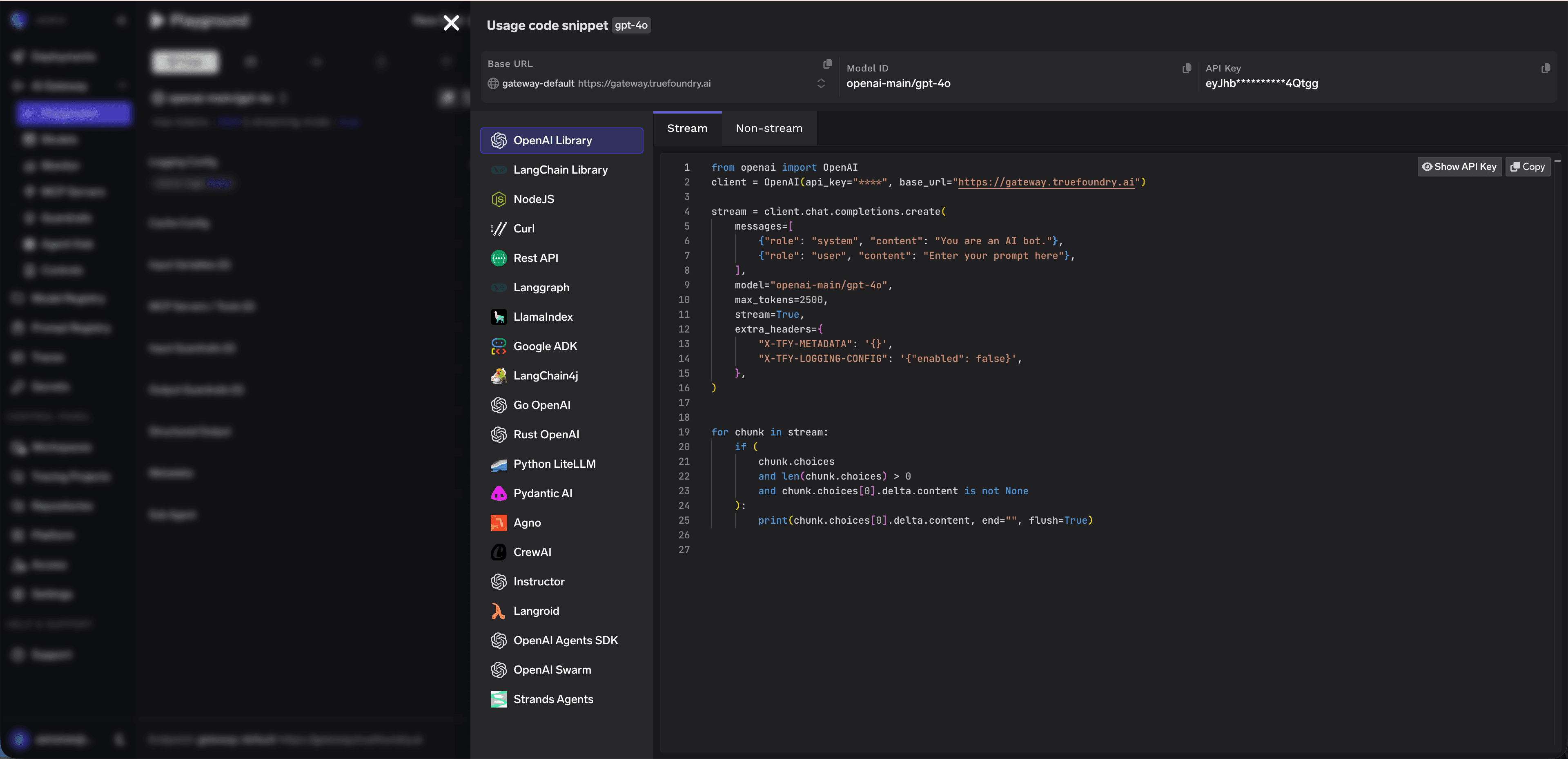
Code snippet generation with language options