

- Liveness probe: Checks whether the service’s replica is currently healthy. If the service is not healthy, the replica will be terminated and another one will be started.
- Readiness probe: Checks whether the service’s replica is ready to receive traffic. Until the readiness probe succeeds, no incoming traffic will be routed to this replica.
How to add Liveness and Readiness Probes to your deployed services
To add liveness and readiness probes to your deployed service, you will need to:- Create two endpoints in your service, one for the liveness probe and one for the readiness probe. The endpoints should return a successful response if the service is healthy and a failed response if the service is unhealthy.
- Configure your deployment to use the health check endpoints. You can do this via the user interface (UI) or via the Python SDK.
Example FastAPI health check endpoints
The following example shows two simple FastAPI health check endpoints/livez and /readyz that will be used by the Health Checks:
Configuring Health Check for your Service
Here are the parameters for liveness and readiness probes:
For example, let’s say we have the following configuration:
This configuration will cause the probe to check the /health endpoint on port 8080 every 5 seconds. The probe will wait for 2 seconds for a response before failing the probe. The probe will require 3 consecutive successful probes before marking the container as healthy, and it will allow 2 consecutive failed probes before marking the container as unhealthy.
Setting Liveness / Readiness Probes via the UI
Viewing health check logs
You can go to the Pods tab on the dashboard, and then click on the logs.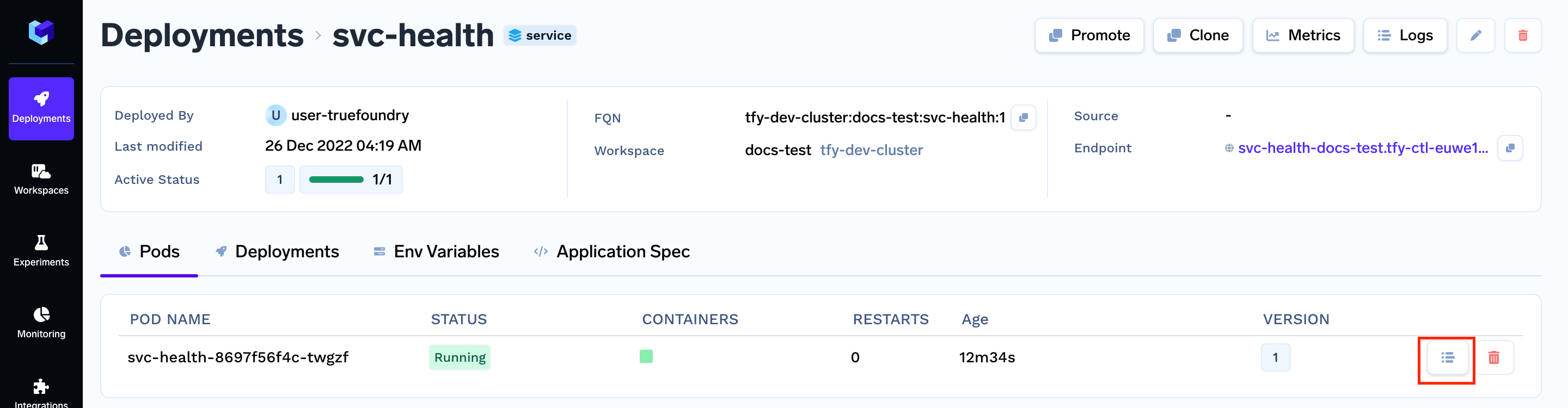
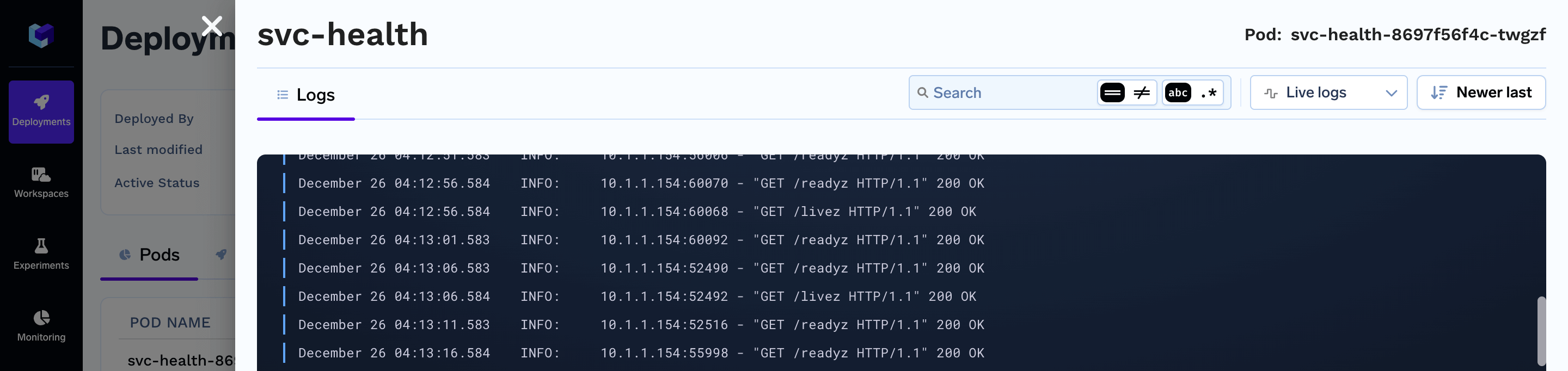
GET /livez and GET /readyz giving 200 OK messages indicate that the health checks are passing and that the service is healthy.