

- Patch the rendered Kubernetes resources generated by the TrueFoundry Application. E.g. Adding extra annotations for Prometheus / Datadog
- Add extra Kubernetes resources along with your TrueFoundry Application. E.g. Adding extra ConfigMap, Secret, Istio VirtualService, etc
Using Kustomize for your application
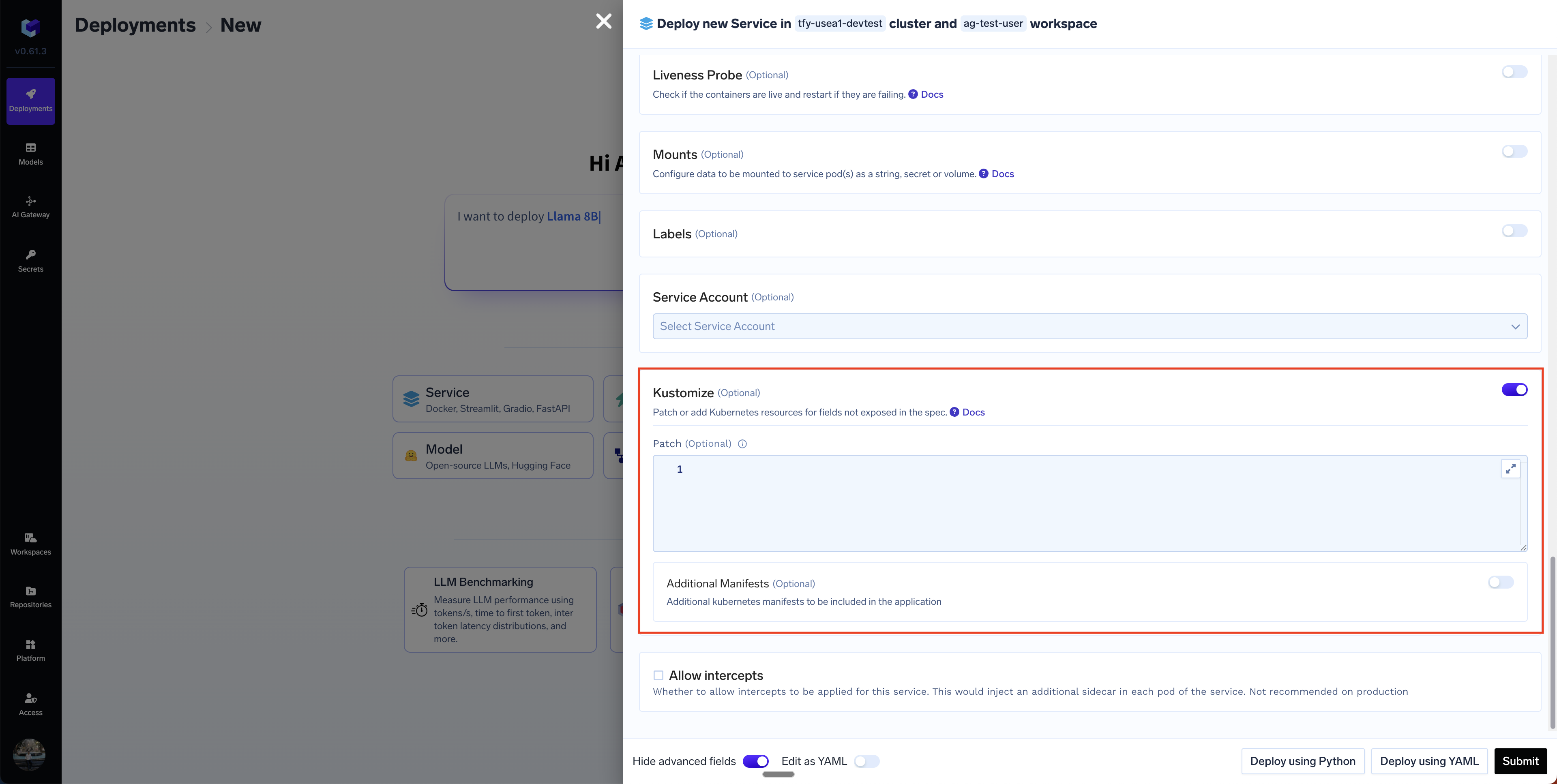
You can add patches and resources using thekustomize field in the service deployment form.
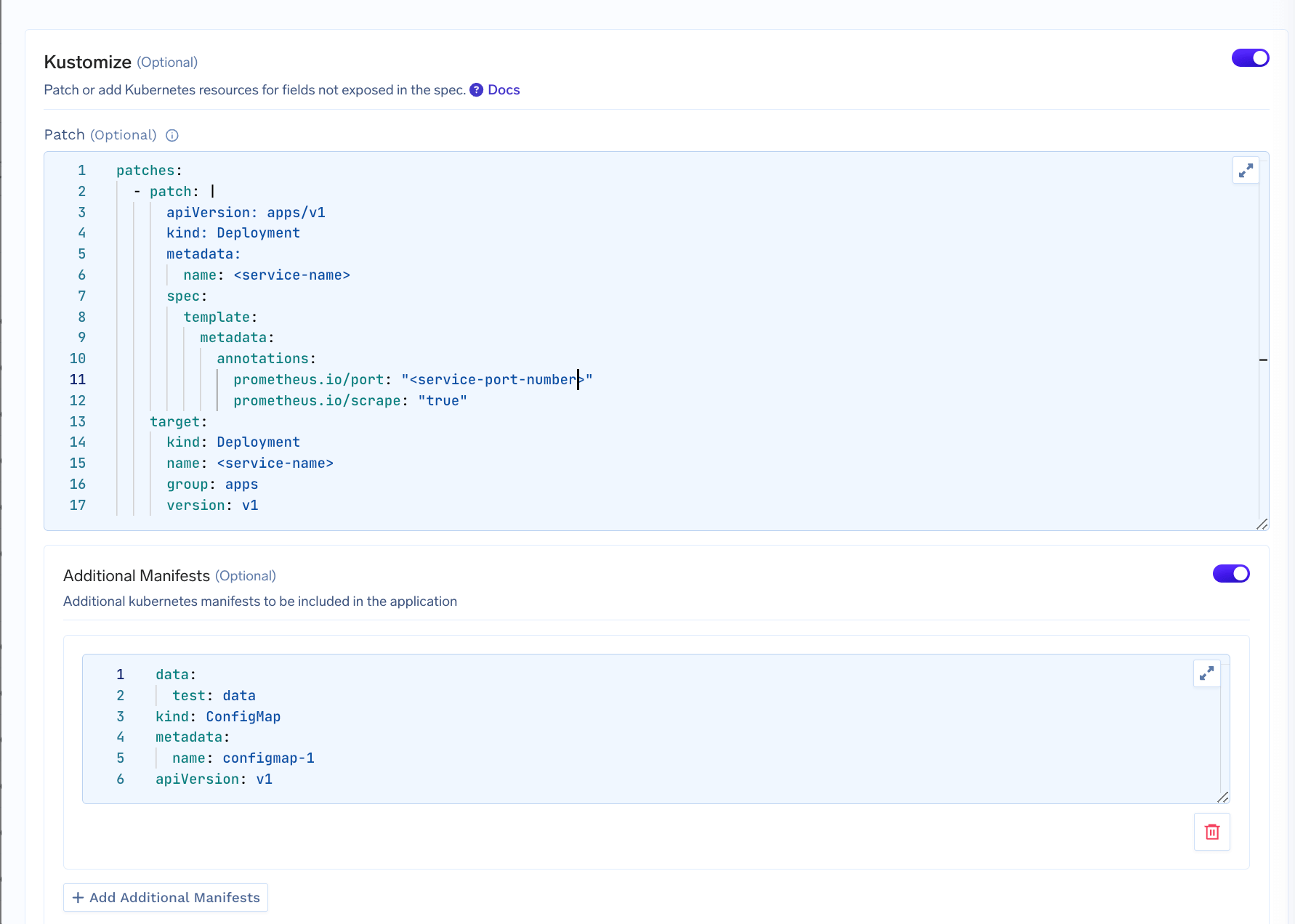
- Patch: We define an array of patches to be applied to the rendered Kubernetes resources generated by the TrueFoundry Application. For e.g. this Kustomize patch adds Prometheus scraping annotations to the pod template metadata of a Deployment named “my-service”. Specifically, it configures Prometheus to scrape metrics from port 8000 by setting prometheus.io/port to “8000” and enabling scraping with prometheus.io/scrape set to “true”.
- Additional Manifest: This section allows you to add new Kubernetes resources to the deployment. The example below adds a new ConfigMap to the deployment.
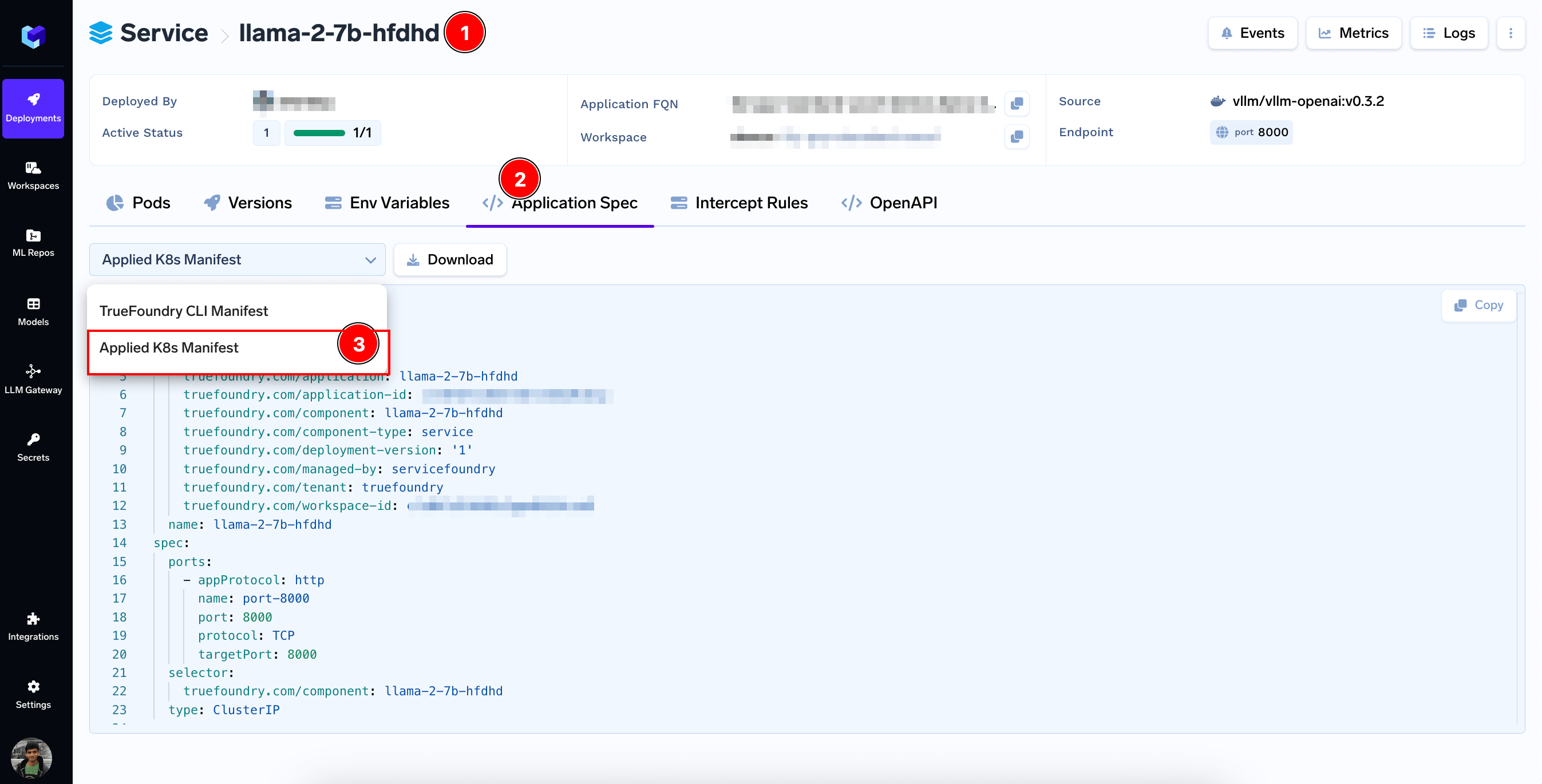
Application Spec Tab and then selecting Applied K8s Manifest
Commonly Used Kustomize Patches
Here are some commonly used Kustomize patches that you can use to customize your application:Enable Prometheus to scrape metrics from the service
Enable Prometheus to scrape metrics from the service
Enter this in the
Patch section:Enable Autoscaling on memory usage
Enable Autoscaling on memory usage
Enter the Keda ScaledObject spec in the
Additional Manifest section:Add an additional container to the deployment
Add an additional container to the deployment
Enter this in the
Patch section:Patch Security Context
Patch Security Context
Enter this in the
Patch section:Add Tolerations to the Deployment
Add Tolerations to the Deployment
Enter this in the
Patch section: