

This feature is perfect for deploying existing Kubernetes applications, custom
operators, or any workload that’s defined as Kubernetes YAML manifests.
Prerequisites
- Access to a TrueFoundry workspace
- A connected cluster (AWS, GCP, Azure, or on-premises)
- Kubernetes manifests in YAML format
Step-by-Step Deployment Guide
1
Navigate to Deployments
Log in to your TrueFoundry dashboard and click on Deployments in the
left sidebar, then click New to create a new deployment.
2
Select Helm
In the application type page, click on show advanced and select Helm.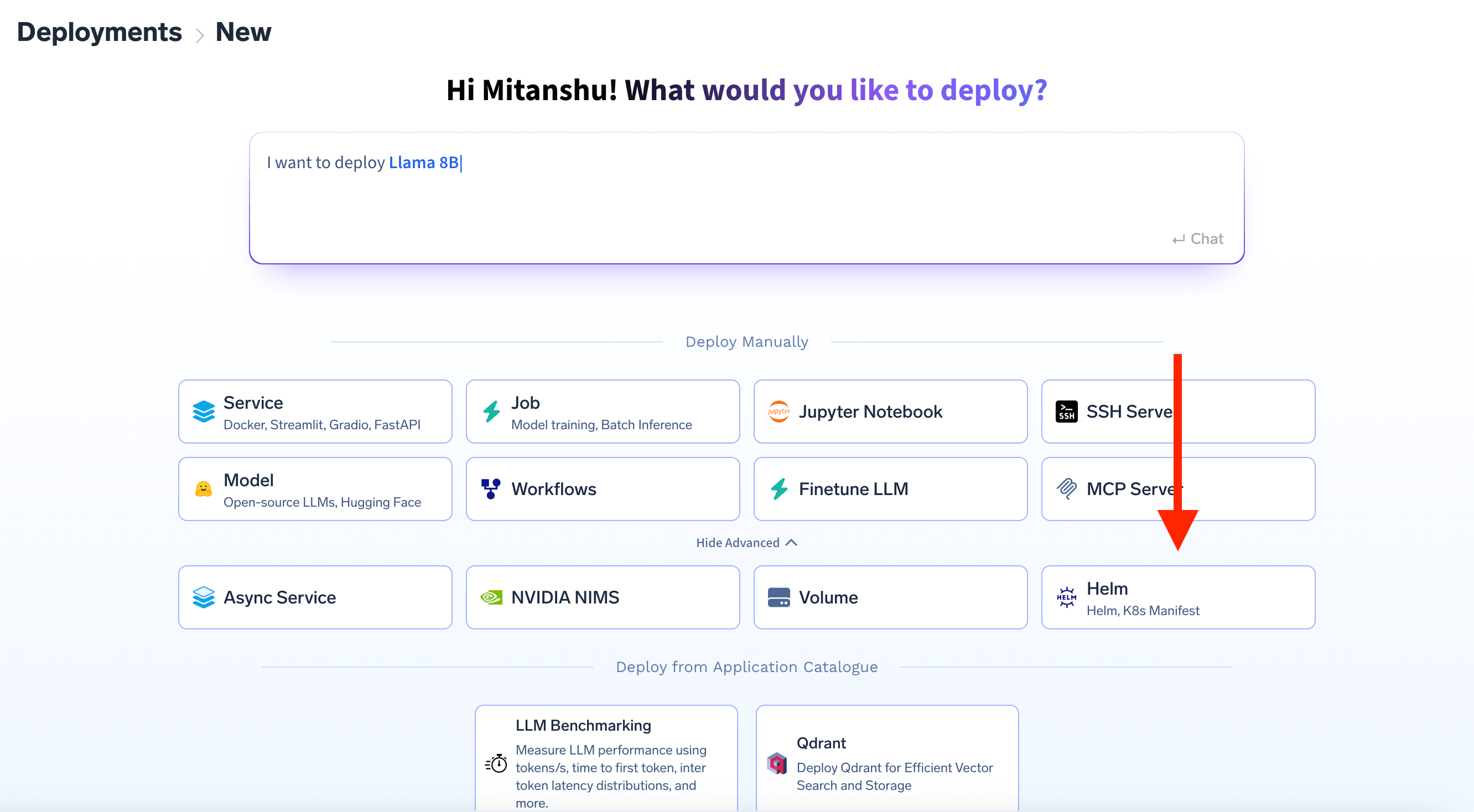
3
Select K8s Manifest
In the “Deploy new Helm” modal: - Select your workspace from the dropdown -
Choose K8s Manifest instead of Helm chart - Click Next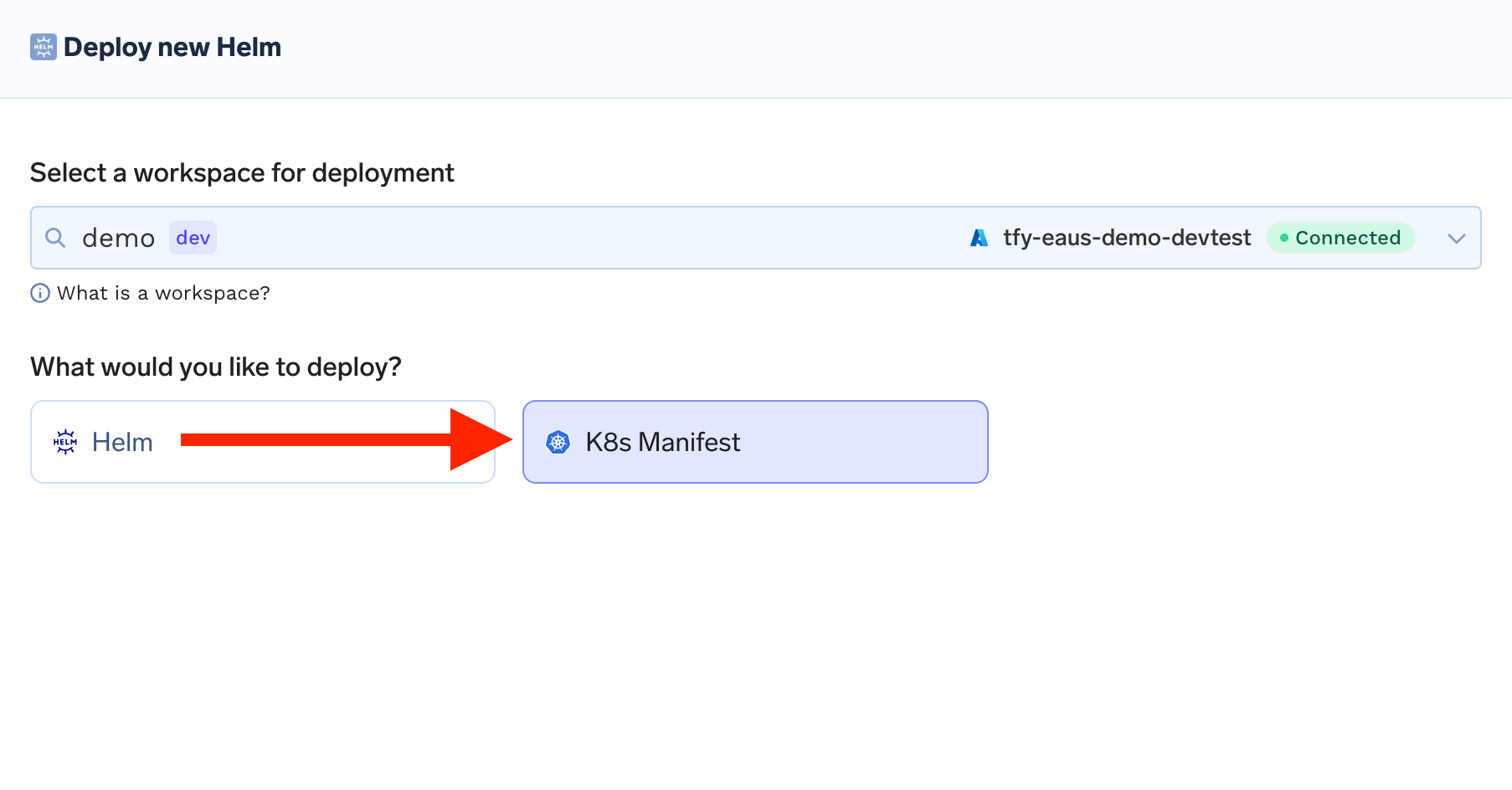
4
Configure Your Deployment
Enter a name for your deployment (e.g., 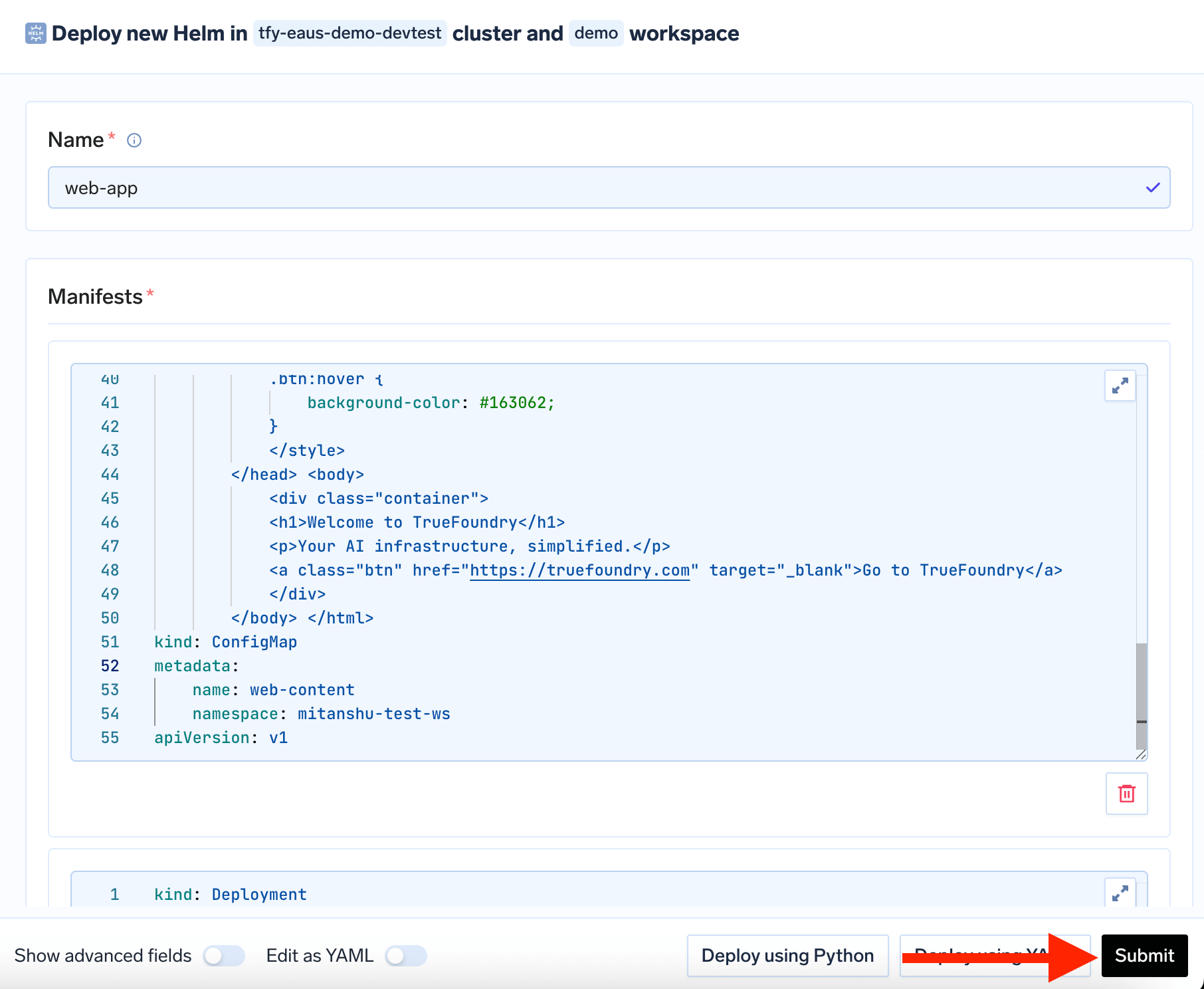
web-app) and add your Kubernetes
manifest in the Manifests section - Click Submit to deploy5
Monitor Deployment
Monitor the deployment status in the helm deployments list and view logs by
clicking on your deployment.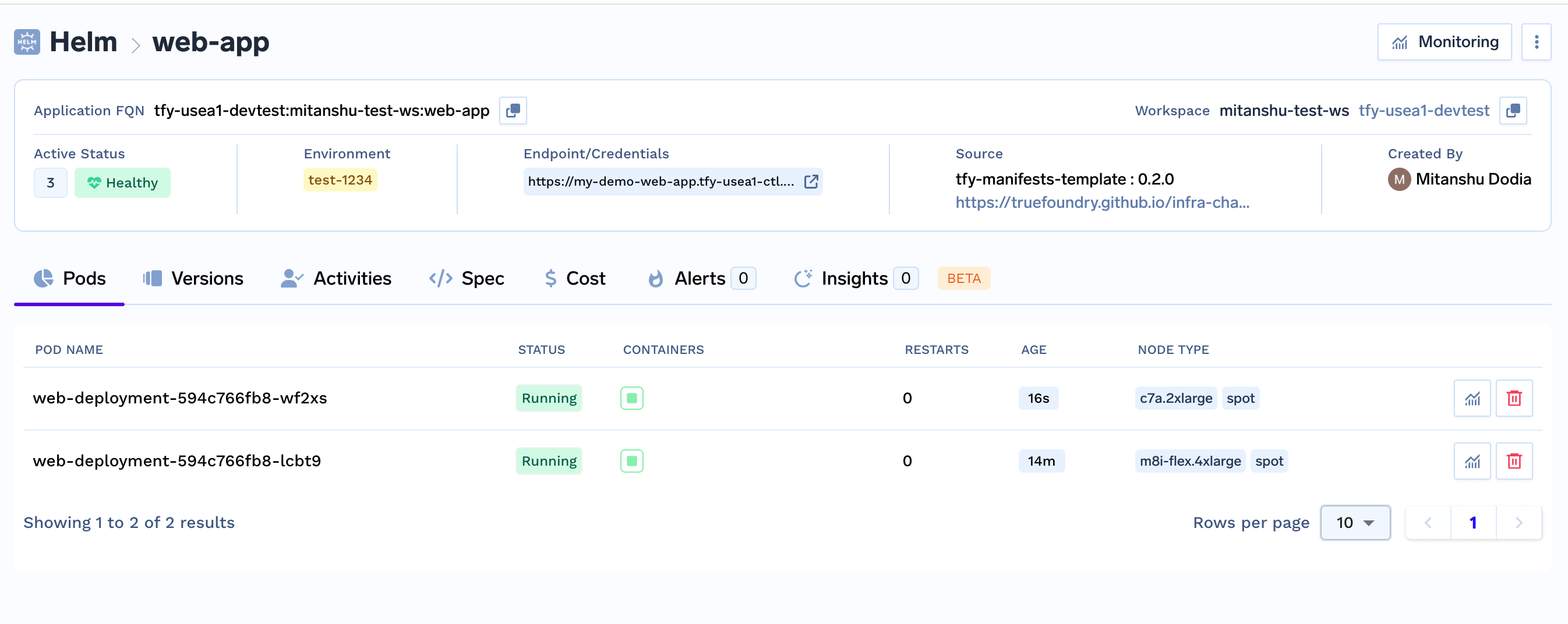
Complete Example: Web Application with Virtual Service
Here’s a comprehensive example that deploys a web application with proper configuration, secrets, and routing:1. Namespace
1. Namespace
2. ConfigMap (HTML Content)
2. ConfigMap (HTML Content)
3. Deployment (Nginx)
3. Deployment (Nginx)
4. Service (Internal)
4. Service (Internal)
5. Gateway (External Access)
5. Gateway (External Access)
6. VirtualService (Routing)
6. VirtualService (Routing)
Complete Manifest (All-in-One)
Complete Manifest (All-in-One)
Copy this complete YAML to deploy everything at once:
TrueFoundry Integration Features
TrueFoundry Secrets Integration
You can reference TrueFoundry secrets directly in your Kubernetes manifests. TrueFoundry secrets are supported only in manifest block that too only for kubernetes secret manifest which are usingstringData field to store the secret.
How to use TrueFoundry secrets in your manifests: