mcp/neo4j-cypher image in HTTP transport mode, then register its public endpoint as a remote MCP server in TrueFoundry.
How TrueFoundry Manages the MCP Server
TrueFoundry’s MCP Gateway acts as a reverse proxy between your agents and MCP servers like Neo4j. When you register your deployed Neo4j server, TrueFoundry handles:- Authentication — Agents authenticate once to the TrueFoundry MCP Gateway. The AI Gateway attaches the outbound Basic Auth header to every request reaching your Neo4j MCP server, so individual users never handle the database credentials.
- Tool-level access control — You can selectively enable or disable individual tools (for example, disable
write_neo4j_cypher) per team from the TrueFoundry UI. - Audit trail — Every tool invocation is traced with the calling user, tool name, input payload (including the Cypher query), and latency. Traces export via OpenTelemetry to your observability stack.
- Guardrails — TrueFoundry’s guardrail hooks apply at
mcp_pre_tool(before a tool is invoked) andmcp_post_tool(after the tool returns), letting you enforce policies on queries and results in real time.
Prerequisites
- A TrueFoundry account with permission to add MCP servers.
- A running Neo4j instance — Neo4j Aura (cloud), self-managed, or Docker — and its connection URI (for example,
neo4j+s://xxxxxx.databases.neo4j.iofor Aura). - The Neo4j MCP server deployed and reachable over a public HTTPS URL. You can run the
mcp/neo4j-cypherDocker image on any platform (AWS ECS, Azure Container Apps, Google Cloud Run, Railway, Render, etc.).
Deploy the Neo4j MCP Server
The Neo4j MCP server must run in HTTP transport mode to work as a remote MCP server. The default STDIO mode only works for local desktop clients (Claude Desktop, VS Code). HTTP mode exposes a network endpoint that TrueFoundry’s MCP Gateway can route traffic to. Use the official Docker imagemcp/neo4j-cypher:latest, expose port 8080, and set these environment variables:
NEO4J_DATABASE — For Neo4j Aura, the database name is typically your instance ID (visible in the Aura console top bar), not the default neo4j. Run SHOW DATABASES in the Aura Query tab to confirm.NEO4J_MCP_SERVER_ALLOWED_HOSTS — If you see Invalid host header after deployment, this variable is missing. Set it to your public hostname (for example, neo4j.mcp.example.com).Register Neo4j in TrueFoundry
1
Open the Add MCP Server picker
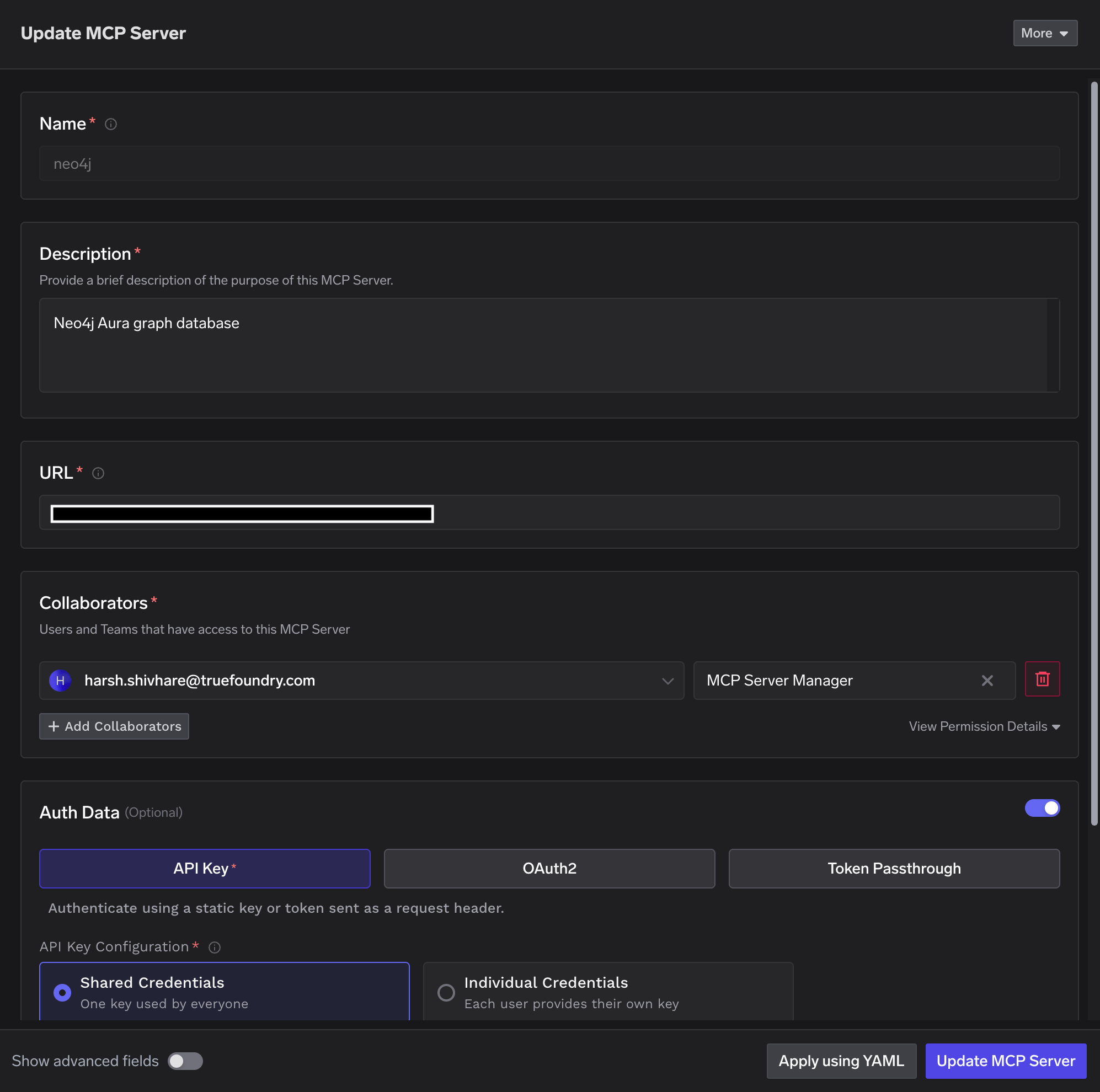
Navigate to MCP Servers in the TrueFoundry sidebar and click Add new MCP Server. Select Connect any Remote MCP Server — this lets you provide the URI and auth credentials for any remote MCP server you host.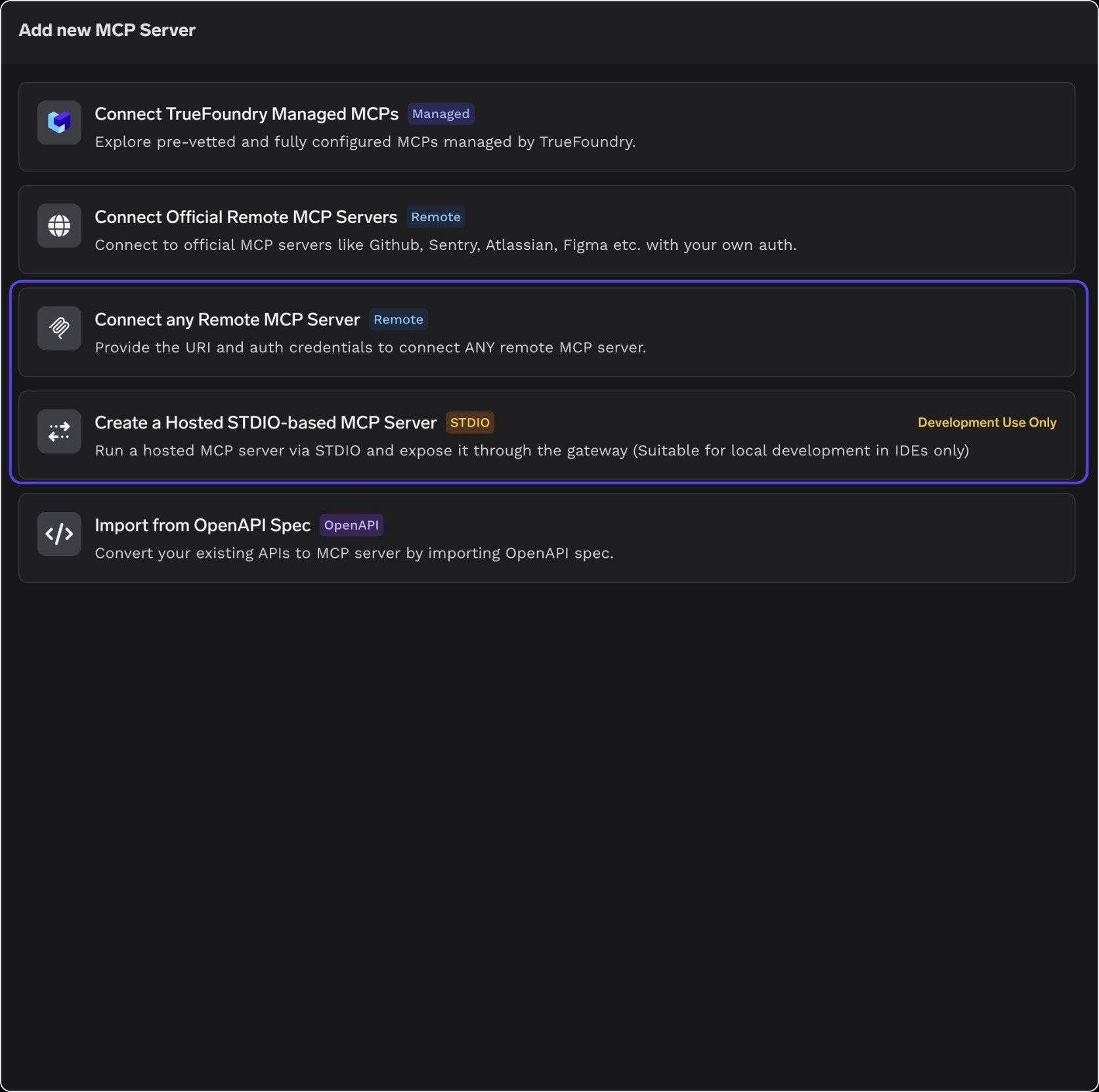
2
Configure the server and auth
Fill in your deployed server’s details and Basic Auth credentials: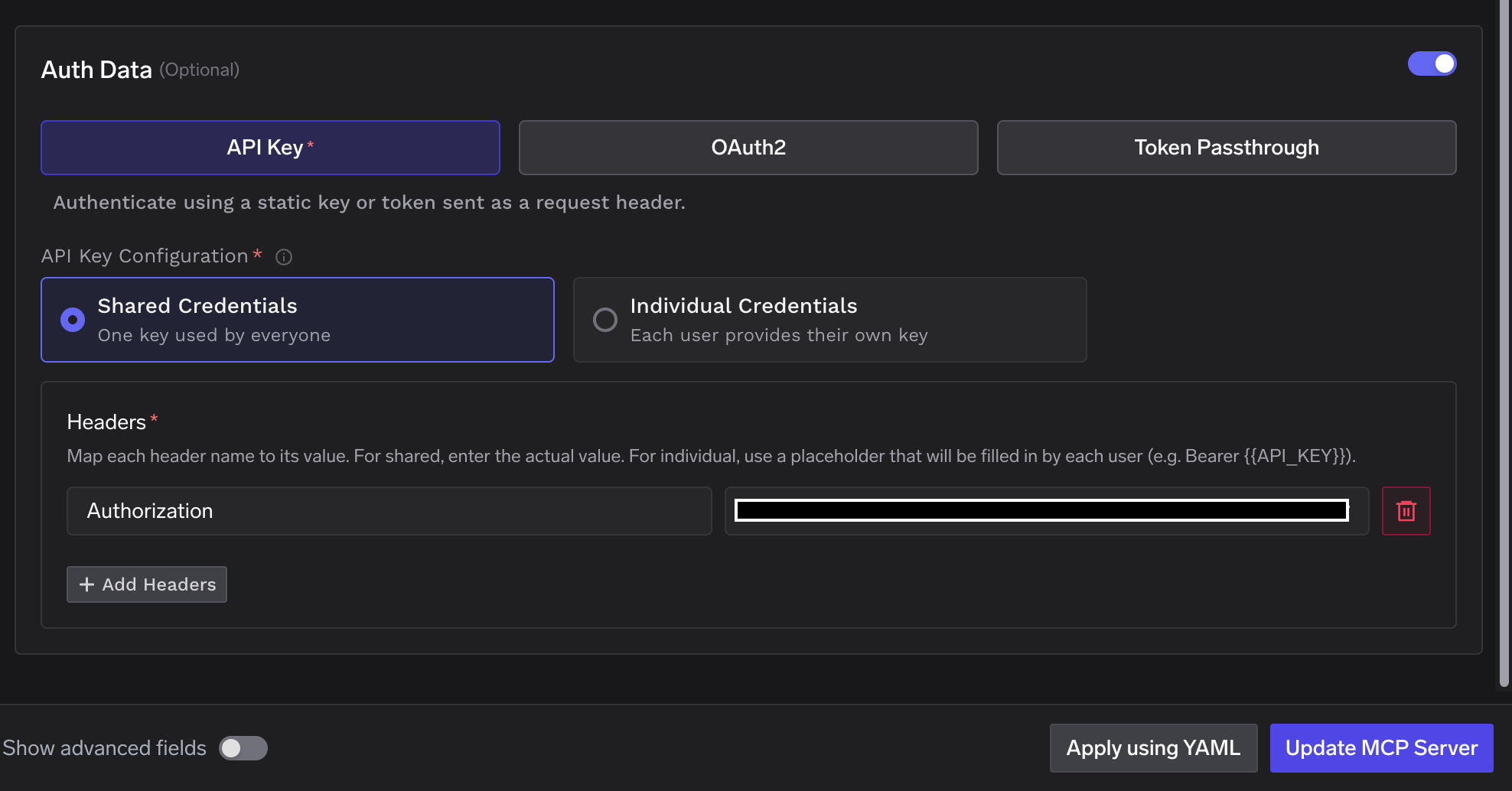
Add Collaborators — the users and teams that can use or manage this server — and assign each an MCP Server Manager or MCP Server User role. Click Update MCP Server to save.
3
Verify tools
Once saved, TrueFoundry introspects the server and lists its tools automatically — covering schema inspection and read and write Cypher execution. Each tool shows its description and a Try button so you can test it before wiring it into an agent.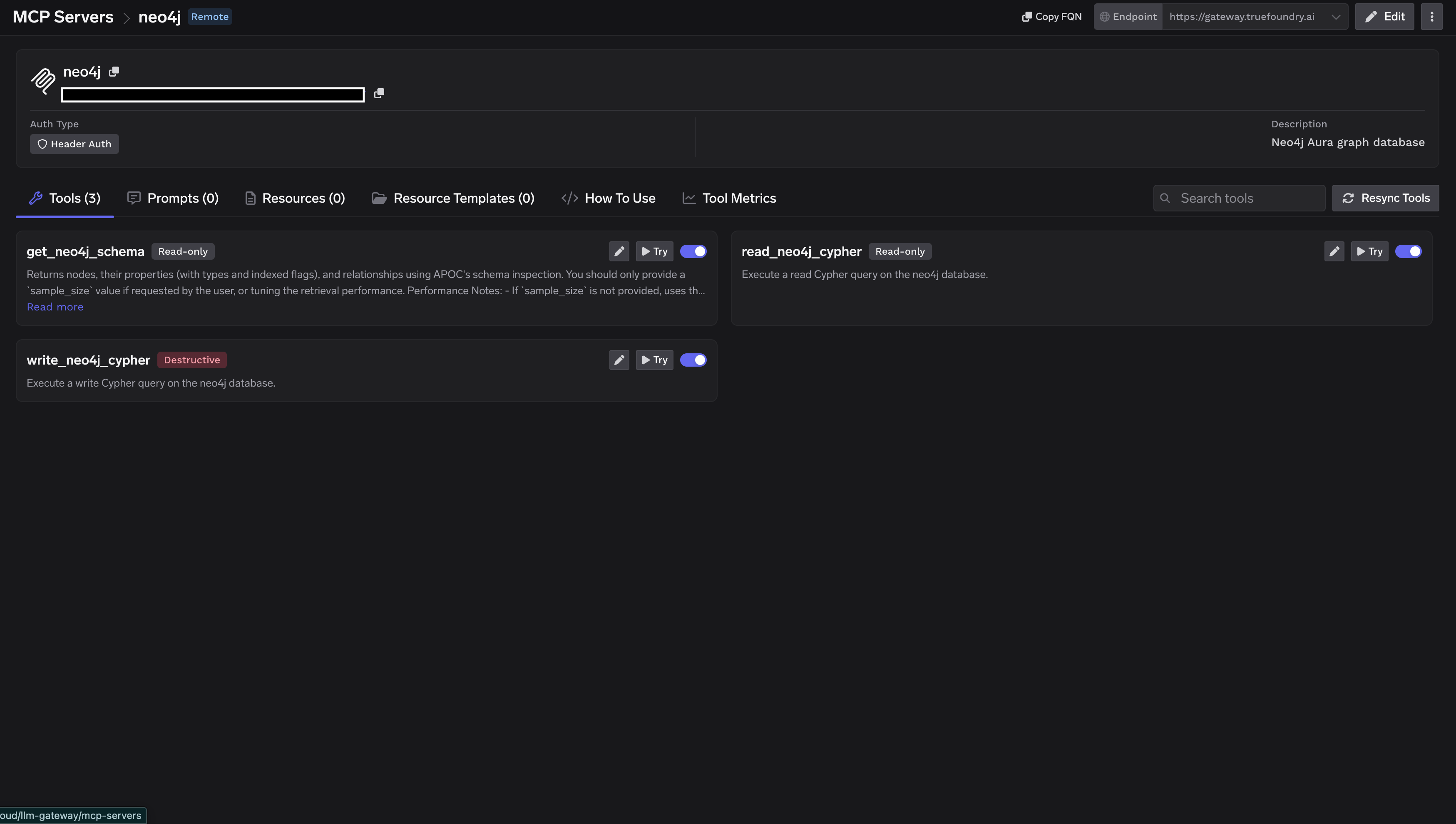
Connecting to an MCP Client
TrueFoundry exposes the Neo4j MCP server over HTTP transport. The endpoint is specific to your TrueFoundry tenant, so don’t construct it by hand — copy the exact URL and ready-to-paste connection commands from the How To Use tab on the Neo4j server detail page. The How To Use tab generates connection instructions for every major client, including Cursor, VS Code, Claude Code, Claude Desktop, Windsurf, Codex, and the Python and TypeScript MCP SDKs. Click Show API Key to reveal your personal gateway API key, which authenticates your client to the TrueFoundry AI Gateway. Copy the snippet for your client and paste it into the relevant settings file.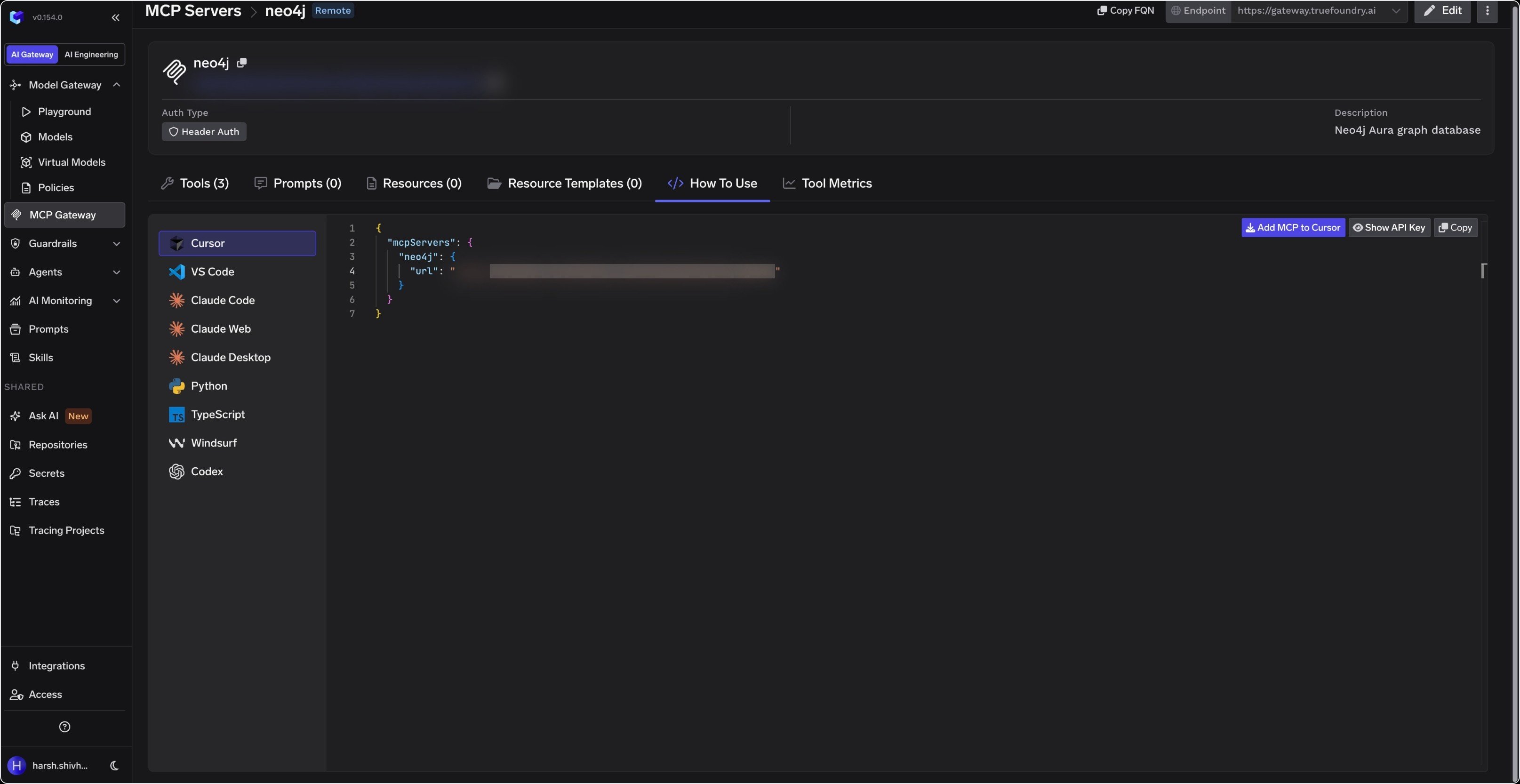
Using Neo4j in TrueFoundry Agents
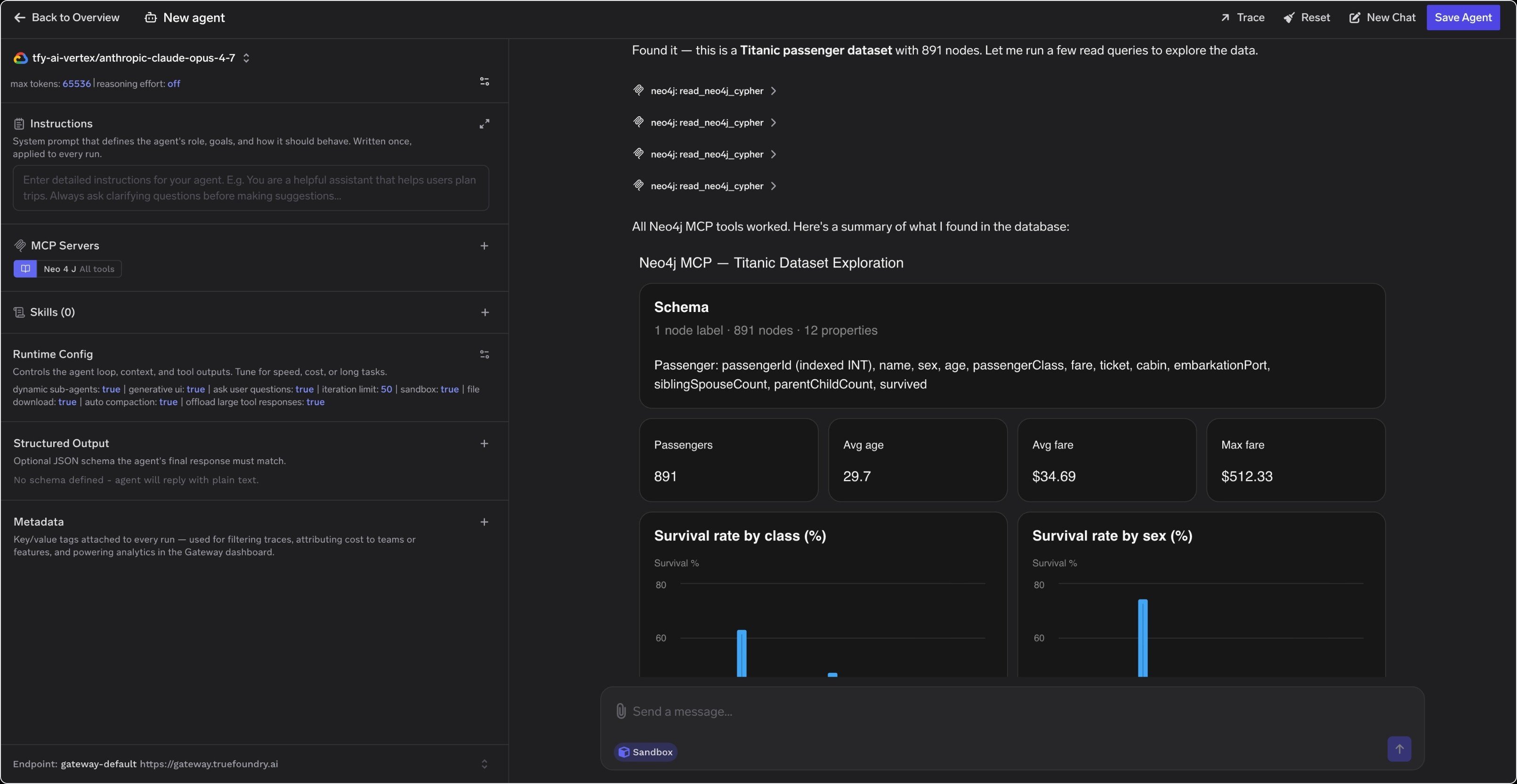
You can attach the Neo4j MCP server directly to an agent in the TrueFoundry AI Engineering UI:1
Create or open an agent
Go to AI Engineering → Agents → New Agent.
2
Attach the MCP server
Under MCP Servers, click + and select
neo4j. Choose All tools or select specific tools as needed.3
Query your graph
Send a message like “What does my database contain?” The agent automatically inspects the schema with
get_neo4j_schema and runs Cypher queries against your graph to answer.