

TrueFoundry CLI Library
TrueFoundry CLI library to help you interact with the platform programmatically.TrueFoundry CLI is a very lightweight CLI that only exposes the most common functionality and doesn’t provide interaction with all APIs of TrueFoundry. For that, we recommend using the APIs of TrueFoundry directly or using the TrueFoundry Python SDK.
Install TrueFoundry CLI
You need Python ≥ 3.10, ≤ 3.14 to use truefoundry v0.17.0 and later. See Minimum Python version raised to 3.10 — truefoundry v0.17.0.
Releases before v0.17.0 support Python ≥ 3.8, ≤ 3.14.
Authenticate CLI
To be able to use the TrueFoundry CLI, you first need to authenticate. You can login either via browser or using API Key.- Login via Browser using Device Code
- Login using API Key
To log in to TrueFoundry, run the following command:This will prompt you to open a URL and show you a 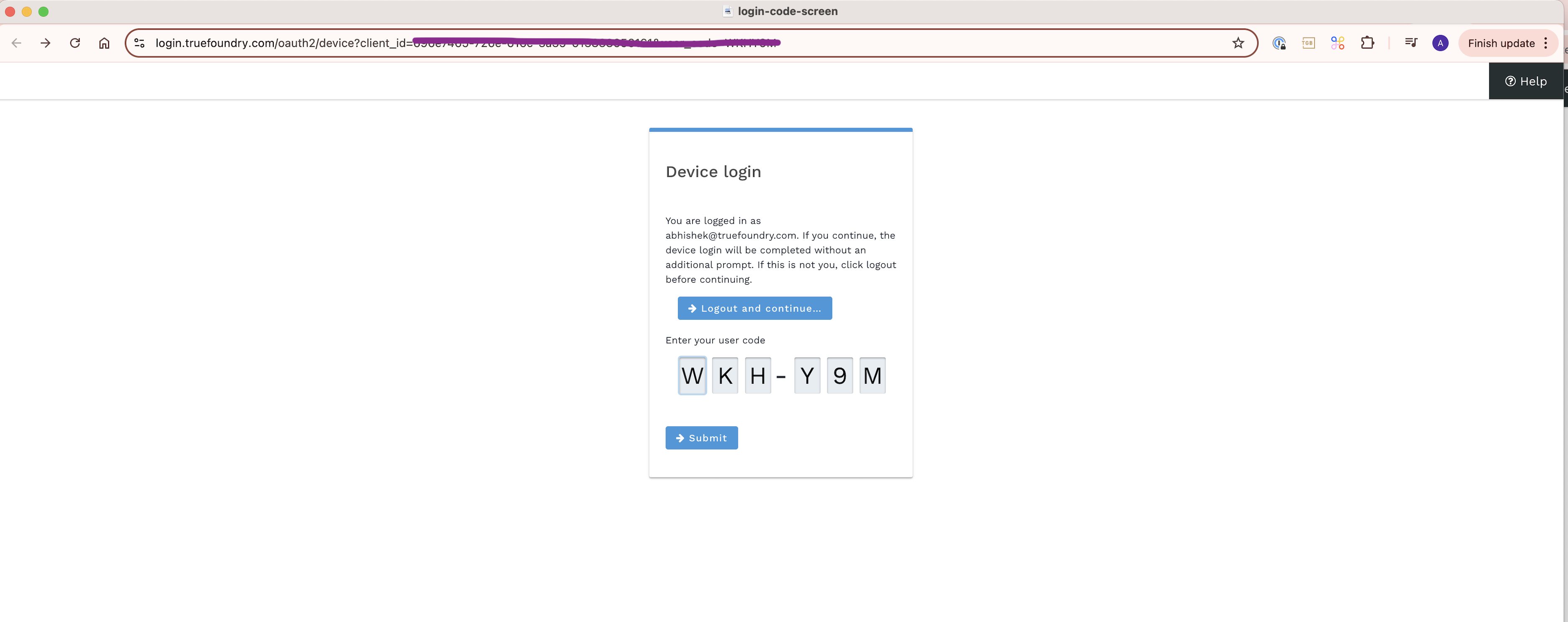

The value for 
--host is the first part of the url when you open the platform. This domain might be subdomain of your organization. The below example shows https://myorg.truefoundry.cloudSubmit button.FAQ
How do I resolve the 'SSL certificate verification failed' error?
How do I resolve the 'SSL certificate verification failed' error?
This error indicates that the CLI could not verify the HTTPS certificate of the server it is connecting to. The most common causes are:Retry the command afterwards. To apply this setting permanently, add the export statement to your shell profile (for example,
- A corporate proxy or firewall on your network intercepts HTTPS traffic and re-signs it with its own certificate.
- The required CA certificates are missing from your system.
.pem file) from your IT team and point the CLI to it using the REQUESTS_CA_BUNDLE environment variable:~/.zshrc or ~/.bashrc).How do I resolve the 'Couldn't connect to TrueFoundry through the configured proxy' error?
How do I resolve the 'Couldn't connect to TrueFoundry through the configured proxy' error?
This error indicates that an HTTP/HTTPS proxy is configured on your machine, but the CLI could not establish a connection through it.Resolution
- Inspect the values of the
HTTP_PROXY,HTTPS_PROXY, andNO_PROXYenvironment variables:
- Verify that the proxy address and port are correct and that the proxy is reachable from your machine.
- Confirm with your network team that the proxy permits access to your TrueFoundry host.
- If the TrueFoundry host should be reached directly, bypassing the proxy, add it to
NO_PROXY:
How do I resolve the 'Couldn't connect to TrueFoundry' or 'Failed to connect' error?
How do I resolve the 'Couldn't connect to TrueFoundry' or 'Failed to connect' error?
This error indicates that the CLI could not establish a network connection to the TrueFoundry host.Resolution
- Verify that the
--hostvalue (or theTFY_HOSTenvironment variable) is correct. It should match the URL you use to access the TrueFoundry platform in your browser, for examplehttps://myorg.truefoundry.cloud. - Confirm the host is reachable from your machine:
- If your TrueFoundry installation is accessible only over a private network, ensure you are connected to the VPN.
- Check whether a firewall or proxy on your network is blocking access to the host.
How do I get more details when a CLI command fails?
How do I get more details when a CLI command fails?
Run the command with the Alternatively, enable debug output through an environment variable:
--debug flag to print the full traceback: