

What is Strands Agents?
Strands Agents is an open-source framework developed by AWS for building production-ready, multi-agent AI systems. It leverages model reasoning to plan, orchestrate tasks, and reflect on goals, making it ideal for enterprise-grade agentic applications.Key Features of Strands Agents
- Model-Driven Orchestration: Leverages model reasoning to plan, orchestrate tasks, and reflect on goals autonomously
- Model & Provider Agnostic: Work with any LLM provider - Amazon Bedrock, OpenAI, Anthropic, local models - without changing your code
- Multi-Agent Primitives: Simple primitives for handoffs, swarms, and graph workflows with built-in support for Agent-to-Agent (A2A) communication
- Native AWS Integration: Best-in-class AWS integrations with easy deployment to EKS, Lambda, EC2, and native MCP tool integration
How TrueFoundry Integrates with Strands Agents
TrueFoundry enhances Strands Agents with production-grade observability, cost management, and multi-provider support through its LLM Gateway.Installation & Setup
1
Install Strands Agents
2
Get TrueFoundry Access Token
- Sign up for a TrueFoundry account
- Follow the steps here in Quick start
3
Configure Strands with TrueFoundry

Multi-Provider Support
TrueFoundry’s LLM Gateway provides an OpenAI-compatible API that works with all model providers:Observability and Governance
Monitor your Strands agents through TrueFoundry’s metrics tab: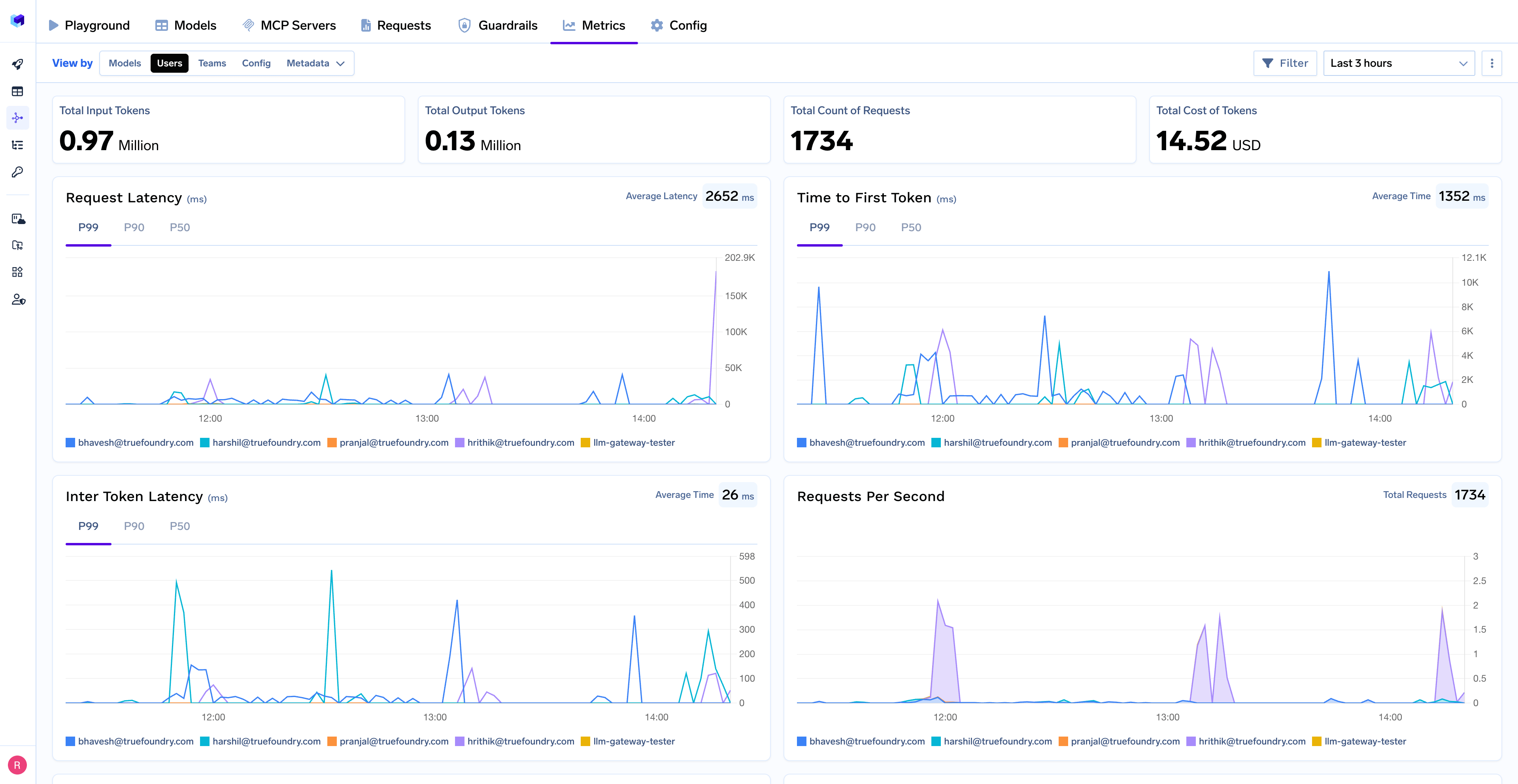
- Performance Metrics: Track key latency metrics like Request Latency, Time to First Token (TTFS), and Inter-Token Latency (ITL) with P99, P90, and P50 percentiles
- Cost and Token Usage: Gain visibility into your application’s costs with detailed breakdowns of input/output tokens and the associated expenses for each model
- Usage Patterns: Understand how your application is being used with detailed analytics on user activity, model distribution, and team-based usage
- Rate Limiting and Virtual Models: Set up rate limiting and configure Virtual Models for intelligent routing and fallback across your models