

What is Langroid?
Langroid is a Python framework for building LLM-powered applications with a focus on Multi-Agent Programming. It provides intuitive, flexible, and powerful tools for creating sophisticated conversational AI systems and multi-agent workflows.Key Features of Langroid
- Multi-Agent Architecture: Build complex AI systems with multiple specialized agents that can collaborate and delegate tasks to each other in sophisticated workflows
- Conversation Management: Advanced conversation handling with context management, memory persistence, and natural dialogue flow control
Prerequisites
Before integrating Langroid with TrueFoundry, ensure you have:- TrueFoundry Account: Create a TrueFoundry account with at least one model provider. For a quick setup guide, see our Gateway Quick Start
- Langroid Installation: Install Langroid using pip
Installation & Setup
1
Install Langroid
2
Configure Langroid with TrueFoundry

Get Base URL and Model Name from Unified Code Snippet
- Set the
api_baseto your “gateway base url” - Set the
api_keyto your “truefoundry api key” - Use TrueFoundry model names as shown in the image
Basic Integration
Connect Langroid to TrueFoundry’s unified LLM gateway:Advanced Example with Multi-Agent System
Build sophisticated multi-agent systems with TrueFoundry’s model access:Interactive Chat Application
Here’s a complete example with an interactive chat interface:Observability and Governance
Monitor your Langroid agents through TrueFoundry’s metrics tab: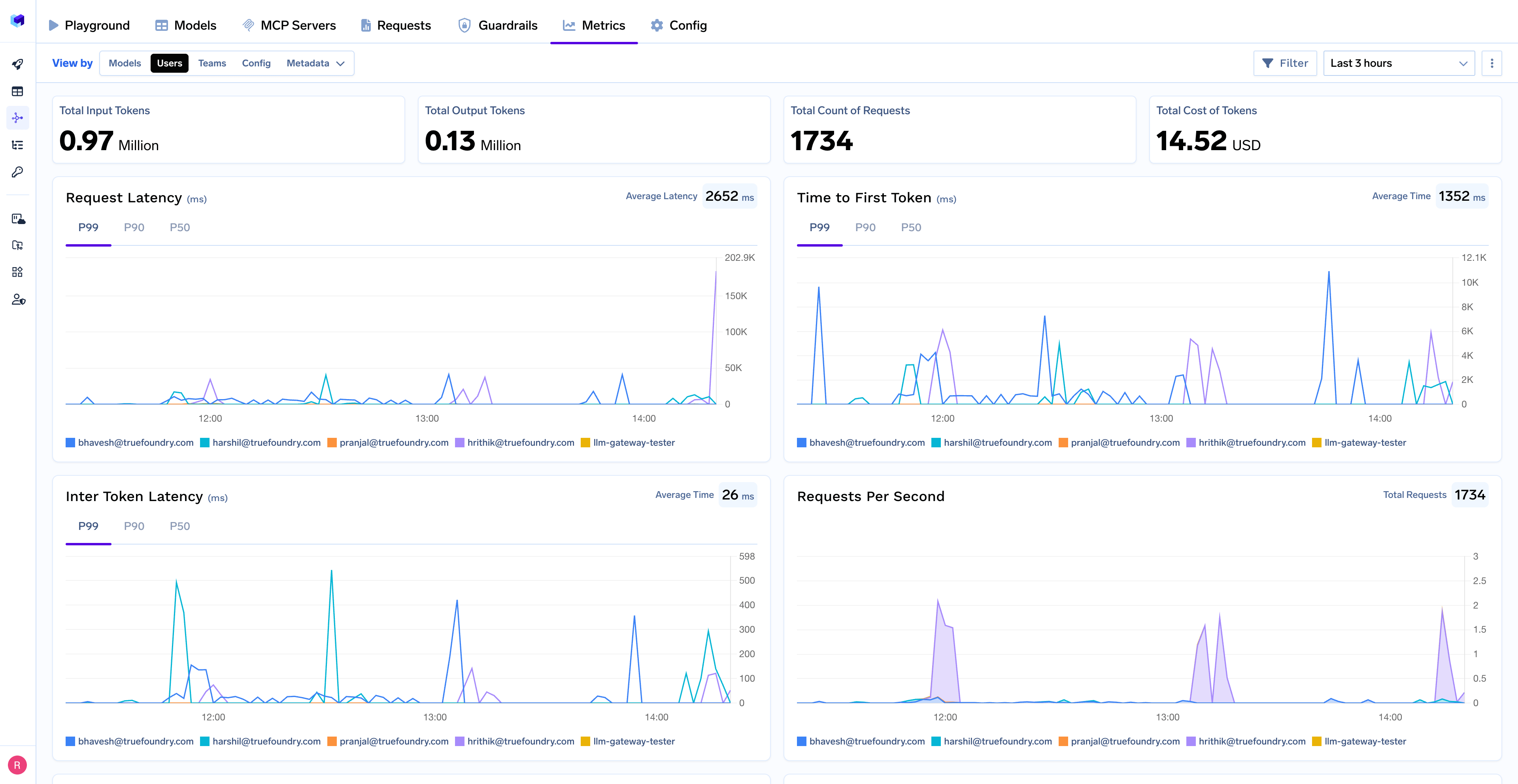
- Performance Metrics: Track key latency metrics like Request Latency, Time to First Token (TTFS), and Inter-Token Latency (ITL) with P99, P90, and P50 percentiles
- Cost and Token Usage: Gain visibility into your application’s costs with detailed breakdowns of input/output tokens and the associated expenses for each model
- Usage Patterns: Understand how your application is being used with detailed analytics on user activity, model distribution, and team-based usage
- Rate Limiting and Virtual Models: Set up rate limiting and configure Virtual Models for intelligent routing and fallback across your models