August 26, 2026
|
5 min read



Blazingly fast way to build, track and deploy your models!
A prompt is just like a clear instruction or a set of instructions you give to a tool or person. Whether it's a keyword you type into a search engine, a command for a computer program, or a question you ask a friend, prompts help them understand what you're looking for or want them to do.
Prompt engineering, the art and science of crafting effective prompts, has become increasingly essential with the rise in popularity of Large Language Models (LLMs) as it enables the utilization of the full capabilities of LLMs.
This article will help you master prompt engineering through the lens of Language Models.
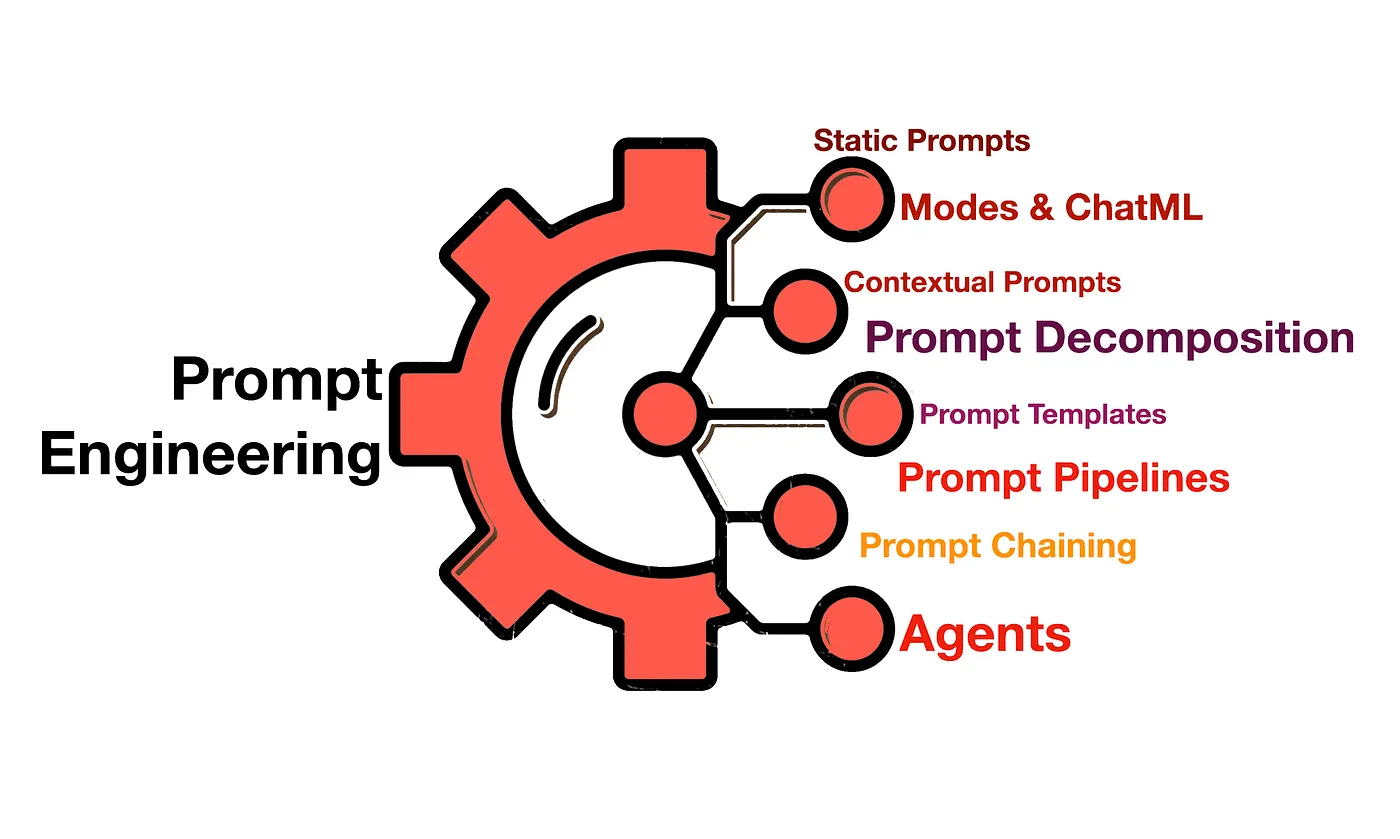
Prompt engineering is the process of designing and refining instructions to get more accurate, relevant, and useful responses from large language models (LLMs). It involves choosing the right wording, adding context, providing examples, and setting constraints to guide how a model responds to a task.
For example, instead of asking an LLM to “write about cybersecurity,” you could ask it to “explain three common cybersecurity risks for small businesses, give a practical example of each, and suggest one prevention measure.” The specific instructions help the model produce a more focused and actionable response.
Prompt engineering can also involve techniques such as zero-shot and few-shot prompting, role prompting, prompt chaining, and retrieval-augmented generation (RAG). You can test different prompts and adjust parameters such as temperature and maximum output tokens to improve results for a particular use case.
The goal is not simply to write a longer prompt. It is to provide enough clear instructions and relevant context for the model to complete the task reliably, while validating its output before using it in a production workflow.
Prompt engineering helps you get more useful and consistent results from large language models (LLMs) without changing the underlying model.
Here’s why prompt engineering matters:
Prompt engineering works across different tasks, from writing and summarization to data extraction and coding. These examples show how specific instructions, context, and output requirements can help an LLM generate more useful responses.
A broad writing prompt can produce generic content. Adding the target audience, tone, and structure helps the model create a more relevant draft.
Basic prompt:
Write a blog about cloud security.
Improved prompt:
Write a 500-word blog about cloud security for IT administrators at small businesses. Use simple language, explain three common security risks, and provide a practical mitigation for each. Use descriptive headings and avoid unsupported claims.
Why it works: The improved prompt defines the audience, length, scope, and format, giving the model clearer criteria for its response.
When summarizing long documents, you can specify the information to retain and how to present it.
Basic prompt:
Summarize this report.
Improved prompt:
Summarize the report below in five bullet points. Focus on the main findings, supporting figures, and recommended actions. Use only information from the report and flag any missing details.
[Insert report]
Why it works: The instructions establish the summary's length, priorities, and evidence requirements, making the result easier to review.
If you need to extract information from unstructured text, specify the required fields and output format so the result can be checked or processed by another application.
Basic prompt:
Extract the order details from this message.
Improved prompt:
Extract the order ID, product name, quantity, and delivery date from the message below.
Return valid JSON using these exact keys: order_id, product_name, quantity, delivery_date.
Use null for missing values. Do not infer details that are not stated in the message.
Message: "Order A104 contains two wireless keyboards scheduled for delivery on 25 October 2026."
Example output:
{ "order_id": "A104", "product_name": "wireless keyboards", "quantity": 2, "delivery_date": "25 October 2026"}Why it works: Defining a schema and rules for missing information makes the output more consistent. For production use, validate the JSON against the expected schema.
For coding tasks, specify the language, expected behavior, edge cases, and testing requirements instead of asking the model to write code without context.
Basic prompt:
Write a function to validate email addresses.
Improved prompt:
Write a Python function that checks whether an email address has a basic valid format.
Requirements:
- Accept a string as input.
- Return True for a valid basic format and False otherwise.
- Handle empty strings and missing @ symbols.
- Include five test cases covering valid and invalid inputs.
- Explain the limitations of this validation approach.
Do not use external libraries.
Why it works: The prompt defines the programming language, expected behavior, edge cases, and tests. This gives you code that is easier to review, although it should still be tested before use.
Prompt engineering works by refining the instructions you give a large language model (LLM) to get an output that matches your requirements. You define the task, provide relevant context, set constraints, and test the response to see whether the model delivers the expected result.
The process involves four key steps:
Start by identifying what you want the model to do. Be specific about the goal, whether you need to summarize a report, classify customer feedback, generate code, or answer a technical question.
Give the model direct instructions and include any information it needs to complete the task. You can also specify the tone, output format, length, and constraints. If you want a particular response pattern, provide examples using few-shot prompting.
Review the generated output for accuracy, relevance, completeness, and formatting. Test the same prompt with different inputs to identify cases where the model misunderstands the task or produces inconsistent results.
Adjust the wording, add missing context, or change the examples based on the results. You can also tune generation parameters, such as temperature and maximum output tokens, when supported by the model or API. Repeat the process until the prompt performs reliably across representative inputs.
While working on prompt engineering, you generally use an API to interact with the LLM. These APIs consist of a set of hyperparameters that can be adjusted to achieve desired outputs. In this discussion, we will examine the Hugging Face Inference API (as depicted in the image below) and explore the importance of each parameter.
from huggingface_hub import InferenceClient# HF Inference Endpoints parameterendpoint_url = "https://YOUR_ENDPOINT.endpoints.huggingface.cloud"hf_token = "hf_YOUR_TOKEN"# Streaming Clientclient = InferenceClient(endpoint_url, token=hf_token)# Generation parametersgen_kwargs = { "max_new_tokens": 512, "top_k": 50, # Adjusting top-k sampling parameter "top_p": 0.8, # Adjusting nucleus sampling parameter "temperature": 0.5, # Adjusting temperature for randomness "repetition_penalty": 1.5, # Adjusting repetition penalty to avoid repetitive responses "stop_sequences": ["\nUser:", "", "</s>"],}# Promptprompt = "What are the effects of climate change on"# Text generationstream = client.text_generation(prompt, stream=True, details=True, **gen_kwargs)As mentioned above, different hyperparameters can be adjusted to influence the quality and diversity of generated text. Let’s take a closer look at the various hyperparameters included in the gen_kwards property above -
It's like adjusting the spice level in your cooking - higher temperature means more randomness, like adding spice for flavour, while lower temperature keeps things predictable, like sticking to a recipe. For example, in creative writing tasks like generating poetry or brainstorming story ideas, a higher temperature setting can result in more diverse and imaginative text.
Think of it as narrowing down choices in a library to the most popular books. It selects the most probable tokens during text generation, refining the output. Consider a customer service chatbot that assists users with common queries. By setting a top_k parameter, the chatbot can prioritize responses based on the most relevant information, ensuring that users receive accurate and helpful assistance without being overwhelmed by unnecessary details.
Top_p sets a limit on the tokens considered by choosing tokens until a cumulative probability of p is reached. Both top_k and top_p are used to control diversity and quality.
It's like setting a word limit for an essay. Max_new_tokens determines how much text the model can generate, keeping it within a specified length.For instance, if you're generating responses for a chatbot, setting a maximum token limit ensures that the responses remain concise and relevant to the conversation context or you can increase.
Repetition penalty discourages the model from reusing tokens, promoting diversity in the generated text.In a conversational AI application, such as a virtual assistant, setting a repetition_penalty ensures that the assistant's responses remain varied and natural during extended interactions.
Frequency Penalty encourages the model to explore less common tokens, making the text more unique. Suppose you're developing a news aggregator app that summarizes articles from various sources. By applying a frequency penalty, the app can prioritize lesser-known publications or niche topics, providing users with a diverse range of perspectives.
Presence Penalty guides the model to generate text that aligns with specific criteria or avoids certain topics, ensuring relevance. In a content moderation system for online forums, setting a presence penalty helps filter out inappropriate or offensive language. For example, if a user attempts to post discriminatory comments, the presence penalty would guide the system to generate a warning message.
You should begin by crafting simple straightforward prompts and gradually introduce complexity through refinement, rather than burdening all the information at the beginning. So while dealing with a big task, try to break it down into subsets.
Commands should be clear and explicit. For example,
Poor prompt: " The quick brown fox jumps over the lazy dog, Translate this."
Better prompt: "Translate the following English text into Spanish: 'The quick brown fox jumps over the lazy dog.'"
Enhance prompt clarity by including relevant examples and detailed instructions.
Poor prompt: “Write about social media and its effects.”
Better prompt: “Write a 500-word essay discussing social media's impact on teenagers' mental health. Include statistics from reputable sources such as the American Psychological Association and provide real-life examples of individuals affected by excessive social media use. “
Ensure prompts are clear and direct to prevent ambiguity in model responses.
Iteratively refine prompts based on feedback and performance to optimise results through automated prompt engineering.
Choosing the best prompt engineering tools depends on whether you are optimizing prompts for experimentation, production deployment, or model-specific workflows.
Hugging Face Transformers: It provides interfaces for fine-tuning models on specific tasks and allows for the creation of custom prompts.
OpenAI Codex API: OpenAI's API includes capabilities for prompt engineering, allowing users to generate code or text based on prompts.
GPT-3 Playground: Platforms like the GPT-3 Playground offer interactive environments for experimenting with prompts and observing model responses in real-time.
Google's T5 Framework: T5 (Text-To-Text Transfer Transformer) is a framework that casts all NLP tasks into a text-to-text format, simplifying prompt engineering for various tasks.
AllenNLP: AllenNLP provides tools for building and evaluating NLP models, including mechanisms for prompt design and evaluation.
Prompt engineering techniques help you guide an LLM toward more relevant, accurate, and consistent outputs. Some techniques improve how a model follows instructions, while others break complex tasks into smaller steps, support reasoning, or connect the model to external tools and data.
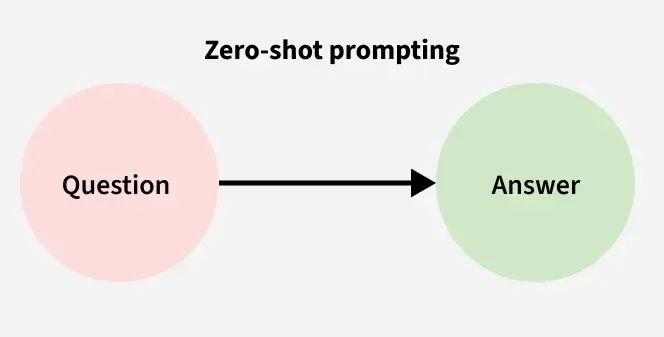
Zero-shot prompting asks an LLM to complete a task without providing examples. The model relies on its existing training and the instructions in your prompt.
Example prompt:
Who was the first human to travel into space?
Example output:
Yuri Gagarin was the first human to travel into space, in 1961.
Use zero-shot prompting for straightforward questions, summaries, classifications, and other tasks where the instructions are clear and examples are unnecessary.
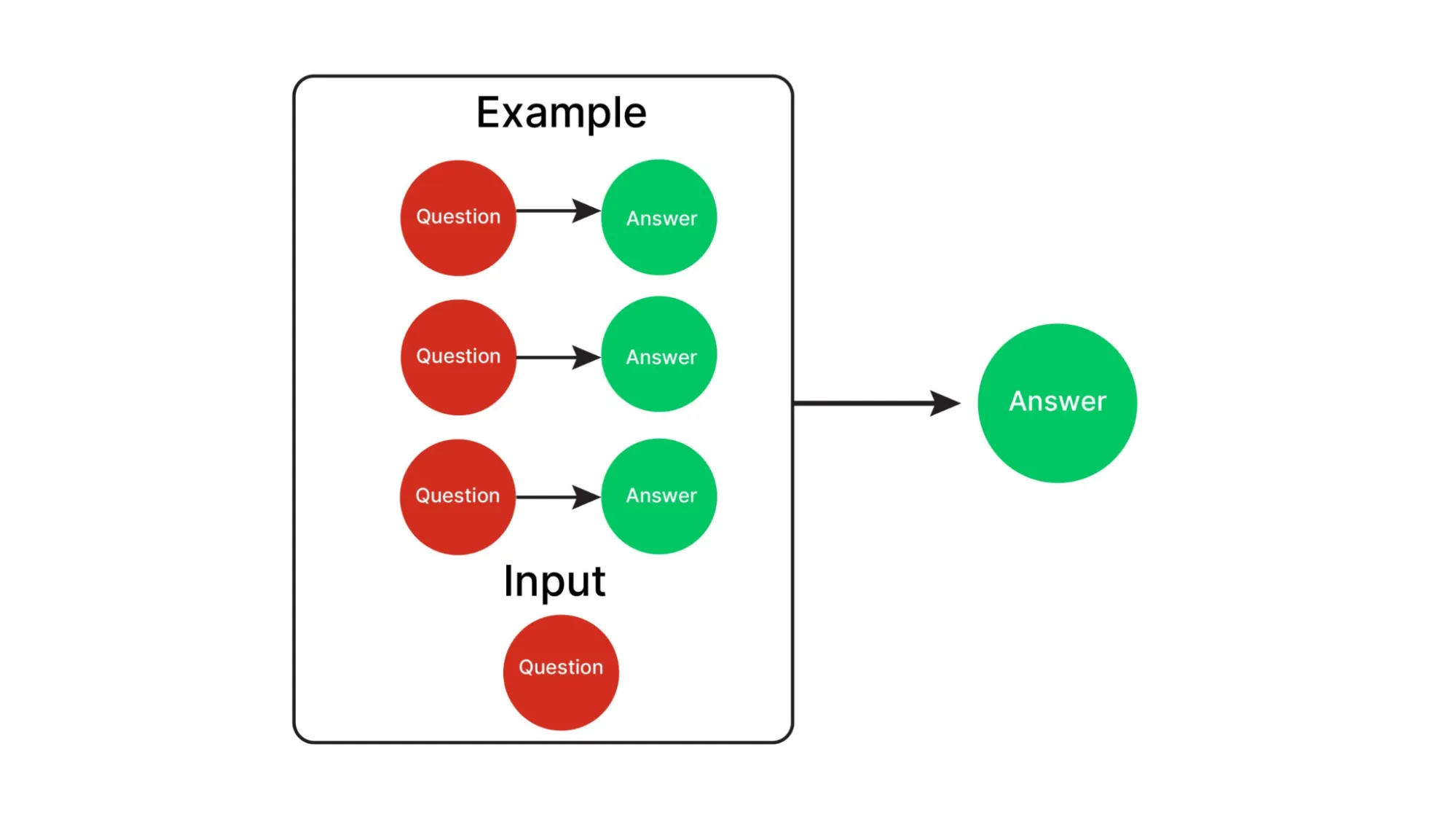
Few-shot prompting provides a small number of input-output examples to show the model the expected pattern, format, or style. One-shot prompting uses one example, while multi-shot prompting uses several.
Example prompt:
Classify each customer message as Positive, Negative, or Neutral.
Message: "The delivery was fast and the product works well."
Sentiment: Positive
Message: "The item arrived broken."
Sentiment: Negative
Message: "The package arrived yesterday."
Sentiment:
Example output:
Neutral
Few-shot prompting is useful when you need consistent classifications, structured responses, or a particular writing style without fine-tuning the model.
Role prompting assigns the model a specific role or professional perspective. This helps establish the expected tone, level of detail, and priorities for the response.
Example prompt:
Act as a senior software engineer reviewing a pull request. Identify potential bugs, security issues, and performance problems. Explain each finding and suggest a practical fix.
Use role prompting when the task requires a defined perspective, such as reviewing code, explaining technical concepts to beginners, or drafting customer support responses. A role can guide the response, but it does not guarantee expert-level accuracy.
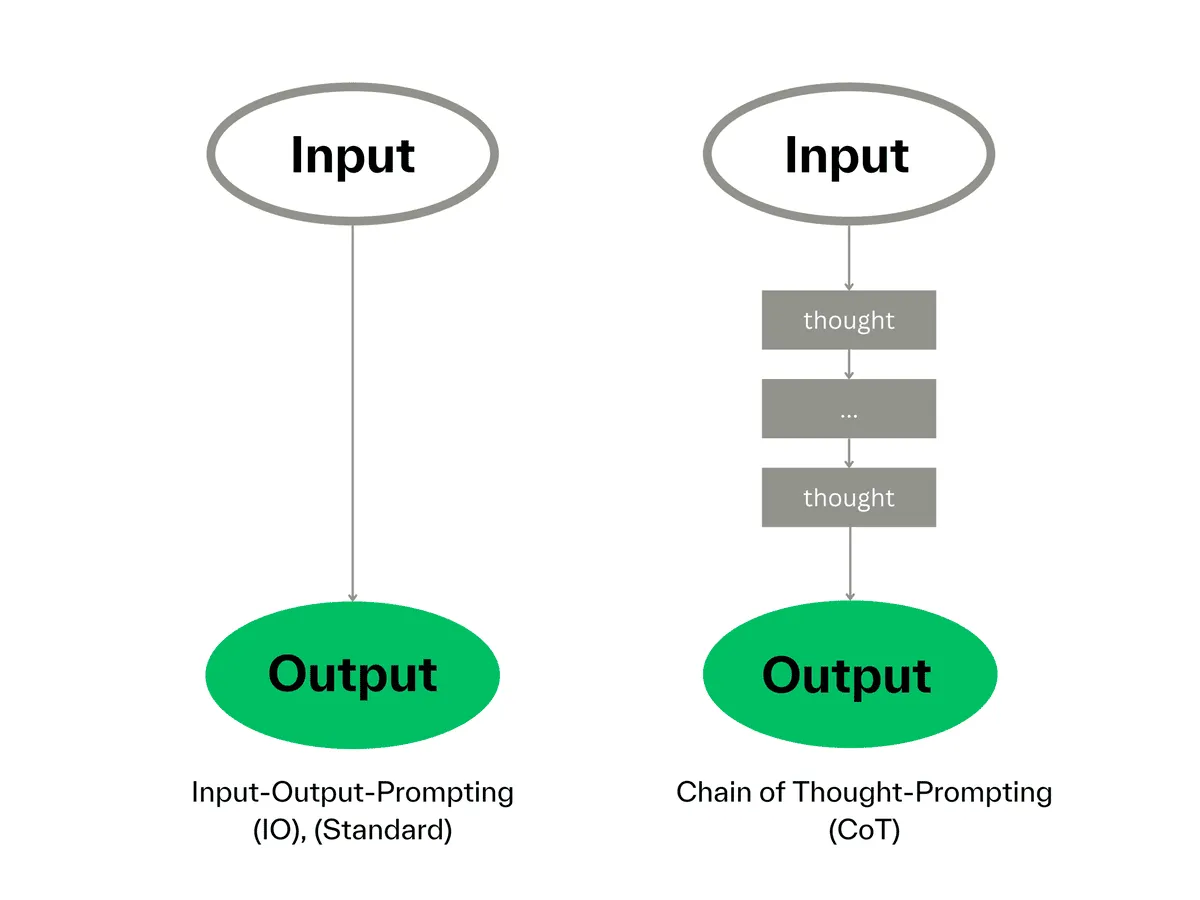
Chain-of-thought (CoT) prompting encourages a model to approach a problem through intermediate reasoning steps rather than jumping straight to an answer. It is commonly associated with multi-step maths, logic, and planning tasks.
Example prompt:
A team has 48 tasks to complete. Four engineers share the work equally. Each engineer completes three additional tasks. How many tasks are completed in total?
Example output:
48 tasks are divided equally among 4 engineers, giving each engineer 12 tasks. Each completes 3 additional tasks, so each completes 15. The total is 4 × 15 = 60 tasks.
CoT-style prompting can help with multi-step problems, but asking for a long explanation does not automatically improve accuracy. For production applications, you can ask for a concise explanation or verifiable intermediate results instead of relying on the model's full internal reasoning.
Automatic chain-of-thought generates example demonstrations that can be used to guide a model through reasoning tasks. Instead of manually writing every example, a system generates representative examples and uses them in subsequent prompts.
Auto-CoT typically involves two stages:
Auto-CoT can reduce the manual effort involved in preparing few-shot reasoning examples. However, generated demonstrations may contain errors, so they should be checked before use.
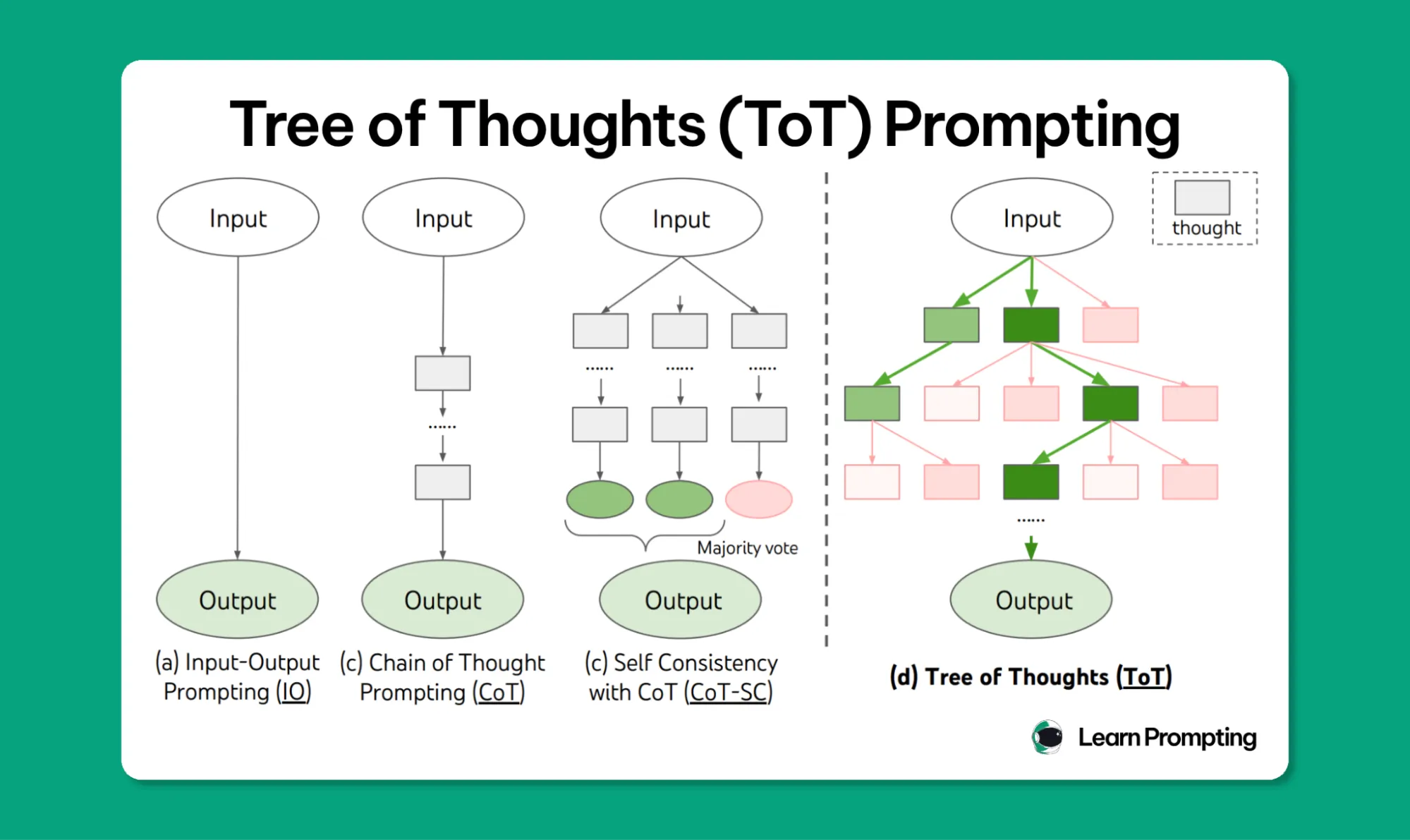
Tree of Thoughts extends the idea of exploring intermediate steps by allowing a model to consider multiple possible solution paths. The system evaluates these paths and can expand promising options or discard weaker ones.
For example, when planning a migration from a monolithic application to microservices, a Tree of Thoughts approach could compare different service boundaries, deployment strategies, and migration sequences before selecting a plan.
ToT is useful for problems that require exploration and comparison, such as complex planning, constraint-based puzzles, and strategy selection. It can require more model calls and computation than a straightforward prompt.
Self-consistency improves the reliability of some reasoning tasks by generating multiple independent responses to the same question and comparing their answers. The system can select the most frequent answer or use another validation method to resolve disagreements.
For example, a system may generate several solutions to a numerical word problem and compare the final results. If most responses agree, that answer may be selected for further verification.
Self-consistency can reduce errors caused by an individual generation, particularly in reasoning tasks. It does not guarantee correctness, because multiple responses can share the same mistake.
Prompt chaining breaks a complex task into smaller steps, with the output of one prompt becoming the input to the next. Each step has a specific responsibility, making the overall workflow easier to test and troubleshoot.
Example workflow:
For example, the first prompt could return exercise names in a structured format. The second could validate those names, and the third could use the validated output to create the routine.
Prompt chaining is useful for multi-stage workflows such as document processing, research, content generation, and data extraction. It also makes it easier to identify which step caused an incorrect result.
Retrieval-augmented generation (RAG) supplies an LLM with relevant information retrieved from external sources at query time. The model uses that context to formulate an answer instead of relying only on information encoded during training.
A typical RAG workflow includes:
For example, an internal support assistant could retrieve relevant troubleshooting guides and product documentation before answering an employee's question.
RAG is useful when answers need to reflect current, private, or domain-specific information. Its performance depends on retrieval quality, context relevance, and how well the model uses the retrieved evidence.
ReAct combines reasoning-oriented task planning with actions performed through external tools. The model can decide which action is needed, call a search engine or API, observe the result, and use that information to determine the next step.
Example workflow:
ReAct is useful for AI agents that need to interact with external systems instead of answering from the prompt alone. Tool permissions, input validation, and limits on available actions are important safeguards when implementing it.
Structured output prompting instructs the model to return information in a defined format, such as JSON, XML, or a fixed set of fields. This makes the output easier for software to parse and use.
Example prompt:
Extract the product name, price, and availability. Return the result as JSON with these keys: product_name, price, availability. Do not add fields outside this schema.
Example output:
{ "product_name": "Wireless Headphones", "price": 2999, "availability": "In stock"}This technique is useful for API integrations, data extraction, classification pipelines, and workflows that pass model outputs to other software. For reliable production use, validate the output against a schema rather than assuming that prompt instructions alone will enforce valid JSON.
Constraint-based prompting specifies the boundaries a response must follow. These may include word limits, required fields, approved sources, tone, formatting rules, or actions the model must avoid.
Example prompt:
Summarize the report in 150 words or fewer. Use only information from the supplied report. Include three key findings and two recommendations. Flag missing information instead of inventing facts.
This technique is useful when outputs must meet editorial guidelines, business rules, compliance requirements, or strict formatting needs. Important constraints should also be enforced through application logic wherever possible.
Prompt engineering helps you get more relevant, consistent, and useful outputs from large language models (LLMs) without retraining the model for every task.
If you want to improve your AI outputs or build applications powered by large language models (LLMs), a prompt engineering course can help you learn how to write better instructions, provide useful context, and evaluate responses. Here are five courses worth considering, depending on your experience and learning goals.
This course is a good starting point if you want to understand how to write effective prompts for ChatGPT. It covers practical prompting techniques that you can apply to everyday tasks, content creation, and problem-solving.
Best for: Beginners who want to improve their use of ChatGPT.
Explore the course on Coursera
Created by Isa Fulford and Andrew Ng, this short course focuses on applying prompt engineering to AI application development. You'll learn how to use LLM APIs for summarization, classification, text transformation, and chatbot development through practical examples.
The course takes approximately 1.5 hours and is suitable for beginners with a basic understanding of Python.
Best for: Developers who want to integrate LLMs into applications.
Explore the course on DeepLearning.AI
IBM's prompt engineering course covers the fundamentals of writing effective prompts and applying prompting techniques to generative AI tasks. It can help you understand how to structure instructions and use prompting tools across different applications.
Best for: Learners who want a structured introduction to prompt engineering.
Explore the course on Coursera
Google Prompting Essentials teaches you how to write clear, specific prompts for everyday work. The program covers a five-step prompting approach and shows how to apply prompting techniques to tasks such as data analysis, presentations, and business communication. The specialization is listed as beginner-level and takes approximately four hours.
Best for: Students and professionals who want to use AI more effectively at work.
Explore the course on Coursera
IBM's Generative AI Fundamentals Specialization provides broader coverage of generative AI, including foundational models, practical applications, prompt engineering, and responsible AI. It is designed for beginners and includes hands-on learning activities.
Best for: Beginners who want to learn prompt engineering alongside broader generative AI concepts.
Explore the specialization on Coursera
Prompt engineering helps you get more relevant and consistent results from large language models by improving how you structure instructions, provide context, and define output requirements. From zero-shot and few-shot prompting to prompt chaining and RAG, the right technique depends on your task and the reliability your application needs.
However, good prompts are only one part of building dependable AI applications. You also need to evaluate outputs, manage model access, monitor performance, and control how AI systems interact with external tools.
Go beyond writing better prompts. Use TrueFoundry's AI Gateway to manage LLM access, monitor model requests, and evaluate performance as you build and scale AI applications. Book a demo.
TrueFoundry AI Gateway delivers ~3–4 ms latency, handles 350+ RPS on 1 vCPU, scales horizontally with ease, and is production-ready, while LiteLLM suffers from high latency, struggles beyond moderate RPS, lacks built-in scaling, and is best for light or prototype workloads.




The latest news, articles, and resources sent to your inbox