> ## Documentation Index
> Fetch the complete documentation index at: https://www.truefoundry.com/llms.txt
> Use this file to discover all available pages before exploring further.
# Gitlab
> Create a GitLab application and configure the integration with TrueFoundry for repository access and CI/CD.
## Creating the Gitlab App
To enable Gitlab integrations, you need to create a Gitlab app. Follow these steps to create the Gitlab app and integrate it with truefoundry:
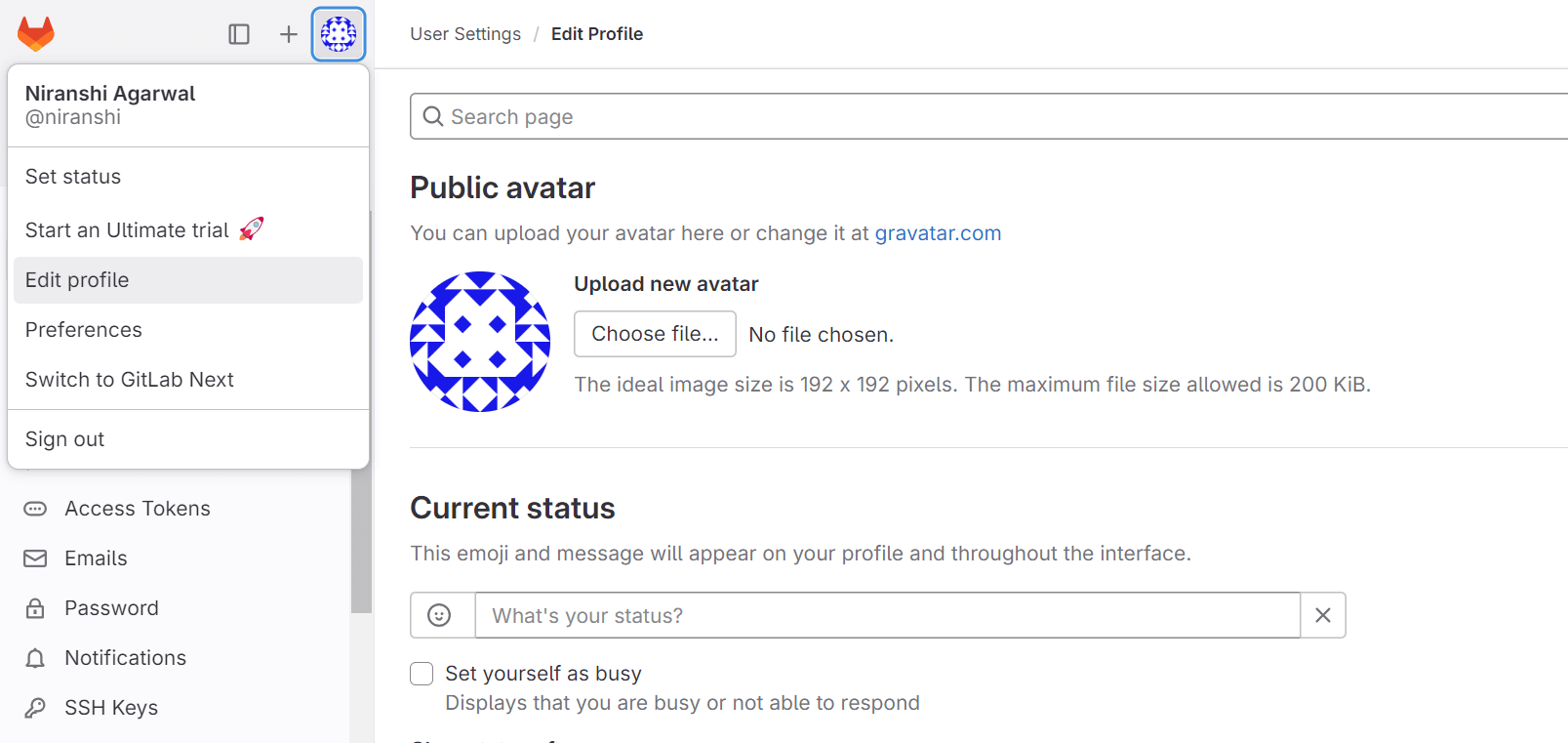
* Sign in to GitLab.com. On the left sidebar, select your avatar and select Edit profile.
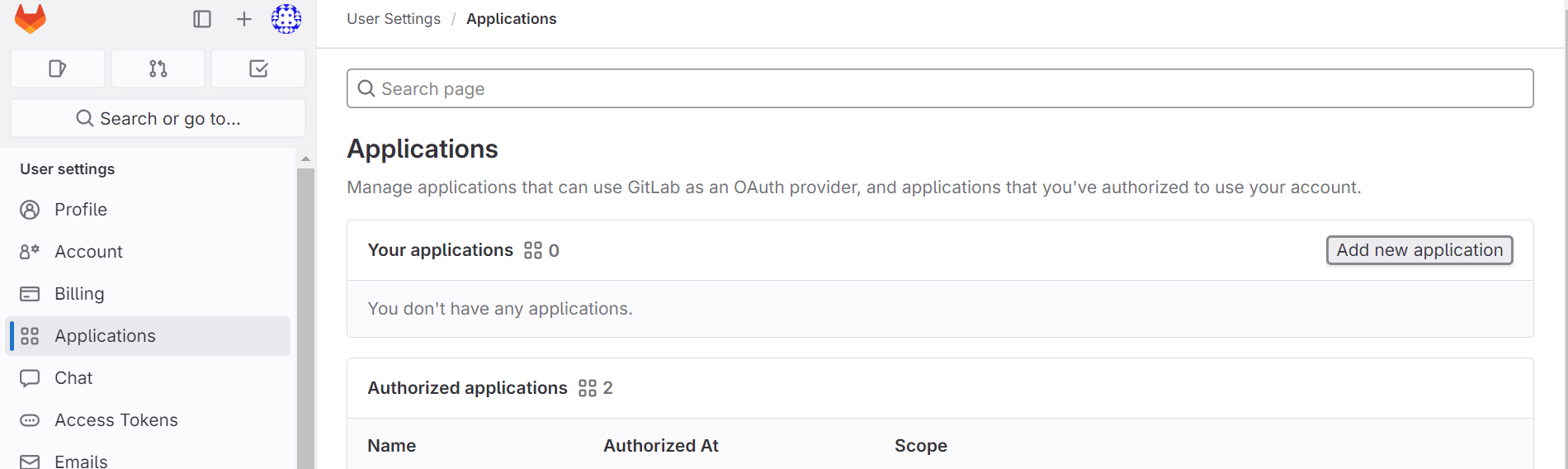
 * On the left sidebar, select **Applications**. Click on the **Add new application** button right side.
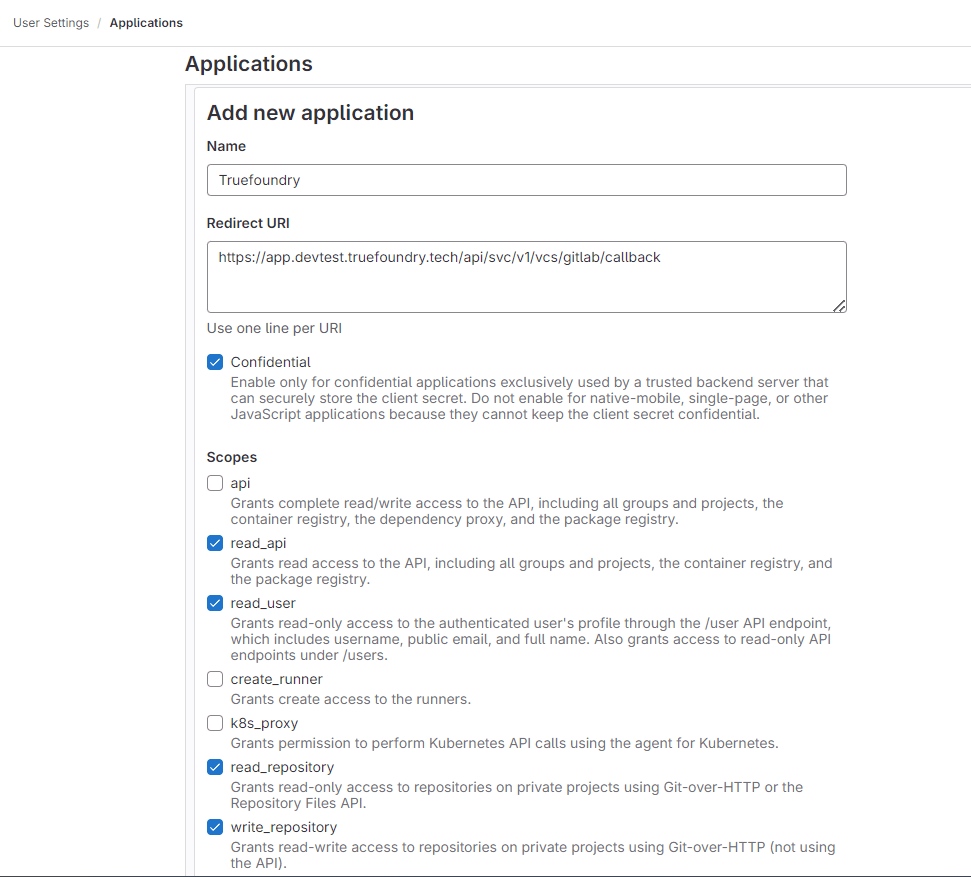
 * Provide the required details for **Add new application**.
* Name: This can be anything. Consider something like ``'s GitLab or ``'s GitLab or something else descriptive.
* Redirect URI: `https://app.example-org.truefoundry.com/api/svc/v1/vcs/gitlab/callback`
* Enable the **Confidential** check box.
* Select the following scopes: read\_api, read\_user, read\_repository, write\_repository.
* Provide the required details for **Add new application**.
* Name: This can be anything. Consider something like ``'s GitLab or ``'s GitLab or something else descriptive.
* Redirect URI: `https://app.example-org.truefoundry.com/api/svc/v1/vcs/gitlab/callback`
* Enable the **Confidential** check box.
* Select the following scopes: read\_api, read\_user, read\_repository, write\_repository.
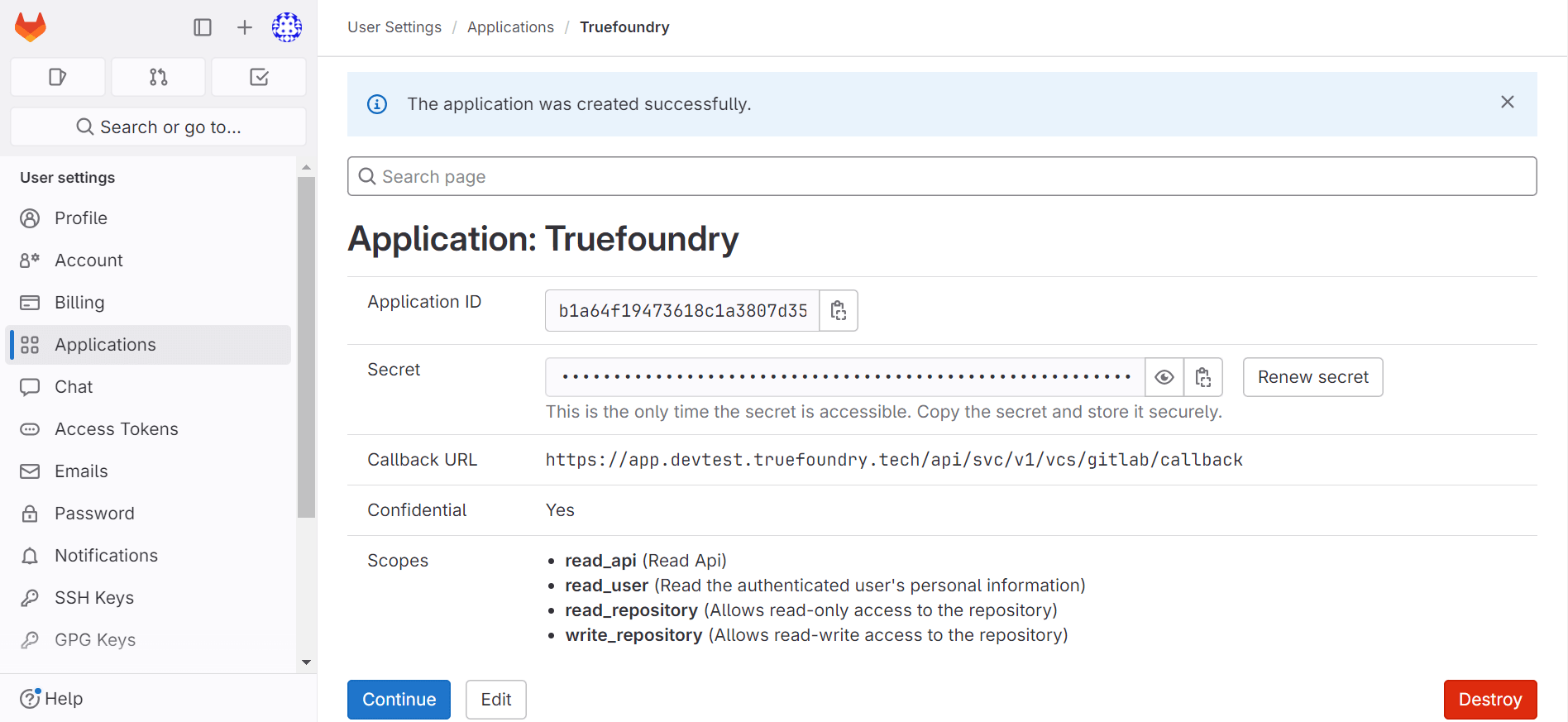
 * Select **Save application**.
* You should now see an **Application ID** and **Secret**.
* Select **Save application**.
* You should now see an **Application ID** and **Secret**.
 List of connected repositories
* Set environment variables in servicefoundry server :
```
GITLAB_APP_ID: ''
GITLAB_APP_SECRET: ''
GITLAB_SCOPE: 'read_api read_user read_repository write_repository'
```
List of connected repositories
* Set environment variables in servicefoundry server :
```
GITLAB_APP_ID: ''
GITLAB_APP_SECRET: ''
GITLAB_SCOPE: 'read_api read_user read_repository write_repository'
```