> ## Documentation Index
> Fetch the complete documentation index at: https://www.truefoundry.com/llms.txt
> Use this file to discover all available pages before exploring further.
# External SSO (OIDC/SAML)
> Deploy the TrueFoundry Control Plane without TrueFoundry Auth Server using any external OIDC or SAML identity providers for authentication.
**This is a TrueFoundry High-tier Enterprise plan feature.**
By default, the control plane uses the TrueFoundry Auth Server to authenticate users. However, you can deploy the control plane using your own external OIDC or SAML compliant identity provider instead.
## Prerequisites
Before deploying the control plane with external OAuth/SAML:
* Ensure you have an OIDC or SAML-compliant identity provider configured
* Obtain the necessary credentials (Client ID, Client Secret, Issuer URL, etc.)
* Contact TrueFoundry team to obtain the `INTERNAL_JWT_JWKS` value required for secure token signing
* Verify network connectivity between your identity provider, user browsers, control plane, and AI Gateway servers
You need to add your OIDC application details under `servicefoundryServer.env` in the `values.yaml` file of `truefoundry` helm installation.
```yaml lines theme={"dark"}
servicefoundryServer:
env:
OAUTH_PROVIDER_TYPE: "EXTERNAL"
EXTERNAL_OAUTH_ISSUER: ""
EXTERNAL_OAUTH_CLIENT_ID: ""
EXTERNAL_OAUTH_CLIENT_SECRET: ""
INCLUDE_TRUEFOUNDRY_MANAGED_JWKS: "false"
INTERNAL_JWT_SERVICE_ENABLED: "true"
INTERNAL_JWT_JWKS: "" # Contact TrueFoundry support to obtain this value - required for secure token signing
tfy-llm-gateway:
env:
ENABLE_EXTERNAL_OAUTH: "true"
```
Store sensitive values like `EXTERNAL_OAUTH_CLIENT_SECRET` and
`INTERNAL_JWT_JWKS` securely using Kubernetes secrets rather than plain text
in values.yaml. Consider using a secrets management solution like HashiCorp
Vault or sealed-secrets.
### Optional Configuration Fields
Use these fields only if your identity provider returns user information with non-standard claim names:
```yaml lines theme={"dark"}
servicefoundryServer:
env:
## Optional: Customize if your IdP uses non-standard claim names
# USE_ID_TOKEN_AS_ACCESS_TOKEN: boolean (default: false) - Set to true if your IdP doesn't provide separate access tokens
# EXTERNAL_OAUTH_USER_INFO_EMAIL_KEY_NAME: string (default: "email") - Customize if email is not in the "email" field
# EXTERNAL_OAUTH_USER_INFO_ID_KEY_NAME: string (default: "id")
# EXTERNAL_OAUTH_USER_INFO_NAME_KEY_NAME: string (default: "name")
# EXTERNAL_OAUTH_USER_INFO_FIRST_NAME_KEY_NAME: string (default: "firstName")
# EXTERNAL_OAUTH_USER_INFO_LAST_NAME_KEY_NAME: string (default: "lastName")
# EXTERNAL_OAUTH_USER_INFO_IMAGE_URI_KEY_NAME: string (default: "picture")
# EXTERNAL_OAUTH_TOKEN_EMAIL_CLAIM_KEY_NAME: string (default: "email")
# EXTERNAL_OAUTH_TOKEN_USERNAME_CLAIM_KEY_NAME: string (default: "username")
# EXTERNAL_OAUTH_TOKEN_ID_CLAIM_KEY_NAME: string (default: "sub") - Customize if user ID is not in the "sub" claim
# EXTERNAL_OAUTH_USER_INFO_USERNAME_KEY_NAME: string (default: "username")
# AUTH_DEFAULT_OAUTH_SCOPES: string (default: "openid email profile offline_access")
```
**Example:** If your Okta setup returns user ID in a field called `userId` instead of `sub`, set:
```yaml theme={"dark"}
EXTERNAL_OAUTH_TOKEN_ID_CLAIM_KEY_NAME: "userId"
```
Here we are assuming the identity provider is OIDC compliant and satisfies the following:
1. OpenID configuration is available at `/.well-known/openid-configuration`.
2. Scopes configured should include `openid`, `email`, `profile` and `offline_access`.
3. Allowed Redirect URI should be set to `/auth/callback`.
4. OIDC issuer servers must be accessible (network connectivity with no firewall blocks) from user's browser, TrueFoundry control plane servers, and all multi-zone AI Gateway servers.
You need to add your SAML application details under `servicefoundryServer.env` in the `values.yaml` file of `truefoundry` helm installation.
```yaml lines theme={"dark"}
servicefoundryServer:
env:
OAUTH_PROVIDER_TYPE: "EXTERNAL_SAML"
EXTERNAL_SAML_IDP_ENDPOINT: "" # (eg: https://example.idp.com/app/my-app/sso/saml)
EXTERNAL_SAML_CERTIFICATE: ""
INCLUDE_TRUEFOUNDRY_MANAGED_JWKS: "false"
INTERNAL_JWT_SERVICE_ENABLED: "true"
INTERNAL_JWT_JWKS: "" # Contact TrueFoundry support to obtain this value - required for secure token signing
tfy-llm-gateway:
env:
ENABLE_EXTERNAL_OAUTH: "true"
```
Store sensitive values like `EXTERNAL_SAML_CERTIFICATE` and
`INTERNAL_JWT_JWKS` securely using Kubernetes secrets rather than plain text
in values.yaml. Consider using a secrets management solution like HashiCorp
Vault or sealed-secrets.
### Optional Configuration Fields
Use these fields to customize SAML claim mappings:
```yaml lines theme={"dark"}
servicefoundryServer:
env:
## Optional: Customize SAML claim mappings if your IdP uses non-standard attributes
# EXTERNAL_SAML_EMAIL_CLAIM: string (default: "email") - Customize if email is not in the "email" attribute
# EXTERNAL_SAML_UNIQUE_ID_CLAIM: string (default: "sub") - Customize if user ID is not in the "sub" attribute
# EXTERNAL_SAML_LOGOUT_ENDPOINT: string (optional) - Single Logout URL for your IdP
# EXTERNAL_SAML_ACCESS_TOKEN_EXPIRY_SECONDS: string (default: "3600")
# EXTERNAL_SAML_GROUPS_CLAIM: string (default: not set) - Attribute name for group memberships
# EXTERNAL_SAML_ROLE_MAPPING_TENANT_ADMIN_GROUPS: string (default: not set) - Comma-separated list of groups for tenant admin role
# EXTERNAL_SAML_NAME_ID_FORMAT: string (default: urn:oasis:names:tc:SAML:1.1:nameid-format:emailAddress)
```
Here we are assuming the identity provider is SAML compliant and satisfies the following:
1. Single Sign On URL/ACS URL is set as `/api/svc/v1/saml/acs`.
2. Default Relay State is set as ``.
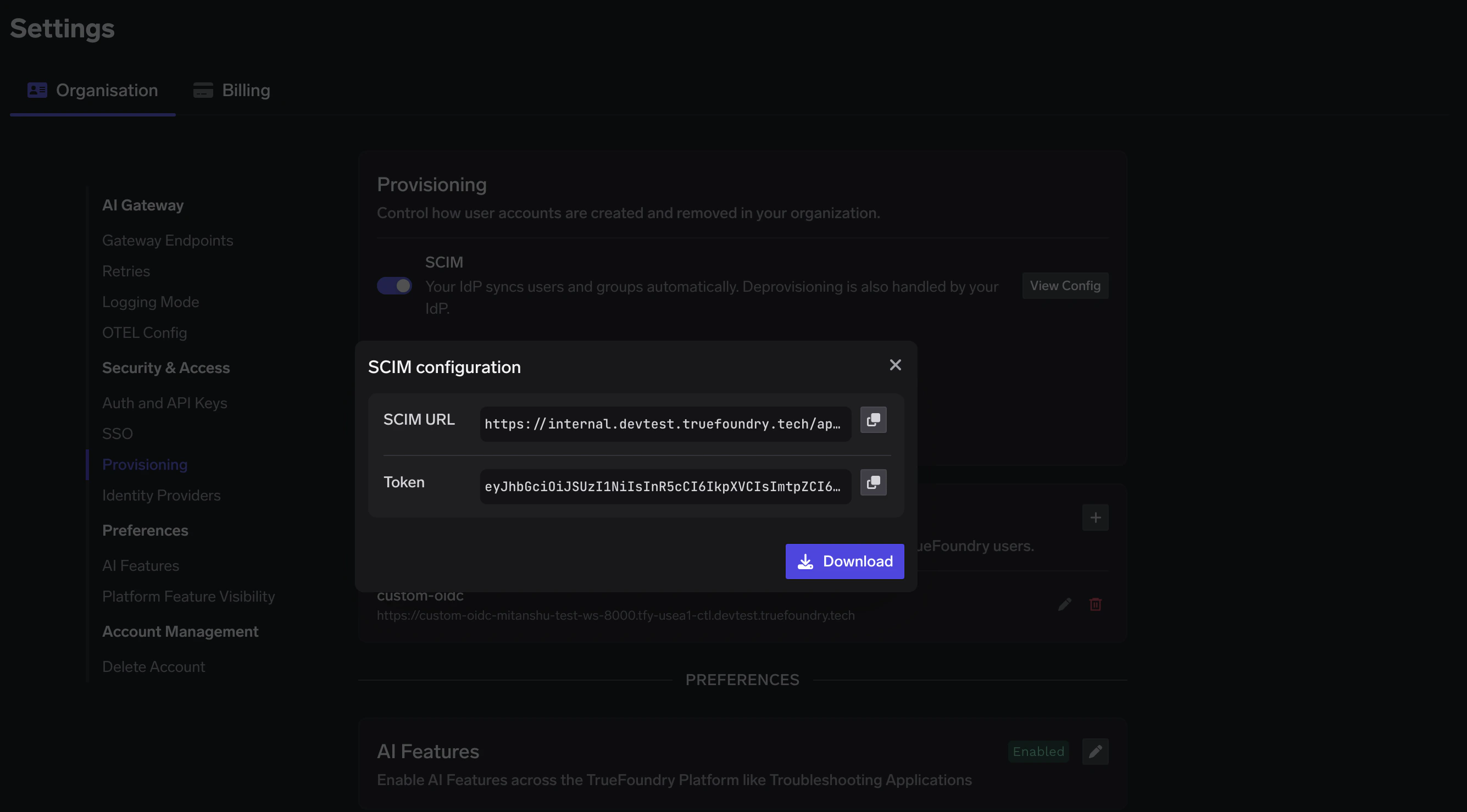
### SCIM Provisioning
You can now enable SCIM provisioning by adding following env:
```yaml lines theme={"dark"}
servicefoundryServer:
env:
SCIM_ENABLED: bool (default: false)
```
Once SCIM is enabled, you can find the SCIM endpoint and bearer token in the TrueFoundry UI under `Settings > Provisioning` after the initial deployment completes.