> ## Documentation Index
> Fetch the complete documentation index at: https://www.truefoundry.com/llms.txt
> Use this file to discover all available pages before exploring further.
# Deepinfra
> Add and configure Deepinfra models in TrueFoundry's AI Gateway
### Adding Models
This section explains the steps to add Deepinfra models and configure the required access controls.
From the TrueFoundry dashboard, navigate to `AI Gateway` > `Models` and select `Deepinfra`.
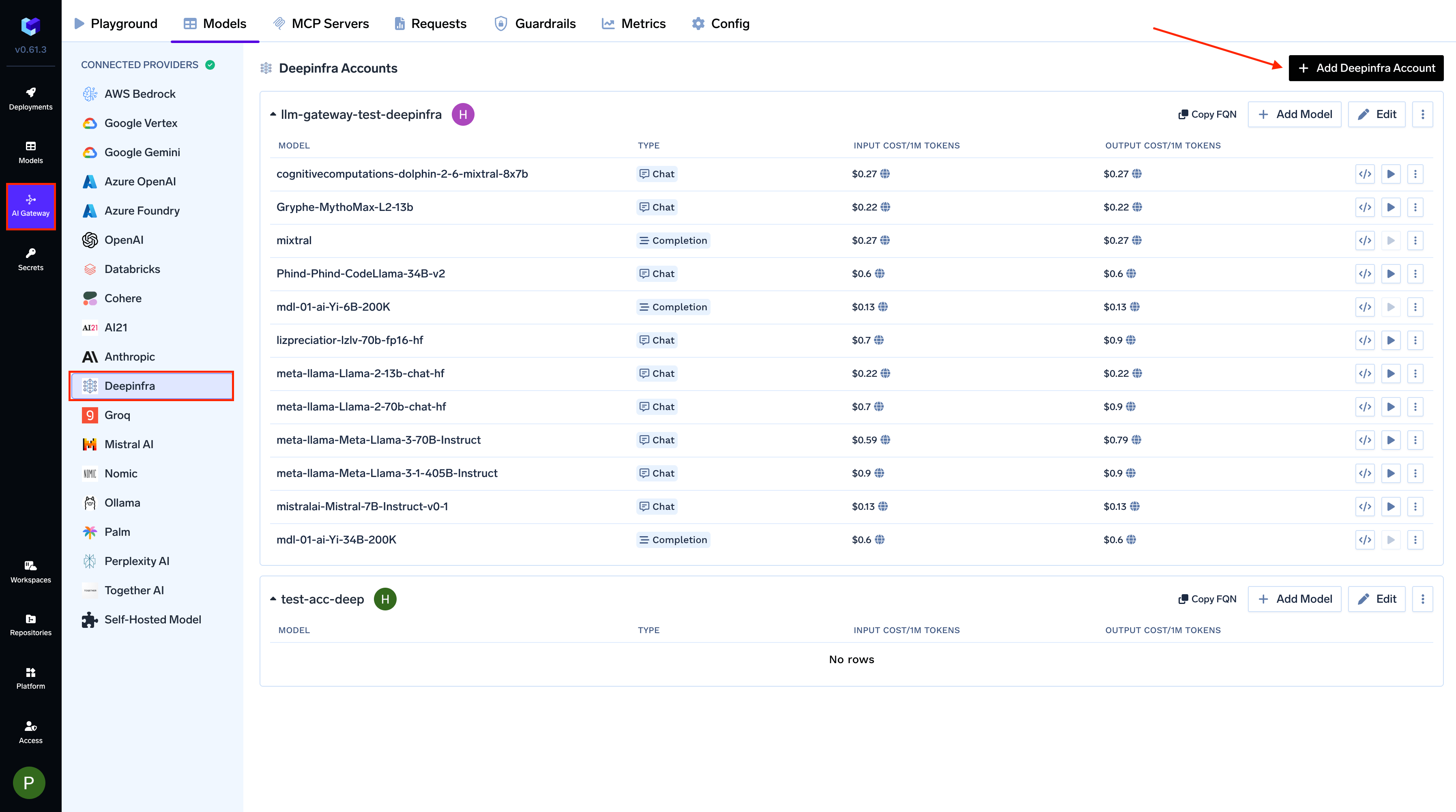 Click `Add Deepinfra Account`. Give a unique name to your Deepinfra account and complete the form with your Deepinfra authentication details (API Key). Add collaborators to your account, this will give access to the account to other users/teams. Learn more about access control [here](/docs/ai-gateway/gateway-access-control).
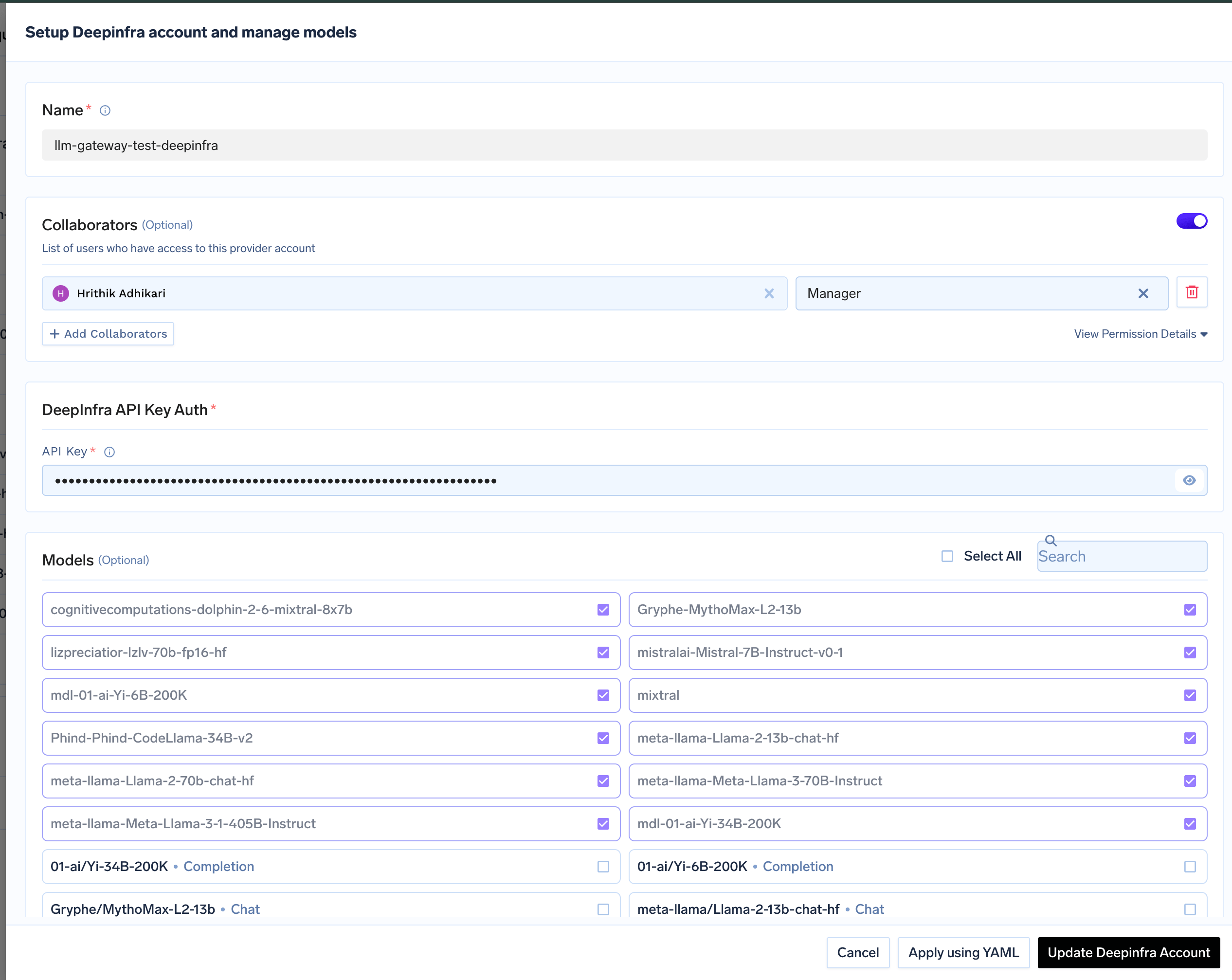 Select the model from the list. If you see the model you want to add in the list of checkboxes, we support public model cost for these models.
(Optional) If the model you are looking for is not present in the options, you can add it using `+ Add Model` at the end of list (scroll down to see the option) by filling the form.
### Inference
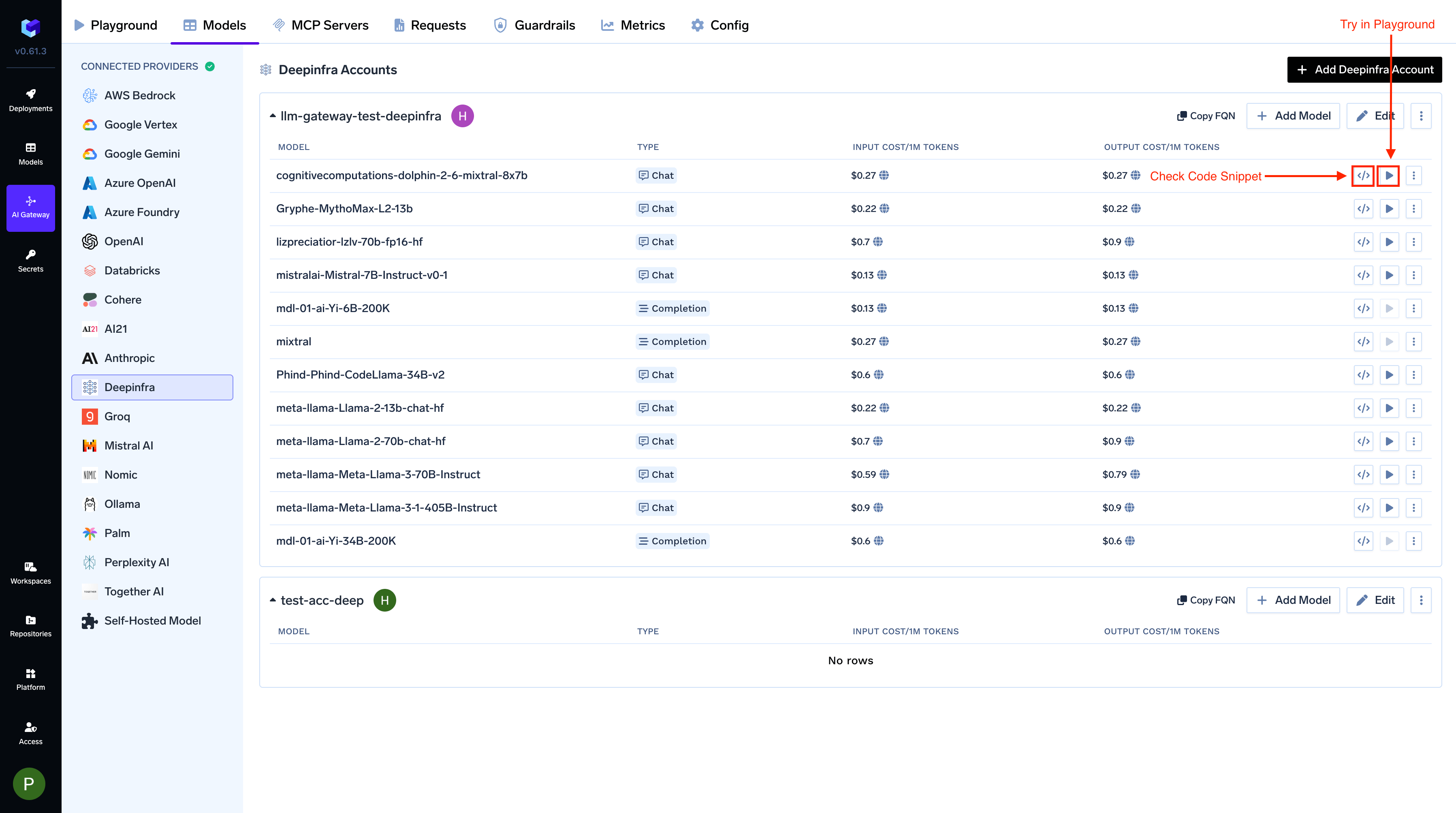
After adding the models, you can perform inference using an OpenAI-compatible API via the Playground or by integrating with your own application.
Select the model from the list. If you see the model you want to add in the list of checkboxes, we support public model cost for these models.
(Optional) If the model you are looking for is not present in the options, you can add it using `+ Add Model` at the end of list (scroll down to see the option) by filling the form.
### Inference
After adding the models, you can perform inference using an OpenAI-compatible API via the Playground or by integrating with your own application.